For web content, a good rule of thumb is to stick to 2-3 sentences per paragraph, which usually lands you in the 40-70 word range. This isn't a hard-and-fast rule, of course. Think of it more as a guiding principle that respects how people actually read online—they're scanning for quick answers, and shorter paragraphs make that information infinitely easier to find.
Why Paragraph Length Is Your Secret to Reader Engagement
Ever clicked on a link and been hit with a massive, intimidating "wall of text"? If you're like most people, you probably clicked the back button without a second thought. That gut reaction is exactly why getting a feel for paragraph length is one of the most underrated skills a writer can have. It goes way beyond simple formatting; it’s about psychology and respecting the reader's experience.
Smart paragraphing is your secret weapon for keeping people hooked.
Each paragraph should be a single, complete thought. When you keep them short, they act like signposts, guiding your audience smoothly from one idea to the next without causing mental burnout. It creates a ton of white space, which gives the reader's eyes a place to rest and makes even complex topics feel less daunting.
This quick overview gives you a solid idea of how paragraph length recommendations shift depending on what you're writing.
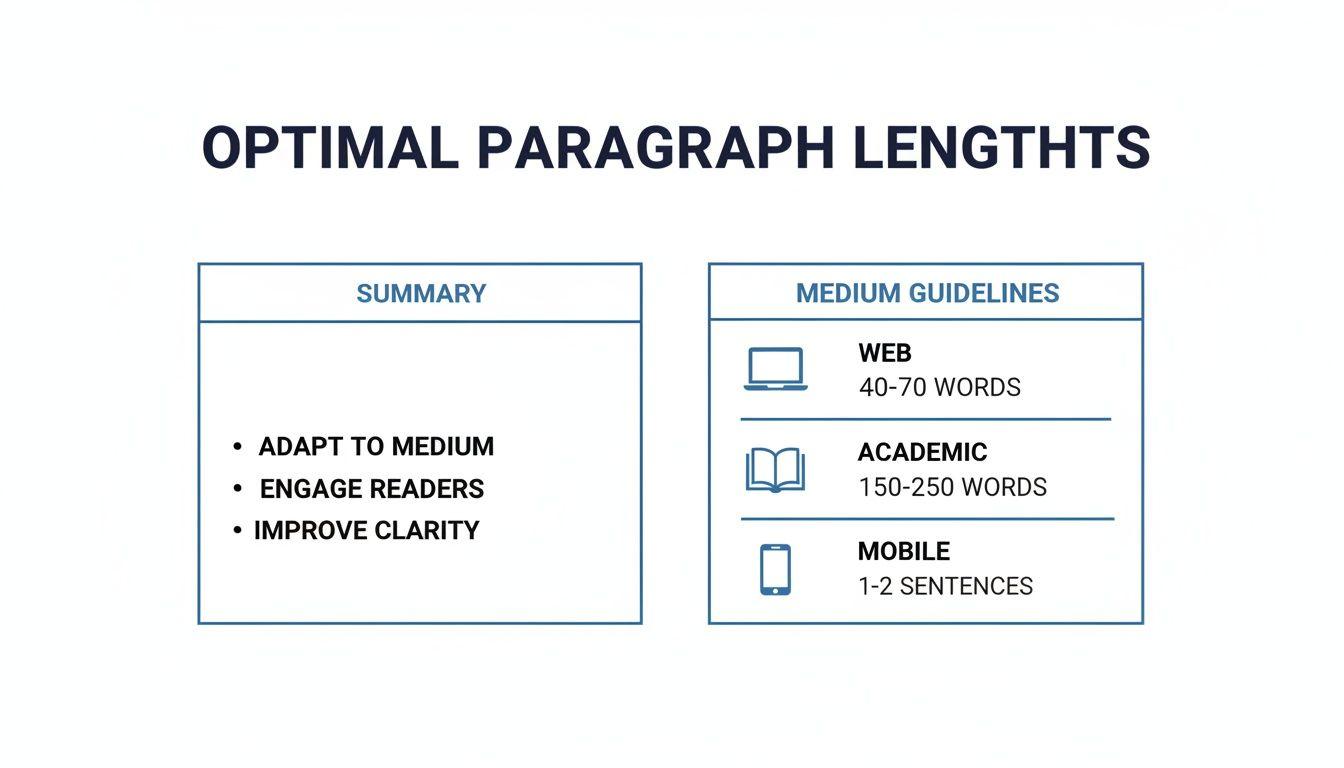
As you can see, context is everything. A punchy paragraph that works perfectly for a blog post would look completely underdeveloped in a formal academic paper.
The Power of Scannable Content
Reading on a screen is just different. We don’t cozy up with a blog post the same way we do with a novel. Online, people rarely read word-for-word. Instead, they scan, hunting for keywords, headings, and key takeaways that solve their problem now. This scanning behavior often follows what researchers call the "F-shaped pattern," meaning your most important information has to jump off the page.
Short paragraphs are the foundation of scannable content. By breaking up your ideas into digestible chunks, you make it effortless for readers to find the value they are looking for, which dramatically increases the time they spend on your page.
This approach has a direct impact on your site's performance. When people find your content easy to read, they stick around longer and are more likely to interact with it. Those are powerful positive signals for search engines, which can lead to better metrics like lower bounce rates and higher time on page.
In the end, figuring out how many words to put in a paragraph isn't just a minor writing tweak—it's a core strategy for keeping readers engaged and boosting your SEO. Your job is to deliver information without overwhelming your audience, making sure your message is not only seen but actually absorbed.
If you need a quick cheat sheet, this table summarizes the ideal lengths for different writing styles.
Quick Guide to Ideal Paragraph Length
Use this table as a quick reference for recommended paragraph lengths across different types of content, helping you find an immediate answer to your question.
| Content Type | Recommended Word Count | Sentence Count | Primary Goal |
| Web/SEO Content | 40-70 words | 2-3 sentences | Scannability and engagement |
| Academic Writing | 100-200 words | 5-8 sentences | In-depth topic development |
| News Articles | 25-40 words | 1-2 sentences | Delivering key facts quickly |
| Fiction/Creative | Varies widely | Varies widely | Pacing, dialogue, and flow |
Ultimately, these numbers are starting points. The best writers develop an instinct for when a paragraph feels "right" for their audience and their medium.
Mastering Paragraphs for Web Content and SEO
Writing for the web is a completely different game than writing for print. Why? Because your audience isn't here to leisurely read every single word. They’re on a mission, scanning the page for the exact information they need, right now.
This behavior is so common it has a name: the "F-shaped" reading pattern. It describes how our eyes naturally track across the top of a page, then down the left side, and across again a little lower down. We’re essentially just looking for keywords and headings that jump out.
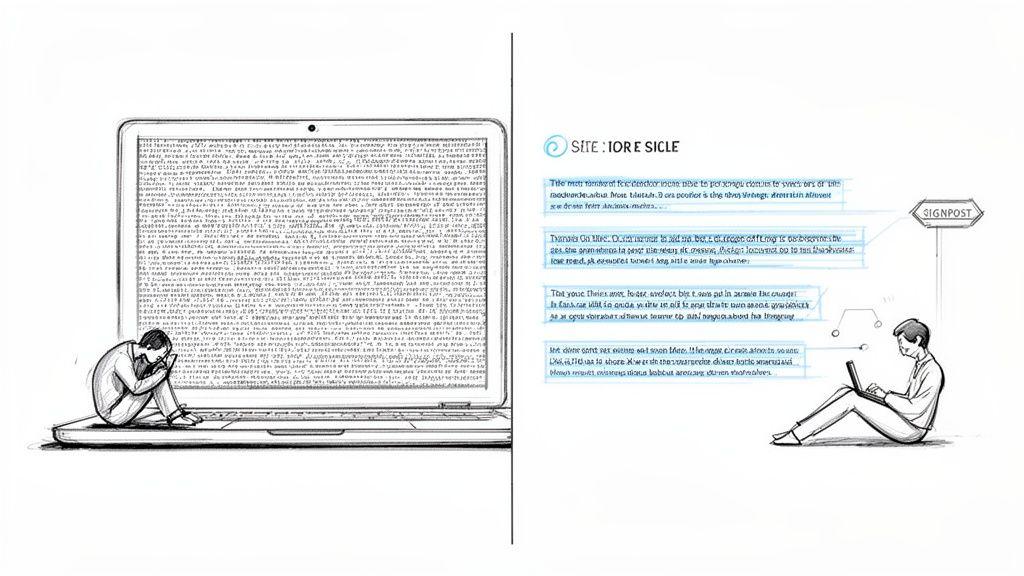
When you understand this, you see why a huge, dense paragraph is an instant engagement killer. A wall of text is intimidating. It forces the reader to work too hard, and most people will just hit the back button. Short, punchy paragraphs, however, act like signposts, effortlessly guiding the reader through your content and creating whitespace that gives their eyes a much-needed break.
Why Shorter Paragraphs Boost SEO
The link between your paragraph length and your SEO performance is surprisingly direct. Search engines like Google are obsessed with user experience. When a reader lands on your page and finds it easy to scan, they're far more likely to stick around. This sends positive signals back to Google.
Here’s a quick breakdown of what happens:
- Lower Bounce Rate: Visitors won't immediately click away if your content looks approachable and easy to skim.
- Longer Time on Page: Well-structured content keeps people engaged, encouraging them to stay and find the answers they're looking for.
- Better User Engagement: Short paragraphs, lists, and subheadings make your content feel more interactive and less like a textbook.
These signals tell Google that your page delivers a great experience, which can help you climb the search rankings. So, thinking about how many words should be in a paragraph is really about optimizing for short attention spans. Studies on digital engagement have found that on average, users read at most 28% of the words on a webpage—with 20% being a more realistic figure. If you want to dig deeper, you can find more insights about user reading patterns that confirm this trend.
The sweet spot for web paragraphs is generally between 40 and 70 words, which usually comes out to about two to three sentences. This length perfectly caters to scanning behavior and makes your main points impossible to miss.
Actionable Tips for Perfect Web Paragraphs
Creating a great reading experience goes beyond just keeping things short. It’s about the overall visual structure of your page.
One of the most effective tools in your toolbox is the single-sentence paragraph.
See how that stands out? This simple trick creates instant emphasis, forcing the reader to pause and absorb a critical point. It shatters the visual rhythm of the page in the best way possible.
Also, lean heavily on bullet points and numbered lists to break down complex ideas or steps. This kind of formatting is far more digestible than a dense block of text, catering directly to the scanner's mindset and making your content crystal clear.
Crafting Effective Paragraphs for Academic Writing
Moving from the snappy, fast-paced world of web content to academic writing is like shifting gears. You're leaving behind the need for quick, scannable bites of information and entering a space where the goal is to build a detailed, persuasive argument, one solid point at a time.
In academia, paragraphs are the very foundation of that argument. Think of each one as a self-contained mini-essay. Its job is to introduce an idea, back it up with solid evidence, analyze that evidence, and then guide the reader smoothly to the next point. This deliberate, structured approach is precisely why the ideal paragraph length here is so different from other forms of writing.
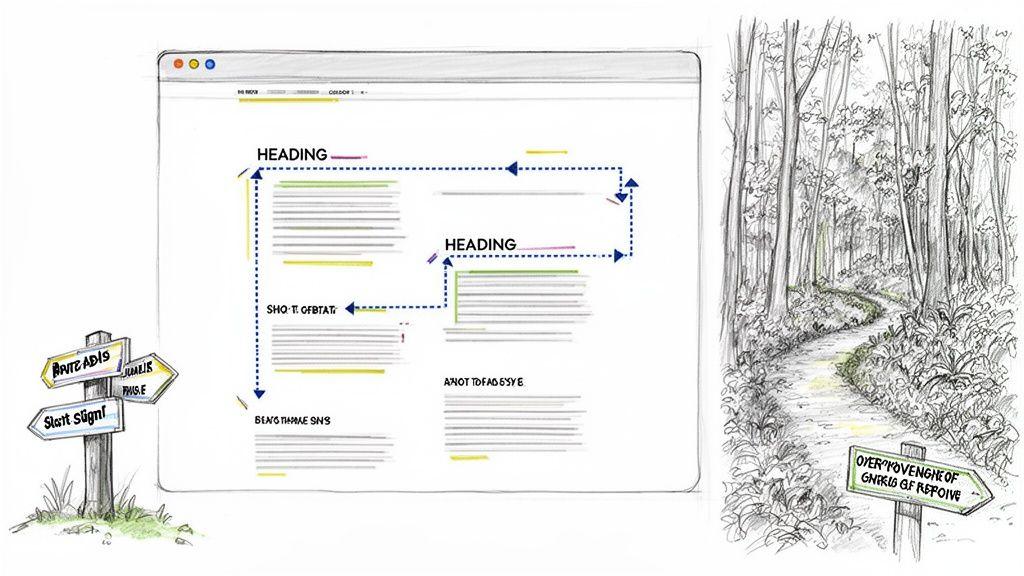
If a paragraph dips below 100 words, it almost always feels underdeveloped. It might make a claim, but it won’t have the room for the evidence and analysis needed to make that claim stick. Conversely, a paragraph that stretches beyond 300 words is a major red flag. It’s likely losing focus, trying to juggle too many ideas at once and leaving the reader confused.
The Anatomy of an Academic Paragraph
To build a strong academic paragraph, you need a clear, consistent structure. This framework isn't just a suggestion; it’s what gives your writing its logical flow and persuasive power. Without it, your arguments can feel disjointed and unconvincing.
A powerful academic paragraph almost always contains these four key parts:
- The Topic Sentence: This is your paragraph's north star. It clearly states the single main point you're about to discuss and prove.
- Supporting Evidence: Here’s where you bring in the proof—data, direct quotes, or facts from credible sources that validate your topic sentence.
- In-Depth Analysis: This is where the real work happens. You can't just drop in evidence; you have to explain how and why it supports your claim, connecting all the dots for your reader.
- Concluding Sentence: This final sentence neatly wraps up the paragraph's idea and often acts as a bridge, setting up the argument in the next paragraph.
The sweet spot for an academic paragraph usually lands somewhere between 150 and 250 words. This range gives you enough room to properly develop a complex idea without overwhelming your reader or muddying your argument.
Finding the Right Balance
Striking this balance is everything. Academic writing requires a deep dive into evidence and careful argumentation, which is why the 150-250 word guideline is so common. It ensures you have space for thorough idea development while maintaining the reader's focus. If you find yourself pushing past 300 words, it’s a strong signal that your paragraph is overworked and needs to be split into two distinct points.
Planning your argument from the beginning makes managing paragraph length so much easier. For more help with this, take a look at our guide on building an effective essay outline example. Once you master this structure, your writing will not only be informative but truly persuasive.
Mobile and Creative Writing: Bending the Rules for Impact
The tiny screen in your pocket has completely rewritten the rules of writing. A paragraph that looks perfectly spaced on a desktop can quickly become a daunting wall of text on a phone. Because the screen is so narrow, text gets stretched vertically, making brevity the key to keeping someone scrolling.
This is non-negotiable for content designed for mobile, like social media posts, email newsletters, or blog articles you know people will read on the go. In these cases, we're talking about ultra-short paragraphs—often just one or two sentences. It’s less about style and more about survival; you have to make the content feel light and easy to scan.
Paragraphs as a Pacing Tool in Storytelling
When you step into the world of creative writing, the rulebook for paragraphs gets tossed out the window. Here, length isn't about readability; it's a powerful instrument for controlling the story's rhythm and the reader's emotions.
Think of it like a film director using different camera shots. A long, winding paragraph full of rich detail forces the reader to slow down. It’s a wide, panning shot, letting them soak in a landscape or get lost in a character's deep, introspective thoughts. It builds atmosphere and encourages reflection.
On the other hand, short, punchy paragraphs speed everything up.
They build tension.
They create urgency.
Each line break is a quick cut, a sharp breath. This is your go-to technique for a frantic chase scene or for showing a character's scattered, panicked state of mind. The staccato rhythm makes the reader's pulse quicken, pulling them right into the heart of the action.
In creative writing, the question isn't "how many words should be in a paragraph?" It's "what effect do I want to create?" Your paragraph length is a key part of your artistic toolkit for controlling pacing, building atmosphere, and enhancing the emotional impact of your story.
This shows just how adaptable the concept of a "paragraph" really is. Whether you're a marketer fighting for a few seconds of attention on a phone or a novelist trying to build a heart-pounding scene, mastering paragraph length gives you incredible control over your reader's experience.
The Psychology of Paragraph Length and Reader Attention
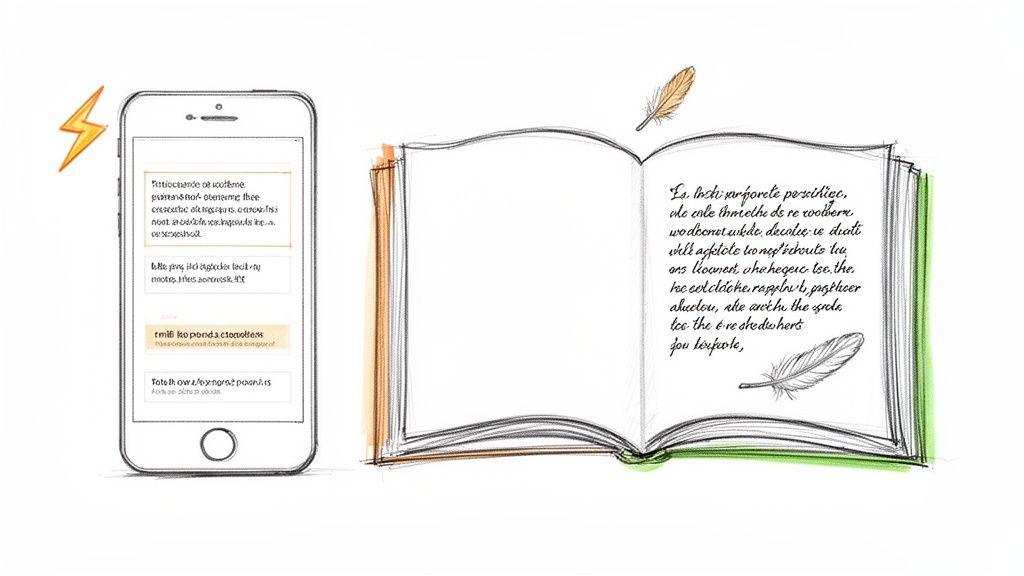
To really nail paragraph length, you have to get inside your reader's head a little bit. We all know that people scan online content, right? Their eyes dart around, looking for the good stuff. Yet, you'll also see data showing that longer articles often keep people engaged for longer. So, what gives?
The answer isn't about writing less. It’s about managing your reader's cognitive load.
Think of your writing as a conversation. If someone talks at you in one long, rambling monologue, your eyes glaze over. But if they make their points in short, crisp, related sentences, you stay locked in. Short paragraphs do the exact same thing on the page.
They take a dense, in-depth article and make it feel approachable. Each paragraph break is like a tiny mental pause, a quick breath that prevents fatigue and keeps your reader scrolling. This is how you create content that's both substantial and a breeze to read.
Decoding Reader Engagement and Content Length
It seems like a contradiction: if people have short attention spans, why do longer articles perform so well? The data doesn't lie.
Research consistently shows that for articles up to 2,000 words, the average time a reader stays on the page goes up right along with the word count. You can dig into a detailed analysis on word count and engagement to see the numbers for yourself. People are absolutely willing to spend time with your content, but only if you make it easy for them.
The goal isn't just to answer a question, but to hold the reader's attention long enough for the answer to sink in. Short paragraphs are the structural tool that makes sustained attention possible in a world of scanners.
This balanced approach gives you the best of both worlds:
- Immediate Accessibility: Scanners can quickly grab the main points without hitting a wall of text.
- Sustained Engagement: The easy-to-scan layout encourages people to stick around, read more deeply, and boost those time-on-page metrics.
Building Trust Through Readable Design
At the end of the day, your content's structure is sending a powerful message to your audience. A clean page with plenty of white space says you respect their time. It's a non-verbal cue that says, "I've organized this for you because I want you to understand it."
That simple act builds trust before they've even finished the first sentence. When you understand the psychology behind paragraph length, you create a much better experience for your readers—one that pays off for them and for you. For more on this, check out our guide on how to improve reading comprehension skills.
Using AI to Instantly Optimize Your Paragraphs
Knowing the rules of paragraph length is great, but putting them into practice consistently—especially on a tight deadline—is a whole different challenge. This is where an AI writing assistant really shines. Think of it as an on-demand editor that can instantly tighten up your text for maximum clarity and impact.
Instead of getting bogged down counting words or manually breaking up sentences, you can use a simple prompt to handle the heavy lifting. This frees you up to focus on the big ideas, letting the AI take care of the structural mechanics. Got a dense wall of text? Just ask the tool to break it down, and you’ll instantly see how many words should be in a paragraph to keep your specific audience hooked.
It’s a ridiculously efficient way to boost readability without watering down your content.
Here’s a peek at how an AI assistant like 1chat makes this process interactive and fast. You just drop in your text, give it a command, and watch it work.
Practical AI Prompts for Perfect Paragraphs
The trick to getting great results from AI is to treat it like a collaborator. You need to give clear, specific instructions. A vague request like "make this better" will get you a generic, uninspired result. But a sharp, targeted prompt? That's how you turn a clunky first draft into a clean, scannable final piece that people will actually read.
Here are a few powerful prompts you can try right now:
- For Web Content: "Break this text into short, easy-to-read paragraphs. Aim for 2-3 sentences each and use simple language for a blog post."
- For Academic Writing: "Restructure this paragraph to be around 200 words. Give it a strong topic sentence and make sure the supporting details flow logically."
- For Mobile Readability: "Rewrite this for a mobile screen. Use very short paragraphs, and don't be afraid to use single-sentence paragraphs for emphasis."
- For General Flow: "Analyze this article for paragraph length and flow. Flag any paragraphs that are too long and suggest how to split them based on the core ideas."
When you give the AI precise commands, you're not just offloading work—you're guiding it to optimize your text for its exact purpose. It's a method that saves a ton of editing time and, as a bonus, helps you internalize the principles of good paragraph structure for everything you write.
Before and After: An AI Edit in Action
Let's see what this looks like with a real example. Imagine you wrote this dense, academic-sounding paragraph for a blog post about user experience.
Before:
"The critical importance of paragraph structure in digital content cannot be overstated, as it directly influences user engagement metrics like time on page and bounce rate by managing cognitive load. Readers on digital platforms exhibit scanning behaviors, often following an F-shaped pattern, which means that large, unbroken blocks of text create a significant barrier to comprehension, causing user fatigue and abandonment of the page before the core message can be effectively communicated."
It's packed with good information, but it’s a chore to read on a screen.
Now, let's feed it to an AI with this prompt: "Break this text into short, easy-to-read paragraphs for a blog post."
After:
"How you structure your paragraphs is critical for any online content. It directly impacts how long readers stick around and whether they bounce off your page.
Why? It all comes down to cognitive load.
People don’t read online—they scan, usually in an 'F-shaped' pattern. Huge blocks of text are like a brick wall to a scanner. It tires them out, and they’ll often leave before you’ve even made your main point."
See the difference? The "after" version is punchy, scannable, and far more likely to be read. Tools like an AI paragraph writer make this kind of transformation a matter of seconds. You can apply expert formatting principles with just a few keystrokes, making sure your message always hits the mark.
Common Questions About Paragraph Length, Answered
Alright, we've covered the general rules, but writing often lives in the gray areas. When you're in the middle of a draft, specific questions always seem to pop up. Let's tackle some of the most common sticking points I see writers struggle with.
Think of this as the practical, real-world advice you need to move from just knowing the guidelines to applying them with confidence.
Is a One-Sentence Paragraph Ever Okay?
Yes. In fact, it can be one of your most powerful tools.
In web writing, marketing copy, or even fiction, a single, isolated sentence is pure gold for creating emphasis. It slams on the brakes, forcing the reader to pause and absorb a critical point. While you wouldn't get away with this in a formal academic paper, it’s perfect for making a key takeaway land with a punch.
Just don't overdo it. The power comes from its rarity.
Trust your eyes. If a paragraph looks like a dense, intimidating block of text on the screen, it will feel that way to your readers. Visual appeal is just as important as the word count itself.
What Are the Signs of a Paragraph That Is Too Long?
You can usually spot an overgrown paragraph in three ways. First, the simple numbers check. If you're writing a blog post and a paragraph is creeping past 100 words, that’s a pretty good signal to take a closer look.
Second, check its focus. Is it trying to juggle more than one main idea? A paragraph should have a single job. If it's covering two or three distinct points, it's overworked and needs to be split into separate, more focused paragraphs.
And last, just step back and look at it. Does it look like a wall of text? If it makes you feel tired just by looking at it, imagine how your reader feels. That's your most reliable clue right there.
Does Every Single Paragraph Need a Topic Sentence?
In the world of formal academic writing, the answer is a hard yes. A topic sentence is your contract with the reader—it tells them exactly what that paragraph is about to prove. It's the bedrock of a tightly structured argument.
But outside of academia, the rules bend. For a blog post or a story, you might open with a question, a short transitional phrase, or an intriguing statement to pull the reader in. The goal is always to guide your reader smoothly. While the classic topic sentence is a fantastic tool to have in your belt, it’s not the only tool, especially when you're aiming for a more conversational or narrative flow.