Keeping your kids safe online isn't really about the software or the settings—not at first, anyway. It all starts with conversation. The real goal is to build a relationship where they know, without a doubt, they can come to you with anything, no matter how weird or scary.
This shifts your role from being the family's "digital police" to their trusted guide. It’s a huge difference.
Why Talking About It Is Non-Negotiable
Before you even think about router settings or content filters, your most powerful tool is simply talking with your kids. All the technical safeguards in the world can't replace an open, honest relationship. Let's be real: clever kids can find ways around almost any filter if they’re determined enough.
But when they know they can tell you about a creepy message or something they stumbled upon without getting their devices taken away, you create real safety. It’s about building a foundation of trust.
Their online world is a massive part of their social life. It's where they connect with friends, learn new things, and just hang out. When you show genuine interest in the games they love or the YouTubers they follow, you’re telling them that their world matters to you. That simple act makes you an ally, not just an enforcer.
Get a Feel for Their World
To have a real conversation, you have to have some idea of what they're actually experiencing online. It's a mixed bag out there. A recent report found that while 77% of children say they feel safe online, that number has actually dipped a bit. Kids are becoming more aware of the risks.
The same study, which you can find on the Internet Matters website, also had some good news. It showed that more parents are regularly talking to their kids about online life and using safety tools. This tells us one thing loud and clear: what we're doing as parents is working, even as new challenges pop up.
Your job isn’t to be an expert on every single app—that’s impossible. Your job is to be the expert on your child. Ask questions. Listen without jumping in to judge. Be the safe person they can turn to when things get weird online, because sooner or later, they will.
How to Actually Start the Conversation
Okay, moving from theory to reality can feel a little stiff. The secret is to keep it casual. Don't schedule a "Big Internet Talk." Instead, weave these chats into the moments you already have, like on the way to school or while making dinner.
Here are a few ideas to get the ball rolling:
- Lead with the good stuff. Try asking, "What was the coolest thing you saw online today?" or "Show me that hilarious video you were laughing at earlier." It opens the door with curiosity, not suspicion.
- Tie it to the real world. You could say, "I heard about a new online challenge on the news. Have any of your friends mentioned it?" This makes the topic relevant and less like a lecture.
- Share a bit of your own life. Something like, "I got a really weird friend request today and it felt off. Has that ever happened to you?" Sharing your own vulnerability builds a ton of trust.
- Turn it into a team effort. Ask a hypothetical question like, "If one of your friends sent you a link that looked sketchy, what would you do?" This helps them practice critical thinking without being on the spot.
By starting these conversations early and making them a normal part of your life, you build that bedrock of trust. It’s what makes them turn to you first when they really need help.
Before we go deeper, here’s a quick-start checklist to put some of these ideas into practice right away, no matter how old your kids are.
Quick Start Digital Safety Checklist
This table gives you a simple, age-appropriate starting point for both the crucial conversations and the essential technical setups.
| Age Group | Key Conversation Starter | Essential Technical Step |
| Ages 5-7 | "What's your favorite game to play online? Can you show me how it works?" | Set up kid-safe profiles (e.g., YouTube Kids) and use device-level screen time limits. |
| Ages 8-12 | "Have you ever seen something online that made you feel confused or uncomfortable?" | Install a reputable parental control app and review privacy settings on their favorite games/apps together. |
| Ages 13-17 | "Let's talk about what's okay to share online and what's not. What do you think the rules should be?" | Have them show you their privacy settings on social media accounts and discuss the importance of strong, unique passwords. |
Think of this table as your first step. Each conversation and technical tweak you make builds a stronger, safer online environment for your family.
6. Setting Up Your Technical Safety Net
While open conversations build the foundation of trust, the right technical tools are the guardrails that keep kids on a safe path as they learn to navigate the online world. Think of these settings less as a lockdown and more as a support system—a practical way to create a buffer that gives both of you space to learn and grow together.
Setting these tools up is probably easier than you think. Most modern devices, from phones to game consoles, come with powerful, built-in parental controls. The goal isn't to lock everything down forever, but to create a digital environment that can evolve with your child, offering more freedom as they show more responsibility.
Mastering Device and App Controls
Your first line of defense is the device itself. Whether your child has an iPhone or an Android, you have a free and surprisingly robust suite of tools right at your fingertips. Taking an hour to get familiar with them now can save you from a world of headaches later.
If you’re in the Apple ecosystem, Screen Time is your command center. You can get incredibly specific here, setting daily time limits for app categories (like “Social” or “Games”), blocking explicit content, and even shutting down in-app purchases. It’s a game-changer.
For Android users, Google Family Link does much of the same heavy lifting. You can approve or block apps your child wants from the Play Store, get a realistic look at how much time they’re spending on certain apps, and remotely lock their device when it’s time for dinner or homework.
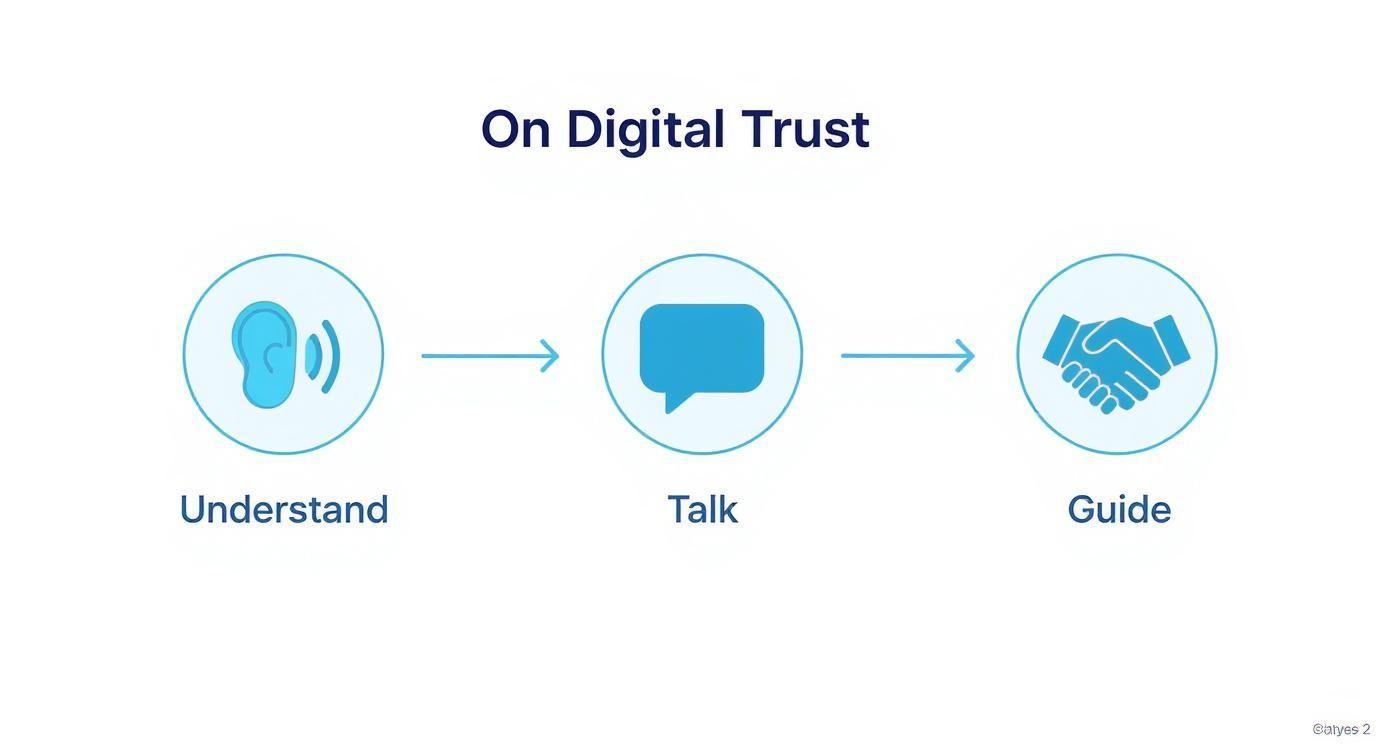
These tools are designed to support a framework of trust built on understanding their world, talking openly, and guiding their choices.
Filtering Content on Popular Platforms
Next, you need to look at the platforms where your kids actually spend their time. YouTube and TikTok, for instance, have their own safety settings that are crucial for younger users.
On YouTube, the easiest first step is enabling Restricted Mode. It’s not foolproof, but it uses signals like video titles, descriptions, and community flags to help filter out mature content. For younger kids, I always recommend the dedicated YouTube Kids app. It offers a much more contained and curated library of videos.
TikTok’s Family Pairing feature is also a must-use. It lets you link your account to your teen's, giving you a dashboard on your own phone to:
- Set daily screen time limits.
- Turn on a "Restricted Mode" to filter out inappropriate content.
- Limit who can send them direct messages—or turn them off completely.
These platform-specific controls are important because they understand the unique risks of each app, giving you more targeted control than a simple device-level block.
Securing Gaming Consoles and Shared Computers
It’s easy to forget that gaming consoles are powerful social hubs. Both PlayStation and Xbox have fantastic family management settings that are worth exploring. You can set spending limits (no more surprise credit card bills!), control who they can play and chat with, and restrict games based on their ESRB rating.
If you have a shared family computer, the single most important thing you can do is create a separate, non-administrator user account for your child. This one move prevents them from installing sketchy software or messing with core system settings. From there, both Windows and macOS let you apply parental controls just to their account, like filtering websites and setting time limits.
A quick tip from experience: The goal of these tools isn't to spy, but to guide. Whenever it’s age-appropriate, set them up with your child. Explaining why you’re setting a time limit on social media helps them understand the reasoning behind the rules, turning it into a partnership instead of a punishment.
Finally, a huge part of this technical setup is simply teaching good password habits. As kids start creating their own accounts, they need to know what makes a strong, unique credential. We have a great guide that explains the benefits of using a passphrase vs password and offers simple strategies for creating login info that’s both memorable and secure.
Teaching Digital Citizenship and Critical Thinking
Let's be honest: all the technical tools in the world are just a starting point. Parental controls eventually come off, but the lessons you teach your kids about being smart and kind online? That's what lasts a lifetime. The real goal is to raise kids who can navigate the digital world thoughtfully and safely, long after you’ve stopped looking over their shoulder.
This is where teaching digital citizenship and critical thinking becomes your most powerful strategy. Think of it as building their internal compass, the one that guides them when no filter is watching. It’s all about giving them the skills to be responsible online, shifting the focus from simply blocking bad stuff to building good judgment.
Understanding Their Digital Footprint
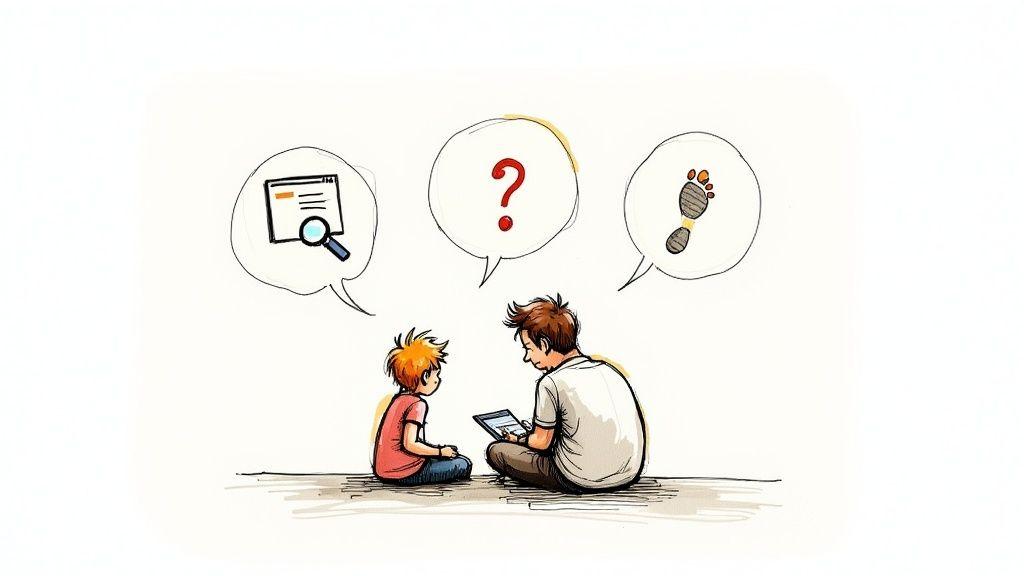
One of the first, and most important, concepts to get across is the digital footprint—that trail of data they leave behind with every click, post, and like. You need to help them understand that what they do online can stick around forever and be seen by people they've never even met.
I find that simple analogies work best. Explain that liking a post is like putting a bumper sticker on your car for everyone to see. Posting a photo is like pinning it to a public bulletin board in the town square. These visuals help make the permanent and public nature of their actions feel more real.
The point isn't to scare them; it's to empower them to think before they act. A great way to practice this is to sit down together and look at some of their older posts. Ask them, "Does this post from last year still feel like you? Is this something you'd be proud for a future coach or teacher to see?"
Building a Healthy Skepticism
The internet is an absolute firehose of information, and a lot of it is junk. Teaching kids to question what they see is one of the most vital survival skills for their online lives. Misinformation isn't just about silly rumors; it can lead to dangerous challenges or harmful beliefs.
Start by looking at content together. Find a viral video or a dramatic-sounding news headline and play detective. Ask them questions to get them thinking:
- Who made this and why? Are they trying to sell you something, get a laugh, or genuinely inform you?
- How does this make you feel? Content designed to make you angry or super excited is often trying to manipulate you. It’s a huge red flag.
- Can we find this anywhere else? Show them how to check two or three other trusted sources before they believe—or share—a wild claim.
This process builds the mental reflexes they need to automatically second-guess what they see. Honing these abilities is one of the most important critical thinking skills for students, and it pays off big time in safer online behavior.
Scenarios are your best friend here. Ditch the lectures and try a "what would you do if..." exercise. For example: "What would you do if a 'fun' online quiz asked for your birthday and your pet's name? Why do you think that might be a sneaky way to get personal info?"
The Unbreakable Rules of Privacy
Finally, a huge part of being a good digital citizen is fiercely protecting personal information. This goes way beyond just not sharing passwords. Kids need a clear, non-negotiable list of things that are never, ever okay to share online.
This includes the obvious stuff like their full name, address, or phone number. But it also covers more subtle details, like posting a selfie that accidentally shows your house number or a street sign in the background. Explain how someone with bad intentions can piece together these little clues to get a bigger picture.
Create a simple "Never Share" list and keep it visible, maybe near the family computer, or just make it a regular topic of conversation.
- Your full name, age, or birthday.
- The name of your school or even your city.
- Your home address or phone number.
- Your passwords—for anything, ever.
- Photos or videos that reveal personal location details.
By focusing on their digital footprint, healthy skepticism, and personal privacy, you're not just giving your child a list of rules. You're giving them the tools to think for themselves and make smart choices for the rest of their lives.
Recognizing and Responding to Online Dangers
Look, even with all the best prep work, your kid is probably going to run into something weird or upsetting online. It's just the nature of the beast. The goal isn't to wrap them in bubble wrap and prevent every single negative experience—that's a losing battle. It's about giving them, and you, the tools to spot trouble and handle it calmly when it shows up.
This isn't meant to be a scare tactic. Think of it as your family's emergency action plan. Knowing what to do ahead of time can turn a moment of panic into a powerful learning opportunity.
Unpacking Cyberbullying
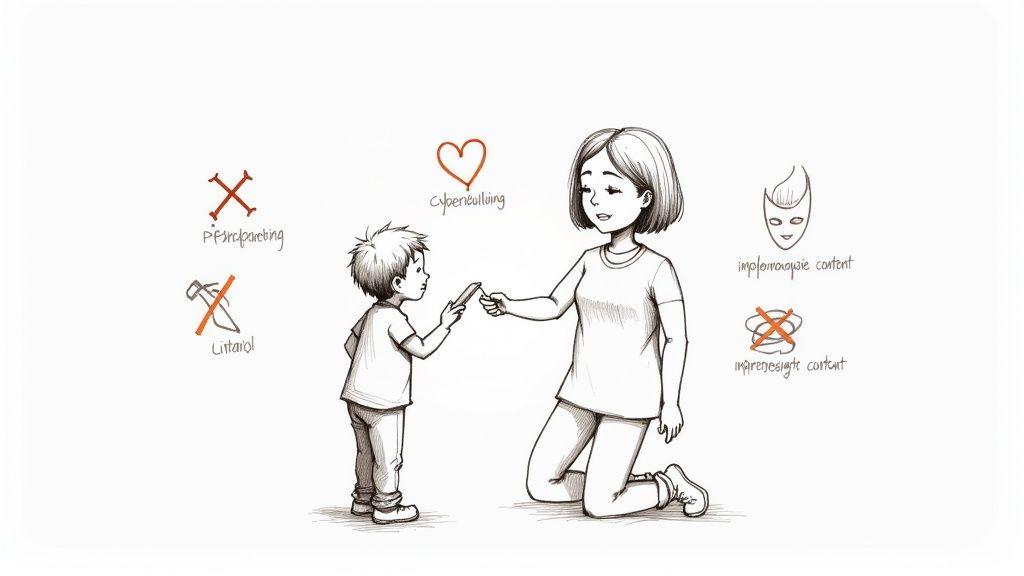
Cyberbullying isn't just a spat in a group chat. It's repeated, intentional harassment that can make a child feel like there’s no escape, especially since it follows them home on their devices. The signs can be subtle, so you have to pay attention to shifts in their behavior.
Maybe they suddenly clam up, seem more anxious than usual, or start avoiding a device they used to love. You might also notice them hiding their screen or having big mood swings right after they've been online.
If you suspect cyberbullying—whether your child is the target or the one doing it—your first move is always to listen without jumping to conclusions.
Your Action Plan:
- Stay Calm and Hear Them Out: Your child needs to feel safe telling you the whole story. Reassure them that coming to you was the right move and that you'll figure it out together.
- Document Everything: Get in the habit of taking screenshots. Grab images of the messages, posts, and profiles involved. This proof is gold if you need to report it to the school or the platform.
- Block and Report: Sit with your child and show them how to block the people involved. Then, walk them through the platform's reporting process to flag the abusive content.
- Loop in the School: If other students are involved, the school needs to be aware. They have policies for this and can intervene in ways you simply can't from home.
Understanding the Tactics of Online Predators
This is the one that keeps most of us up at night, and for good reason. Predators are masters of manipulation and trust-building, a process known as grooming. They often pose as a peer, showering a child with attention, compliments, and understanding to forge a strong emotional bond.
The numbers here are genuinely chilling. Last year, authorities identified over 275,000 webpages with child sexual abuse material. What’s truly gut-wrenching is that 92% of this content was 'self-generated,' meaning kids were manipulated into creating it themselves. You can dig deeper into the global scope of this problem in this detailed report on online child safety.
Your best defense is knowing the warning signs.
Predators thrive on secrecy. Your child's most powerful tool against them is their willingness to tell you when something feels wrong. Reinforce the message that they can always come to you, no matter what, without fear of judgment or punishment.
Red Flags to Watch For:
- An online-only "friend" starts sending them gifts or money.
- They become intensely private about who they're talking to online.
- They start using language or showing knowledge that seems way too mature for their age.
- Someone is asking them to keep secrets from you.
- There's a push to move the conversation from a public game chat to a private messaging app.
Seeing these signs is your cue to have a direct, but not accusatory, conversation. Remind them of the non-negotiable family rule: we never, ever meet up with someone we only know from the internet. Explain that some adults lie online to hurt kids, and it's your job to keep them safe from that.
Responding to Inappropriate Content
At some point, your kid is going to see something they shouldn't. It's almost a rite of passage. It could be a gross pop-up ad, a video a friend shares, or something they find while searching for homework help. Their reaction might be anything from morbid curiosity to real fear.
Your reaction in that moment is everything. If you freak out, you're teaching them one thing: don't tell Mom or Dad next time.
What to Do When They See Something Upsetting:
- Don't Blame Them. The first words out of your mouth should be, "Thanks for telling me. You are not in trouble." This keeps the door open for next time.
- Validate Their Feelings. Acknowledge how they feel. "Wow, that sounds like it was really confusing to see," or "I can see why that would have scared you."
- Make It a Teachable Moment. Without lecturing, calmly and briefly explain why that content isn't for them. Reassure them that while the internet is full of amazing things, it also has some junky, unsafe corners—which is exactly why you have rules and filters in place.
- Reinforce Your Plan. Remind them what to do if it happens again: "You know the drill: close the screen and come find me or Dad right away. You did it perfectly."
Laying Down the Ground Rules: Your Family Media Agreement
Let's be honest: nagging your kids about screen time is exhausting. Those unwritten rules about technology often become a constant source of friction. A Family Media Agreement is your way out of that cycle. It’s about turning those vague expectations into a clear, concrete plan that everyone in the family helps build.
Instead of another parent-vs-kid battle, this process becomes a team effort. You’re creating a shared playbook for how your family navigates the digital world, and that’s a powerful thing.
Think of it less like a rigid contract and more like a living document that reflects your family’s values. It’s a tool for getting everyone on the same page about the how, when, and where of technology use. The most important part? You don't just hand it down from on high—you build it together.
When kids and teens have a real voice in creating the rules, they gain a powerful sense of ownership. That buy-in is the secret sauce that makes them far more likely to stick with the plan without you having to be the screen time police.
What Goes Into a Strong Agreement?
A great media agreement is specific. It tackles the most common areas of conflict before they even start. You want to be thorough but also flexible, creating guidelines that fit your family’s unique rhythm and your kids' different ages.
Here are the core areas you’ll want to cover:
- Screen Time Limits: Get specific about weekday versus weekend limits. For example, maybe you all agree on one hour on school nights and three hours on Saturdays, making it clear that screen time for homework doesn't count toward that limit.
- "No-Phone Zones" and Times: Carve out spaces and times where screens are off-limits. The dinner table and bedrooms are the two most important places to start. This helps protect family connection and, crucially, healthy sleep habits.
- Rules for Apps and Games: Set up a clear process for new downloads. It could be as simple as, "We always talk about a new app or game before it gets downloaded to make sure it's a good fit for you."
- Digital Kindness and Communication: This is all about being a good human online. Agree on simple, powerful rules like, "We never post or send anything we wouldn't say to someone's face," or "We don't get involved in other people's online drama."
The best agreements aren't set in stone. Plan to sit down and review your agreement every six months or so. As your kids get older and technology keeps changing, your rules will need to grow right along with them.
Making It a True Family Project
The real power of a family media agreement isn't just in the final document—it's in the process of creating it together. Getting your kids involved isn't optional; it's the key to making it work. This approach does more than just set rules; it teaches them negotiation, responsibility, and how to manage their own choices.
Kick things off with a family meeting where everyone gets a chance to speak without being interrupted. Ask your kids what they think is fair. You might be surprised by how reasonable they are. They have a front-row seat to what causes problems among their friends and often have a keen sense of what feels right.
A great way to start the conversation is by asking, "How can we use our devices in a way that helps our family stay happy, healthy, and connected to each other?" This positive approach frames it as a shared goal, not just a long list of things they can't do.
When you get to the part about consequences for breaking the rules, ask for their input there, too. A teen who helps decide that losing gaming privileges for a day is a fair consequence is much more likely to accept it without a fight when the time comes. This shared responsibility is a huge part of teaching them how to be safer and smarter online—by making them an active part of the solution.
To help you get started, here's a look at how you can tailor the rules for different age groups. The goal is to match the expectations with their developmental stage.
Core Components of a Family Tech Agreement
| Category | Example Rule for Younger Kids (6-10) | Example Rule for Teens (11-16) |
| Time Limits | "We can have 1 hour of fun screen time after homework is done on school days." | "My screen time budget is 2 hours on weekdays and 4 on weekends, which I can manage myself as long as my chores and schoolwork are finished." |
| Device-Free Zones | "No tablets or phones at the dinner table. We put them in the charging basket before we eat." | "Phones stay out of bedrooms after 10 PM on school nights to help us all get better sleep." |
| Content & Apps | "Mom or Dad has to approve any new app or game before I download it." | "I will check the age ratings and reviews before downloading new apps and will not use apps rated 17+ without a family discussion." |
| Online Safety | "I will never share my full name, school, or address online and will tell a parent right away if a stranger talks to me." | "I will not share my passwords with anyone except my parents. I will keep my social media profiles private and only connect with people I know in real life." |
| Digital Kindness | "I will only say kind things online, just like I would at school. If I see mean behavior, I will tell a grown-up." | "I will not participate in or spread gossip or drama online. I will treat others with respect, even when we disagree, and will block people who are being hurtful." |
| Consequences | "If I don't follow the rules, my device will go on a 'time out' for the rest of the day." | "If I break a rule, I'll lose device privileges for 24 hours. For major issues, we will have a family meeting to discuss next steps." |
This table is just a starting point. The best agreements are customized to fit your family's unique needs, values, and the specific kids you're raising. The conversations you have while filling it out are what truly matter.
Common Questions About Kids Online Safety
Even with the best game plan, digital parenting throws curveballs. It’s completely normal to feel a little lost when a new challenge pops up. This section is all about tackling those tough, common questions with direct answers and what to do next.
Think of this as your go-to guide for those moments that make you think, "Okay, now what?" From your child accidentally stumbling upon something they shouldn't have to navigating a teenager's privacy, we've got you covered.
What if My Child Sees Something Inappropriate?
It's a moment that makes every parent's stomach drop, but it’s one that’s almost guaranteed to happen. A stray click, a weird pop-up, and suddenly something disturbing is on the screen. The most important thing you can do? Manage your own reaction.
If you fly off the handle with panic or anger, you’re really just telling them one thing: Don't come to me next time. Instead, take a breath.
Here’s a better way to handle it:
- Reassure, Don't Blame. Start with something like, "Thanks for coming to get me. You did the right thing, and you are not in trouble." This keeps the door for communication wide open.
- Validate Their Feelings. Acknowledge how they feel. "Wow, that sounds like it was really confusing and scary to see."
- A Quick Teachable Moment. Calmly explain that the internet has some weird, unsafe corners, and that’s exactly why you have family rules in place. It reinforces the why behind your plan without turning into a lecture.
This approach flips a negative moment into a chance to build trust. It teaches them that no matter what they find online, coming to you is always the right move.
How Do I Handle Suspected Cyberbullying?
If you start noticing your child is getting withdrawn, anxious, or super secretive about their device, it could be a red flag for cyberbullying. Your gut reaction might be to confiscate their phone, but that can backfire by cutting them off from their friends and support system.
Instead, try opening a conversation from a place of concern, not accusation. Something like, "Hey, I've noticed you seem a little down after you've been on your phone lately. Is everything okay?" works wonders.
Your job here is to be a supportive ally, not just a problem-fixer. Empower your child by working together. Help them document the harassment, block the bullies, and report the behavior to the platform—and, if it’s happening with classmates, to the school.
It's also important to remember that access to technology itself creates a safety gap. While one-third of all internet users are children, a shocking two-thirds of kids worldwide don't have internet at home. In wealthier countries, 87% of kids have home internet access, but that number plummets to just 6% in low-income nations. This "digital divide" means many children face online risks without the same support or resources. You can explore this global challenge further with insights from the Digital Watch Observatory.
Should I Monitor My Teenager's Online Activity?
This is the ultimate tightrope walk: keeping them safe while respecting their growing need for privacy and independence. There’s no single right answer here, but the best approach is one that shifts from "monitoring" to "mentoring" as they get older.
With younger teens, it’s perfectly reasonable to have more direct oversight—maybe you know their passwords or do occasional spot-checks. But as they mature and show you they can be responsible, you can gradually shift to a model built on trust. That means focusing more on ongoing conversations about their digital life than on constant surveillance.
A great way to do this is to have regular, informal "tech check-ins." This isn't a phone inspection. It's just asking open-ended questions like, "Anything interesting or weird happen online this week?" It respects their space while keeping you in the loop. For a deeper dive, check out our guide on how to protect privacy online.
At the end of the day, your goal is to raise a teen who can manage their own digital world safely and responsibly. Your relationship, built on open communication, will always be a better safety tool than any software you can install.