
Think of organizing your research notes not as a chore, but as building a trusted, central hub where your ideas can connect and grow. What you need is a system that lets you capture information without friction, structure it in a way that makes sense to you, and find anything you need in seconds. This isn't just for academics; the same principles work whether you're a student, running a small business, or even managing a big family project.
Why a Central Knowledge System Matters
We've all been there: scattered documents on a desktop, a dozen browser tabs open, and random thoughts jotted down in a notes app on our phone. This digital chaos creates a ton of cognitive friction. Every time you have to hunt for a piece of information, you're draining mental energy that could be spent on actual thinking and analysis.
The goal isn't to create a perfectly tidy digital filing cabinet. It's to build a personal knowledge system that becomes an extension of your own mind.
This system isn't a static archive you just dump things into. Think of it as a living, breathing knowledge base—a dynamic space where you can:
- Connect Disparate Ideas: Suddenly see how an article you read last month clicks with a new project you started today.
- Generate New Insights: Start to uncover patterns and relationships you'd have completely missed otherwise.
- Reduce Overwhelm: Feel that sense of calm that comes from knowing exactly where new information goes and where to find old information when you need it.
From Mess to Meaningful Connections
The journey from a mess of files to an organized hub follows a pretty clear path. You start with the chaos, funnel it through a capture and clarification process, and finally centralize it into a powerful knowledge hub that actually works for you.
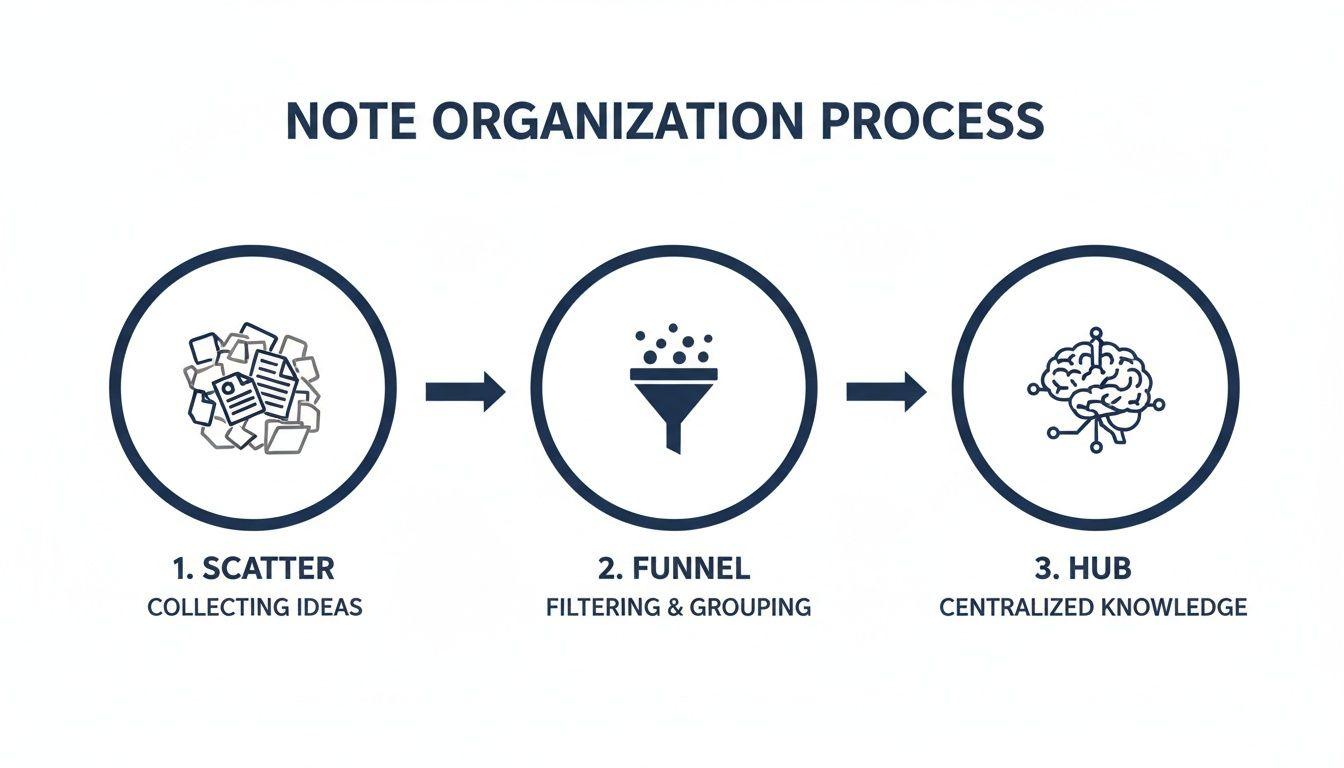
This whole process really hinges on that middle filtering step. It's what ensures only relevant, contextualized notes make it into your core system, keeping it from becoming another digital junk drawer.
The Modern Approach to Note Organization
A century ago, organizing research meant literal card catalogs. Today, it’s a booming software market because the need for a good system has never been greater. In fact, the global note-taking management software market was valued at USD 7.36 billion in 2023 and is on track to hit USD 11.82 billion by 2032.
That explosion shows a clear shift away from fragmented, messy methods toward integrated, searchable systems. If you're looking for a deeper dive into this, our guide on knowledge management best practices is a great place to start.
Your note-taking system shouldn't just store information; it should help you think. The ultimate goal is to create a space that reduces friction between capturing an idea and connecting it to your existing knowledge.
Getting this mindset right is everything. Organizing your notes is a direct investment in your future self, ensuring that the time you spend learning today pays dividends for years to come. You're building a reliable foundation for all your intellectual work.
Mastering the Art of Information Capture
Any good system for organizing research starts with a single, non-negotiable rule: it must be ridiculously easy to save things. If capturing an idea feels like a chore, you won't do it. Simple as that. We've all been there—that fleeting insight disappears because grabbing it was too much hassle. Your mission is to make the path from "that's interesting" to "it's saved in my system" as frictionless as possible.
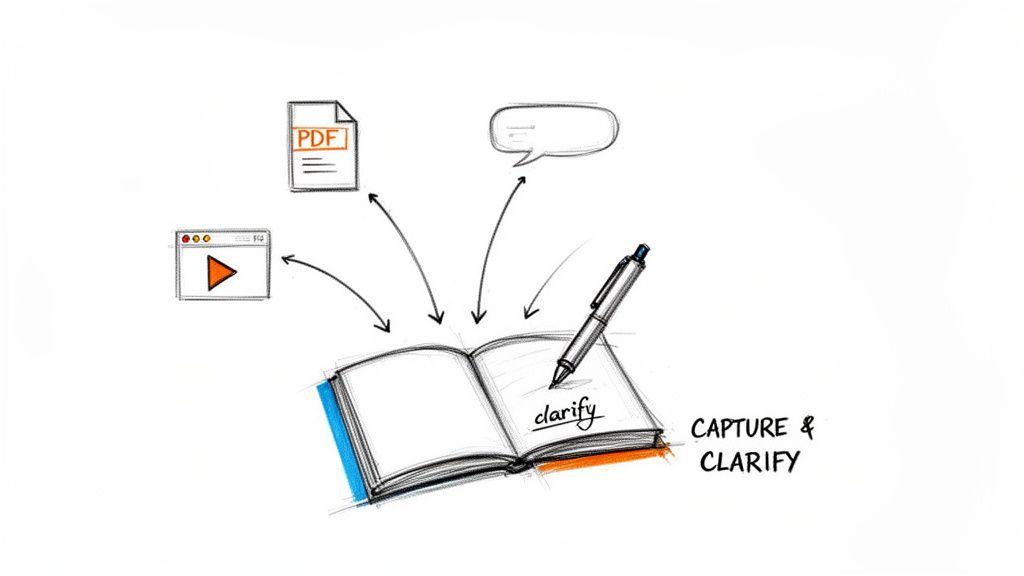
But this isn't just about mindlessly hoarding links and snippets. The real magic happens in what I call the clarification step. This is where you immediately add a layer of your own thinking, turning a passive bit of data into an active, useful building block for your project.
As soon as you save something, get in the habit of asking yourself two questions: "Why does this matter to me?" and "How might this connect to what I'm already working on?"
Modern Capture Techniques in Action
Let's ditch the digital equivalent of a shoebox overflowing with random receipts. Today's tools let us capture and clarify in one fluid motion.
- Browser Extensions: Clipping an article is great, but don't stop there. As you save it, use the highlighter to pull out the most important sentences. Then, add a quick comment in the note about why it caught your eye.
- AI Summarization: Staring down a dense, 40-page PDF? Run it through an AI summarizer to get the gist in seconds. Capture that summary along with the link to the original. You've just distilled the core ideas without losing a whole afternoon.
- Voice-to-Text Apps: Ideas rarely arrive when you're sitting neatly at your desk. I use a voice memo app that instantly transcribes my thoughts. I can be walking the dog, dictate a thought, and even add tags like
#marketing_ideaor#thesis_chapter_3just by saying them.
This habit is the single best way to prevent your notes app from becoming a "read-it-later" graveyard. Every single item you save is already pre-processed with your own context, making it instantly useful. For anyone doing academic work, this is also the perfect time to evaluate the quality of what you're saving. We have a full guide on what is a credible source that can help with that.
The most important part of capturing information isn't the information itself; it's the context you add to it. A saved article is just data. A saved article with your annotations is the beginning of knowledge.
Real-World Capture Scenarios
Let's see how this plays out.
Imagine a history student working on their thesis. They find a compelling journal article online and use their web clipper to save it. Right away, they add a quick note: "This argument totally contradicts Dr. Smith's lecture. I need to compare their primary sources." They also tag it #chapter2 and #primary_source_conflict. See what happened? The saved link just became a concrete, actionable research task.
Or think of a business analyst looking at a competitor's annual report. Instead of just saving the PDF, they use an AI tool to extract the key financial figures. They drop these into a new note, tag it #competitor_analysis and #Q3_strategy, and add a question for themselves: "How does their R&D spending compare to ours over the last three years?" A simple data point is now a strategic inquiry, ready to be explored.
Structuring Notes for Effortless Retrieval
A brilliant collection of research is completely useless if you can't find what you need, right when you need it. The way you structure your system is what turns a digital junk drawer into a powerful second brain. Without a solid framework, you're just piling up information and creating a bigger haystack to search through later.
So, where do you start? The classic debate is folders versus tags. Both are incredibly useful, but they solve different problems. Figuring out their unique strengths is the key to building a system that actually works for you.
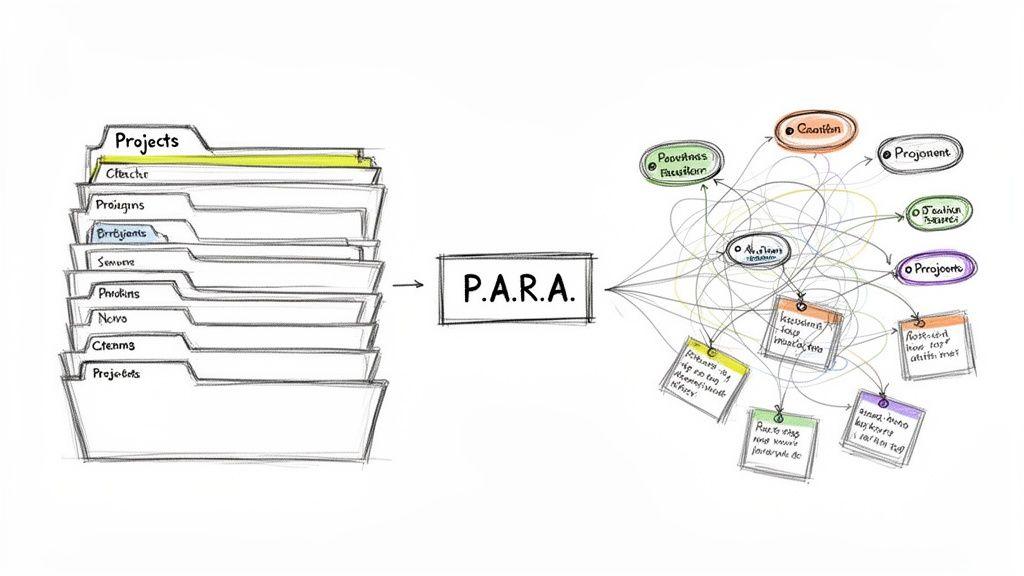
Folders for Projects and Tags for Concepts
Think of folders like the physical filing cabinets we all used to have. They’re perfect for creating clean, separate containers for your big projects. A single note can only live in one folder, which forces a clear, top-down organization. This rigidity is actually a good thing for anything with a defined scope.
- For a student: You might set up folders for each class, like
/Biology 101/or/History of Art/. Simple. - For a small business: This could look like
/Client Acme - Q2 Campaign/or/Website Redesign Project/.
Tags, on the other hand, are your flexible, searchable keywords. They’re like sticky notes you can attach to anything. A single research note can have dozens of tags, letting it show up in all sorts of different contexts. This non-hierarchical style is fantastic for connecting ideas and themes that cut across your projects.
For instance, a note filed away in your /Biology 101/ folder could be tagged with #cellular_respiration, #mitochondria, and #exam_review. Now you can instantly pull up every note on a specific concept, no matter which class folder it's technically in.
Here’s a simple way to think about it: Your folder structure tells you where a note belongs (its project or home). Your tags tell you what the note is about. Using both gives you the perfect blend of rigid structure and creative flexibility.
I've seen people get stuck trying to choose one over the other, but the real power comes from using them together. Here's a quick breakdown to help you decide when to use which.
Choosing Your Organizational Structure: Folders vs. Tags
| Attribute | Folders (Hierarchical) | Tags (Non-Hierarchical) |
| Best For | Discrete projects, well-defined categories (e.g., classes, clients) | Cross-cutting themes, concepts, keywords, statuses |
| Structure | Rigid, top-down. A note lives in one place. | Flexible, bottom-up. A note can have many tags. |
| Scalability | Can get complex and deep, making navigation difficult. | Highly scalable, but can get messy without a system. |
| Discovery | Good for browsing when you know where to look. | Excellent for discovering connections and related ideas. |
| Example | /Thesis/Chapter 3/Interviews/ | #qualitative_data, #sociology, #interview_transcript |
Ultimately, there's no single "right" answer. Most people find a hybrid approach works best, using a shallow folder structure for major projects and then layering on a rich tagging system to connect the dots.
The P.A.R.A. Method: A Simple, Action-Oriented Framework
If you’re looking for a proven hybrid system, I highly recommend checking out the P.A.R.A. method. It stands for Projects, Areas, Resources, and Archives, and it’s a brilliantly simple way to organize your entire digital life, not just research. I’ve used it for years.
- Projects: These are your short-term efforts with a clear goal and a deadline. Think "Finish Thesis Proposal," "Launch New Product," or "Plan Q3 Marketing."
- Areas: These are the ongoing responsibilities in your life that you need to maintain a standard for. Things like "Health & Fitness," "Personal Finances," or "Team Leadership."
- Resources: This is your personal library—all the topics you’re curious about or learning. This is where you might have folders for "Artificial Intelligence," "Ancient History," or "Woodworking."
- Archives: This is the cold storage. When a project is done or a resource is no longer relevant, you move it here to get it out of sight but keep it just in case.
This framework is so effective because it organizes everything based on how actionable it is. Your most immediate, time-sensitive stuff lives in Projects, while your long-term knowledge base grows in Resources.
Creating a Naming Convention That Actually Works
One last tip that makes a huge difference: a consistent naming convention. Getting this right makes everything instantly searchable, even before you start clicking into folders. My go-to method for any time-sensitive file is to start with the date in YYYY-MM-DD format, followed by a clear, descriptive title.
2024-09-15 Client Meeting Notes - Project Phoenix.mdLit Review - The Impact of Social Media on Teenagers.pdf
This simple habit automatically sorts your files chronologically and tells you exactly what’s inside at a glance. When you combine a logical folder system like P.A.R.A., a flexible tagging habit, and a clean naming scheme, you build a research system that feels effortless.
Connecting Ideas to Generate New Insights
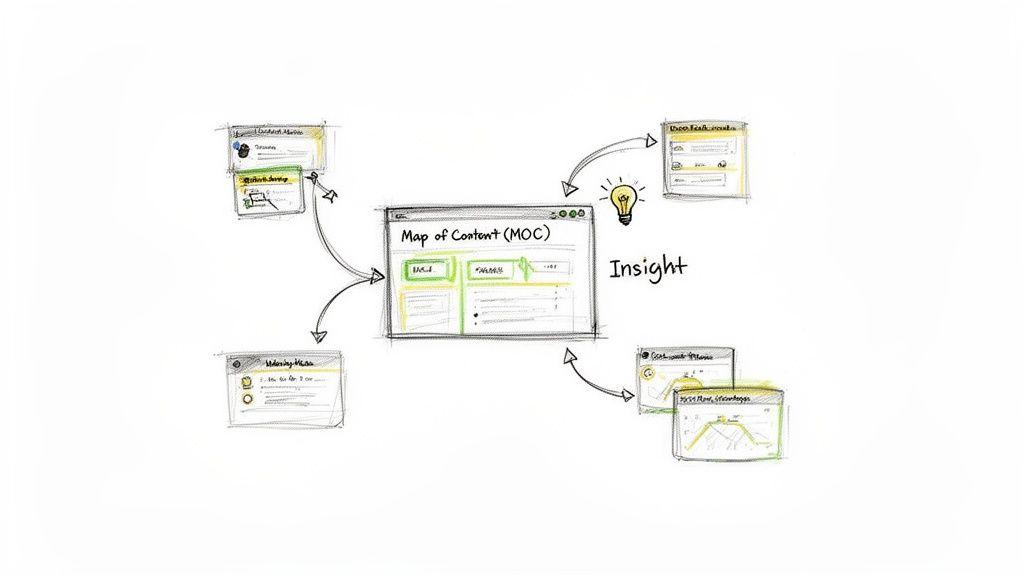
A perfectly structured system is great for finding things later, but that's only half the battle. The real magic happens when your system helps you connect those individual ideas. After all, the point of organizing research isn't just to build a neat digital library; it’s to actively synthesize information and come up with something new.
This is where you move beyond simple storage. Instead of letting your notes sit in isolated folders, you start to weave them together, building a web of knowledge that shows you the bigger picture. It’s the difference between having a pantry full of ingredients and actually knowing the recipe.
Linking Notes to Build a Web of Knowledge
One of the most effective ways to do this is with bi-directional linking. It’s a simple but powerful habit. When you're writing a new note and it sparks a memory of something else you've saved, you create a direct link between the two. The best note-taking apps will automatically create a backlink on the original note, so each piece of information is aware of the others that reference it.
Do this consistently, and you'll slowly build an interconnected map of your own thinking. Suddenly, an idea from a business report can be directly tied to a scientific study and a historical document, letting you jump between related concepts effortlessly.
For bigger, more complex topics, I’m a huge fan of creating Maps of Content (MOCs). Think of an MOC as a central hub or a table of contents for a specific subject. It's essentially a single note that contains curated links to all your other notes on that topic, organized in a way that tells a story or lays out an argument.
For instance, a student researching climate change could create an MOC called "Climate Change Impacts." This single note would then house a structured list of links to their detailed notes:
[[Ocean Acidification Studies]][[Economic Models of Carbon Tax]][[Policy Debates on Renewable Energy]][[Observed Changes in Global Weather Patterns]]
This MOC acts as a launchpad. It not only helps you navigate the topic but also visually reveals where your knowledge is strong and where you might have gaps. Building these kinds of structures is fundamental for improving critical thinking skills for students because it demands a higher level of analysis.
The Role of AI in Accelerating Synthesis
The latest AI-powered tools are completely changing the game here. They can essentially "read" your entire collection of notes and documents, letting you ask complex questions that span your entire knowledge base. These tools can spot recurring themes, highlight conflicting data points, and even whip up a first draft of a summary to get your creative juices flowing.
This is fundamentally shifting how we all interact with information. The market for AI-powered note-taking tools is expected to balloon from about USD 450.7 million in 2023 to over USD 2.5 billion by 2033, with education being one of the fastest-adopting sectors. It's worth digging in to learn more about AI innovations in note-taking to see where this technology is headed.
The ultimate test of a research system isn't how well it stores information, but how effectively it helps you create new knowledge from it. Linking, summarizing, and questioning your notes are the actions that turn data into genuine insight.
Building a Sustainable Review Habit
A perfectly designed system for organizing your research is a great start, but it won't run itself. Without regular maintenance, even the most logical structure will slowly crumble, turning your once-pristine workspace into just another digital junk drawer. The final, critical piece of the puzzle is building a simple, sustainable review habit to keep your system alive and useful.
This isn't about adding another huge chore to your already packed to-do list. It's about making a small, consistent investment in your own clarity. The most effective way I've found to do this is with a weekly review—a dedicated block of time, even just 30 minutes, set aside to process, organize, and reflect on the week's inputs.
The Power of a Simple Weekly Review
Think of your weekly review as hitting the reset button on your brain. It's your dedicated time to clear out the mental clutter that's piled up while you were busy doing the actual work, making sure nothing important gets lost in the shuffle. This simple routine is your best defense against overwhelm and the key to keeping your research system trustworthy.
During this session, your goals are pretty straightforward:
- Process Your Inbox: Go through your default capture spot—that folder, tag, or notebook where all new notes land first—and file each one where it belongs.
- Organize Uncategorized Notes: Assign the right tags, connect notes to their projects, and make sure every piece of information has a home.
- Reflect on Progress: Take a quick look at your active projects. What did you learn this week? What are the immediate next steps?
This habit is incredibly powerful, yet it's something most people skip. Researchers and students are often left to figure out data management on their own. In fact, the 2023 State of Open Data report revealed that nearly three-quarters of researchers had never received any formal support for managing their research data. For the few who did, it was usually informal advice from a colleague, not proper institutional training. You can dig into the full State of Open Data report to see just how big this gap is.
Your research system is a garden, not a warehouse. It needs regular weeding and tending to flourish. A weekly review is the single most effective way to keep it healthy and productive.
Making Practical Decisions During Your Review
As you sift through your notes, you'll be making a few key decisions that stop you from becoming a digital hoarder and help sharpen your focus. For each piece of information, you have to actively decide what to do with it.
Was it just a fleeting idea that now seems irrelevant? Archive it. There’s no need to feel guilty about moving notes that no longer serve you into a cold storage folder.
Is it a promising idea that deserves more attention? Develop it. Start a new note, link it back to the original, and jot down a few initial thoughts to get the ball rolling.
Does a note belong to a project that's now complete? Move the entire project folder to your archive. This simple action keeps your active workspace clean and focused only on what matters right now. This triage process is what turns your note-taking from a passive collection habit into an active thinking tool.
Common Questions About Organizing Research Notes
Even with the best system in place, you're bound to run into a few practical questions when you start organizing your research. Let's tackle some of the most common ones I hear from people trying to get their notes in order. Getting these sorted out is the key to making your new workflow stick.
What Is the Best Software for Organizing Research Notes?
This is the million-dollar question, but the honest answer is: it depends entirely on your work. There's no single "best" tool for everyone.
If you just need a place for straightforward notes, something simple like Apple Notes or Google Keep can be more than enough. But for serious academic or professional research, you'll want the horsepower of dedicated apps like Obsidian, Notion, or Evernote.
And if your research involves digging deep into documents, a tool like 1chat can be a game-changer. It’s built around the idea of letting you "chat" with your PDFs and source materials. You can ask your documents questions, have them summarized, or pull out key data points—all powered by AI, right inside your research workspace. It’s a completely different way of interacting with your sources.
How Often Should I Review My Notes?
Consistency is far more important than frequency. The most effective habit I've seen—and use myself—is a weekly review.
Just block out 30-60 minutes every Friday afternoon. Use that time to process any new notes from your inbox, file them away, and just glance over your main projects. This simple habit is your defense against digital chaos and keeps your system from becoming a messy archive you’re afraid to open.
If you’re on a really fast-moving project, a quick 10-minute cleanup at the end of each day might work better. The trick is to make it a low-effort routine, not a chore you dread.
Should I Use Folders or Tags?
This isn't an either/or question. The most robust systems use both.
The most powerful approach is often a hybrid one. Use folders for broad, distinct categories and tags for flexible, cross-cutting themes. This gives you both structure and discoverability.
Think of it this way:
- Folders are for the big, separate buckets. These are for clearly defined projects or areas of your life that don't overlap, like
Project Alpha,Client B, orBiology 101. A note can only live in one folder. - Tags are for connecting ideas across those buckets. They're perfect for themes, concepts, or statuses. A single note inside your
Project Alphafolder could have tags like#idea,#literature_review, or even#quantum_physics, letting you find it from a dozen different angles.
How Can I Start a New System Without Getting Overwhelmed?
Don't try to boil the ocean. The biggest mistake people make is thinking they need to organize every note they've ever taken before they can start. That’s a recipe for burnout.
Instead, start fresh.
Set up your new, empty folder structure (like the P.A.R.A. system we talked about). From this moment on, every new note you create goes into the new system. Simple.
What about the old stuff? Leave it where it is. Only move an old note over when you actually need it for a current project. This "migrate-on-demand" approach is so much less stressful. It lets your new system grow organically with what’s actually relevant to you now, rather than forcing you into a massive, upfront archiving project you'll never finish.