The old BlackBerry on the table didn’t look impressive. Then its tiny red light started blinking, and within seconds a message arrived that felt faster, cheaper, and somehow more private than texting.
What Was PIN to PIN Messaging Anyway?
In the early smartphone years, pin to pin messaging was one of the features that made BlackBerry devices feel special. If you had friends, relatives, or coworkers on BlackBerry, you weren’t just sending a text. You were reaching them through a separate system that seemed to sit outside the normal phone network.
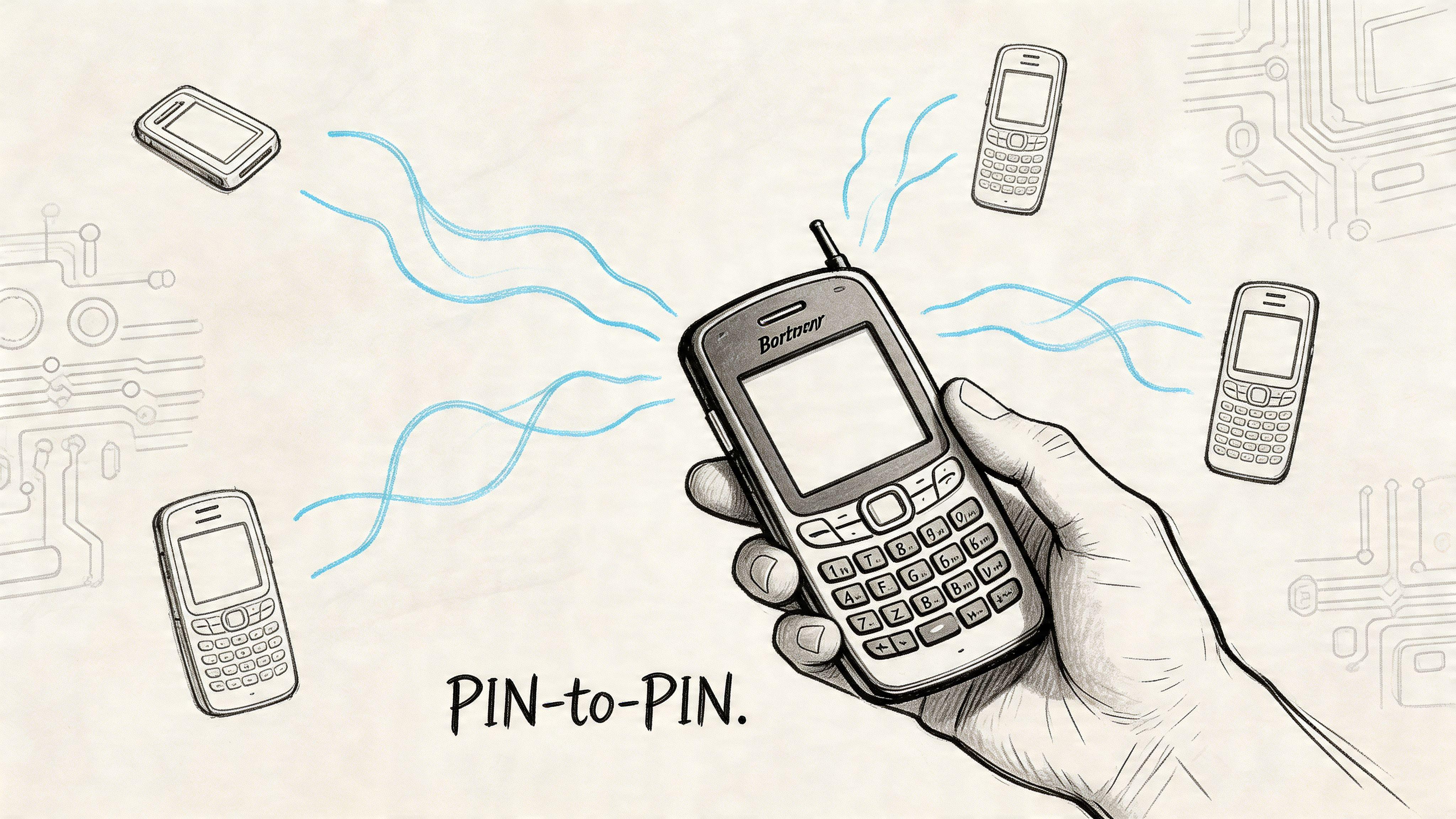
Each BlackBerry device had its own unique PIN. Think of that PIN as a device address, like a direct apartment number in a huge building. Instead of sending a message to a phone number or an email address, you sent it to that BlackBerry’s PIN. That simple idea powered BlackBerry Messenger, or BBM.
Why it felt revolutionary
At the time, SMS felt limited. Messages were short, clunky, and tied closely to what your mobile carrier allowed. PIN to pin messaging felt different because it was built for devices talking to devices.
A few things made it memorable:
- Direct identity: You added a person’s BlackBerry PIN, not just their phone number.
- Fast delivery: Messages often arrived with a speed that felt closer to modern chat apps than old-school texting.
- A private-club feel: If both people had BlackBerry devices, they were in the same world.
That closed-network feeling mattered. It made BBM feel a bit like an early version of WhatsApp or Signal, except tied to one hardware ecosystem.
Why people still talk about it
This wasn’t a niche feature. It reached enormous scale. By May 2011, Research In Motion reported 43 million active BBM users worldwide, growing to over 190 million by 2015, and the infrastructure handled 30 petabytes of monthly data traffic by early 2013, according to the Canadian access-to-information report on instant messaging risks.
BBM didn’t just beat SMS on convenience. For many people, it changed what a phone conversation could feel like.
If you’re used to modern chat apps, the easiest way to think about pin to pin messaging is this. It was a major bridge between the texting era and the secure messaging era. It introduced the habit of instant, identity-based mobile chat long before that became normal.
How PIN to PIN Messaging Actually Worked
The easiest way to understand pin to pin messaging is to picture a private digital postal service.
Your BlackBerry had a permanent address, its PIN. When you sent a message, the phone didn’t rely on the usual SMS route. Instead, it packaged the message, labeled it with the destination PIN, and sent it through BlackBerry’s network path designed for these devices.
The simple mental model
Here’s the basic flow:
- You typed a message to a person associated with a BlackBerry PIN.
- Your phone sent it into BlackBerry’s routing system instead of the normal SMS path.
- The system looked up the destination device and forwarded the message toward it.
- The other BlackBerry received it and displayed it almost like a live chat.
That’s why it often felt more immediate than SMS. The system was designed for low-latency routing between devices using unique 8-byte device PINs, which also helped avoid the normal text-message constraints.
Why it felt better than texting
Traditional SMS had baggage. It relied heavily on carrier systems, and it came with a familiar restriction: the 160-character limit. PIN to pin messaging didn’t have that same ceiling.
According to the BlackBerry messaging overview video, PIN to PIN messaging optimized for low-latency by using unique 8-byte device PINs for direct routing. This enabled unlimited message lengths and later supported group chats for up to 250 participants.
That led to a noticeably different user experience:
- Longer messages: You could write naturally instead of chopping thoughts into fragments.
- Chat-like rhythm: Conversations felt ongoing rather than chopped into little billable units.
- Group communication: It became practical for friend groups and work teams to stay in one thread.
Where people get confused
Many people hear “direct” and assume “no servers at all.” That isn’t quite right.
The better analogy is a courier network that moves sealed envelopes between homes. The courier helps with routing and delivery, but the system still depends on that courier infrastructure to do the job. So pin to pin messaging felt device-to-device, but it still relied on BlackBerry’s network machinery.
Practical rule: “Direct” in messaging usually means direct addressing and fast routing, not magic teleportation between phones.
Another point of confusion is the word PIN itself. In modern life, people hear PIN and think “access code for a phone or bank card.” In the BlackBerry world, the device PIN was more like a built-in identifier. It wasn’t just a little secret you typed. It was part of how the network knew where to send the message.
Why the design mattered
The architecture gave BlackBerry a big advantage in its day. It felt dependable, especially when compared with the uneven experience of SMS. For users, the technical details didn’t matter much. What mattered was simple. Messages got there quickly, they didn’t feel cramped, and they made mobile chat feel modern before most phones did.
That’s the part worth remembering. Pin to pin messaging wasn’t famous because people loved network design. It was famous because the design created a smoother human experience.
The Security and Privacy Paradox of BBM
BlackBerry earned a reputation for seriousness. It was popular with executives, government users, and professionals, so many people assumed pin to pin messaging must have been highly secure.
That assumption didn’t fully hold up.
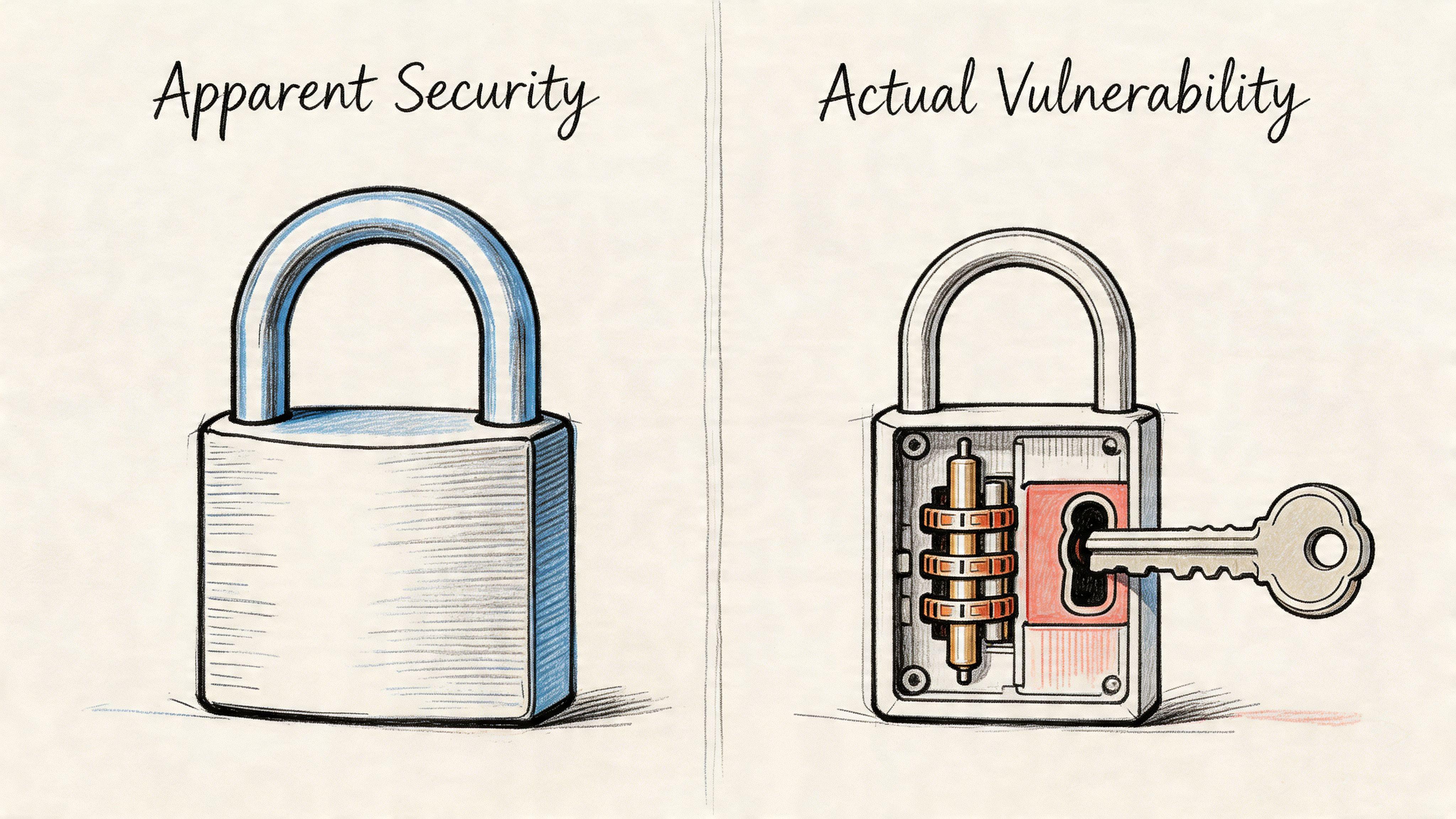
Scrambled isn’t the same as protected
One of the most important distinctions in messaging is the difference between something being hard to casually read and something being securely encrypted end to end. BlackBerry PIN messaging sat in an awkward middle ground.
According to the analysis of BlackBerry PIN security, BlackBerry PIN-to-PIN messaging used Triple-DES with a global cryptographic key shared across all devices. The same source notes that the Communications Security Establishment in Canada warned against using it for government communications because messages were effectively “scrambled, not encrypted” in the stronger modern sense.
That’s a huge difference.
If you want a simple analogy, think of an apartment complex where every resident has the same master key. The front doors still look locked. Outsiders may not stroll in. But if one resident misuses that key, or if the key’s design becomes a problem, the whole building is exposed.
The flaw at the center
A global shared key is the opposite of what modern secure messaging aims for. Today, people expect systems where only the participants in a conversation can read the content. With BlackBerry’s older design, the trust model was much broader.
That created several problems:
- A weak foundation: If all devices depend on the same cryptographic secret, the entire system carries a built-in shared risk.
- Poor fit for sensitive work: Governments and regulated organizations need stronger controls than “good enough for casual privacy.”
- False confidence: Users often confused BlackBerry’s reputation with actual message-level security.
If you’re comparing older systems with current tools, this is the key lesson. A service can feel private, look professional, and still fall short where it matters most. That’s why it helps to learn the basics of protecting privacy online with practical habits and tool choices.
The human side of PIN security
There was also a second problem. People are predictable.
Analyses of breached PIN datasets show that “1234” accounts for over 10% of all PINs, and the top 20 most common PINs make up 27% of all instances, according to this write-up on common PIN numbers. That research isn’t about BlackBerry device PINs specifically, but it captures a timeless security truth. When humans choose codes, they often choose obvious ones.
A system can be clever on the network side and still fail on the human side if users pick weak secrets.
So the privacy paradox looked like this. BBM felt exclusive and shielded from the noisier parts of the mobile world. Yet under the surface, both the cryptographic design and human behavior introduced serious weaknesses.
That’s why retro messaging stories matter now. They remind us that the feeling of privacy and the actual state of privacy aren’t the same thing.
Real-World Use Cases and Hidden Risks
For everyday users, pin to pin messaging felt liberating. Families could chat without the stiffness of old texting. Teenagers treated BBM like a social home base. Small teams liked how quickly they could reach each other.
The attraction made perfect sense. A group of people with BlackBerry devices could create a communication bubble that felt faster and more intimate than email or SMS. If you were coordinating pickups, sharing updates, or checking in with coworkers, the experience felt modern long before modern became standard.
Why families and friend groups loved it
At a personal level, the appeal was emotional as much as technical.
- It felt immediate: Replies often came in a conversational rhythm.
- It felt contained: You were talking inside a known network of BlackBerry users.
- It felt more personal than email: A PIN contact list was closer to a trusted circle than an inbox.
That’s one reason people still remember it fondly. PIN to pin messaging turned the phone from a calling device into a live communication space.
Why businesses got interested
For work, the appeal was different. Teams saw a tool that could move faster than email and feel more dependable than SMS. In an office culture built around BlackBerry hardware, that was enough to make it useful for quick decisions, updates, and coordination.
Then the hidden risk became obvious.
According to the Canadian Lawyer article on PIN to PIN messaging and legal risk, PIN to PIN messages routed through Research In Motion’s relay infrastructure, which made them legally discoverable and subpoena-able, even though users often thought of them as direct and hard to trace.
That changed the picture for businesses.
The trap of private-feeling tools
A lot of teams made the same mistake. They judged the tool by how it felt in daily use.
It felt off the record.
It felt separate from email.
It felt harder to monitor.
But bypassing the usual email archive can become a liability, not an advantage. If staff discuss sensitive business matters in a channel that doesn’t fit the company’s recordkeeping process, managers create compliance headaches. If legal discovery enters the picture, those casual messages can become serious evidence.
For business communication, “harder to see day to day” isn’t the same as “safer in court.”
That’s one of the most useful retro lessons for modern users. Every messaging app creates a mix of convenience, privacy, and accountability. Families usually focus on ease and trust. Businesses also have to think about records, policies, and what happens when a dispute shows up months later.
PIN to pin messaging solved one problem brilliantly. It made mobile chat feel smooth. It also introduced another problem that many users didn’t recognize until much later.
Weighing the Pros and Cons of a PIN-Based System
A PIN-based system made sense in its moment.
For BlackBerry users, it solved a real problem: mobile messaging finally felt like a live conversation instead of a delayed text exchange. Sending a message to a PIN was closer to adding someone on a chat app than typing out an SMS to a phone number. That felt modern then, in much the same way WhatsApp or Signal feels natural now.
The catch was simple. A system can feel private, personal, and efficient while still making tradeoffs that become obvious only later.
A balanced scorecard
| Feature | Upside | Downside |
| Speed | Felt quicker and more chat-like than SMS | Fast delivery did not automatically mean stronger protection |
| Message style | Longer, more natural conversations were easier | Easier chatting did not solve recordkeeping or business policy problems |
| Identity | A device PIN gave each user a distinct address | Tying identity to one device created lock-in and made switching harder |
| Network feel | The experience felt exclusive and self-contained | A closed feeling can lead people to assume more privacy than they actually have |
| Ecosystem | BlackBerry users got a polished shared experience | The benefits worked best inside one company’s hardware world |
The part that aged poorly
The word "PIN" sounds reassuring because it feels familiar. People already use PINs for bank cards, lock screens, and alarms. That familiarity can create a false sense of strength.
In BBM, the PIN was mainly an identifier, like a contact handle tied to your handset, not a magic shield around your messages. That distinction matters. A house number helps people find the right door. It does not make the house secure by itself.
Modern messaging tools learned that lesson in a broader way. Identity, authentication, device access, backups, and encryption all need separate decisions. If you want a practical refresher on better account protection, this guide on passphrase vs password security tradeoffs helps explain why simple credentials often fail real users.
What people gained
The appeal was easy to understand, especially for families and small teams trying to stay in touch without friction.
- Conversations felt immediate. BBM was closer to modern chat than to old carrier texting.
- Contacts felt more intentional. Exchanging a PIN created a smaller, more controlled contact circle.
- The experience felt premium. A BlackBerry user was joining a private club with its own rules and rhythm.
That last point mattered more than it may seem. People do not choose communication tools only by reading security specs. They choose based on trust, habit, and whether the tool feels calm enough for daily life.
What people gave up
The tradeoffs become clearer with hindsight.
- Portability was limited. Your identity stayed closely tied to a specific device ecosystem.
- Privacy assumptions could outrun reality. Users often treated the system as more hidden than it was.
- Long-term flexibility suffered. If your family or team used different devices, the model stopped being convenient.
That makes PIN to PIN messaging a useful historical checkpoint. It shows how a clean, simple identity system can improve usability while still narrowing your options later.
For modern users choosing between apps like WhatsApp, Signal, or 1chat, that old BlackBerry lesson still applies. A good messaging tool should feel easy on day one, but it should also hold up when your needs change, your devices change, or your group needs clearer privacy controls. Nostalgia remembers the speed. Careful tool selection should also ask what sits underneath it.
The Evolution to Modern Secure Messaging
Pin to pin messaging didn’t vanish because the basic idea was bad. It faded because users wanted the same convenience without the same compromises.
A key legacy of BBM is that it taught the industry what people valued. Fast delivery. Live conversations. Group chat. A sense of privacy. Stable identity. Modern apps kept those goals and rebuilt the plumbing underneath.
What changed over time
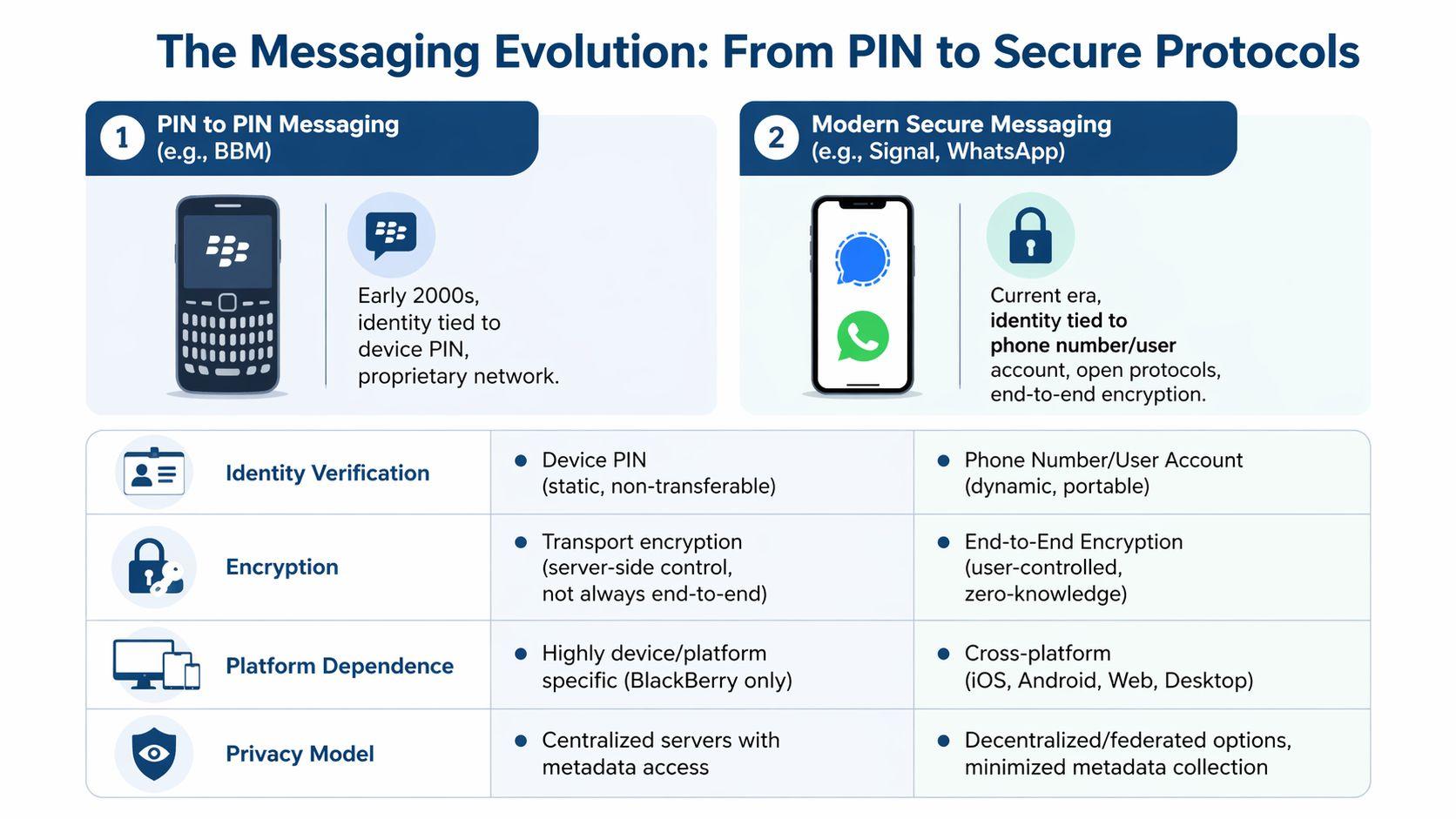
The biggest shift was philosophical. Early mobile messaging systems often asked users to trust the platform. Modern secure messaging aims to reduce how much trust the platform itself requires.
That leads to a different set of expectations:
- Identity became more portable. Instead of being tightly bound to one device, messaging identities often connect to a phone number or account.
- Encryption became stronger in principle. Users now expect message content to stay readable only to the participants.
- Cross-platform access became normal. People want the same conversation available across phones and desktops, not trapped inside one hardware brand.
A practical comparison
| Feature | PIN to PIN (BBM) | SMS/MMS | Mainstream Apps (WhatsApp) | Privacy-First Apps (Signal, 1chat) |
| Identity | Device PIN | Phone number | Usually phone number-based account | Account or phone-based identity with stronger privacy expectations |
| Message protection | Older transport-oriented design with major trust issues | Historically weak privacy | Modern encrypted messaging for content, with broader platform tradeoffs | Designed around stronger privacy principles and tighter data exposure |
| Platform reach | Closely tied to BlackBerry ecosystem | Broad carrier support | Cross-platform | Cross-platform |
| Business fit | Quick but risky for records and compliance | Familiar but limited | Convenient for mainstream collaboration | Better suited when privacy is a top priority |
One thing modern users should notice is that there’s no perfect category. SMS is familiar but weak on privacy. Mainstream apps improved a lot but still involve broader platform ecosystems. Privacy-first apps push harder on data minimization and stronger protections.
That matters for more than chat. It shapes how people share files, coordinate work, and collaborate on sensitive material. If your team handles documents as part of conversations, secure workflows like encrypted document sharing for teams and families are a more relevant modern benchmark than anything from the BlackBerry era.
The modern decision lens
When choosing a messaging tool now, ask four plain questions:
- Who can read the content besides the participants?
- What identity am I really tied to, a device, a number, or an account?
- How much of my communication history sits with the provider?
- Can I use the tool across the devices I own?
Good messaging in 2026 should feel easy without asking you to accept hidden security debts.
That’s a major evolution. BBM proved mobile chat could be fast and personal. Newer tools had to prove it could also be secure, portable, and fit for real-world family and team use.
Lessons From the Past for a Private Future
Pin to pin messaging is retro technology now, but the human need behind it hasn’t changed. People still want fast conversations, trusted contacts, simple group chat, and tools that don’t make communication feel like work.
What changed is our standard for privacy.
BBM showed how powerful a messaging system can feel when it beats SMS on speed and ease. It also showed how quickly that advantage falls apart if security design, legal discoverability, and platform lock-in get ignored. The lesson isn’t that old systems were foolish. The lesson is that convenience without strong foundations ages badly.
For families, students, and small teams, the smart move today is to choose tools that learned from those mistakes. Look for messaging and AI platforms that respect privacy, minimize unnecessary data exposure, and work across the devices you already use.
If you want a modern, family-friendly and team-oriented AI platform built with privacy in mind, explore 1chat. It brings leading LLMs into one place for writing, research, document analysis, and everyday collaboration without leaning on the outdated assumptions that shaped early mobile messaging.