You're probably here because a sign-up form asked for your phone number, again, and your first reaction was the right one: why does an email account need access to one of the most sensitive identifiers you own?
For families, that question gets sharper when a child needs an email for school logins, research, or a shared household account. For small teams, it becomes an operations problem. One founder's personal mobile number ends up tied to a shared inbox, password resets, and identity checks for the whole business. For students, researchers, and privacy-conscious users, it's the same pattern. A basic communication tool turns into a data collection funnel.
The good news is that you can still register email without phone number if you choose the right provider and build the account the right way. The better news is that going phone-free is often more secure, not less, when you replace SMS recovery with stronger habits.
Why You Should Reclaim Your Digital Privacy
Phone verification is often considered a minor annoyance. It isn't. It links your inbox to a persistent personal identifier that follows you across apps, ad systems, recovery workflows, and data broker records.
That matters more now because in 2026, over 85% of major email providers mandate phone number verification, up from 40% in 2018, according to Mailfence's review of phone-free email registration. The same source notes that this shift exposes users to risks tied to phone-based identity systems, including SIM-swapping attacks that affected 1,900 high-profile targets in the US alone from 2019 to 2024, citing FTC data.
Why a phone number changes the risk
A phone number isn't just contact information. It becomes a recovery key, a tracking hook, and often a shortcut for companies that want to merge your identity across services.
If you want a practical view of that exposure, Digital Footprint Check's guide lays out what attackers can do once they have your number. It's a useful reminder that “just for verification” rarely stays limited to that purpose.
For families, the issue is long-term. A child's first phone-linked account can anchor years of account recovery and profile building. For small teams, the risk is organizational. One employee's personal number shouldn't become the fallback for a company mailbox, a support inbox, or a project account.
The strategic reason to opt out
Choosing a phone-free provider does more than remove one field from a sign-up form. It helps you separate identities on purpose.
- For households: create distinct inboxes for parents, kids, shared subscriptions, and school administration without tying every account to one adult's mobile number.
- For students: keep research, applications, forums, and one-off signups away from your personal phone identity.
- For teams: avoid building account recovery around one founder, one office manager, or one support lead.
A phone-free inbox works best when it sits inside a broader privacy routine. If you need a solid companion read on that, 1chat's guide to protecting privacy online is a practical checklist for reducing unnecessary exposure across accounts and devices.
Practical rule: If a service can verify you without a phone number, choose that path first. Save phone-based recovery for situations where you have no other option.
Choosing Your Phone-Free Email Provider
The right provider depends on your goal. Some people want the easiest sign-up flow. Others care more about anonymity, encryption, or a setup that works for a family or small business.
Demand has moved in that direction fast. The demand for email registration without phone numbers has exploded 450% since 2020, and Mailbox.org and StartMail report that 95% of their 2.5 million combined users completed sign-ups phone-free, according to Typewire's provider roundup.
Three providers worth shortlisting
Here's the practical split I use when helping people choose.
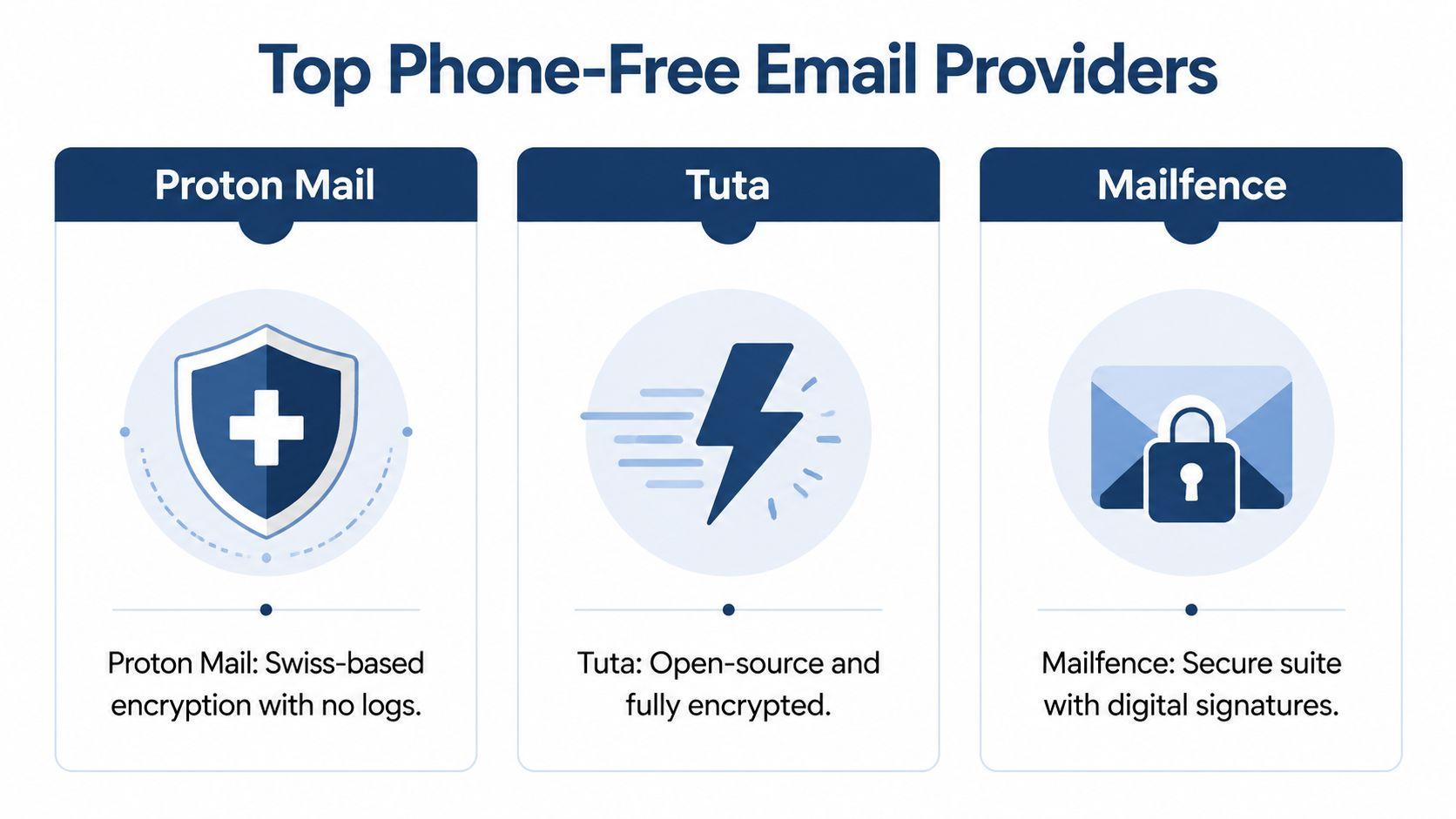
| Provider | Best for | What stands out | Trade-off |
| Proton Mail | Most users, families, and small teams | Mature ecosystem, strong privacy posture, straightforward sign-up without phone requirement in many cases | Anti-abuse checks can slow sign-up on shared networks |
| Tuta | Users prioritizing anonymity | Privacy-first design and support for highly anonymous workflows | Approval friction can happen on privacy-heavy connections |
| Mailfence | Users who want secure email with a more traditional productivity feel | Strong professional features and recovery-email-based registration | Requires more planning because recovery email is central |
How to choose by use case
Choose Proton Mail if you want the smoothest path
Proton is usually the easiest recommendation for a general audience. It works well for parents setting up separate inboxes, freelancers managing client communication, and teams that want a privacy-first default without a steep learning curve.
It's also the option I'd hand to someone who says, “I want this done tonight, and I don't want to fight the sign-up form.”
Choose Tuta if anonymity is the priority
Tuta is the better fit when minimizing identity linkage matters more than convenience. That includes journalists, researchers, activists, and users who want to register with as little identifying data as possible.
The trade-off is simple. The more anonymous your setup, the more likely anti-spam systems may slow you down. That doesn't mean it's broken. It means the provider is balancing abuse control against user anonymity.
Choose Mailfence if you want structure
Mailfence suits people who think in terms of account administration. If you're creating accounts for a small office, a shared project, or a family system with clear recovery rules, its approach can work well.
Its model is less “anonymous by default” than Tuta's. But for users who are comfortable managing a recovery email carefully, it's a strong middle ground.
What works and what doesn't
What works:
- Matching the provider to your actual threat model. Most families don't need the most extreme anonymity stack. They need separation, good recovery practices, and no phone dependency.
- Using dedicated roles. One inbox for banking, one for school, one for public signups, one for team operations.
- Accepting a little setup friction. A provider that asks for CAPTCHA or email verification is often still far better than one that insists on your mobile number.
What doesn't:
- Choosing based only on free storage. Privacy and recovery design matter more.
- Using one inbox for everything. That defeats the point of reducing linkage.
- Confusing “mainstream” with “safer.” Mainstream providers often have stronger anti-abuse systems, but they also tend to collect more identity data.
If your goal includes pseudonymous signups for other services, 1chat's article on sending email anonymously pairs well with provider selection because it focuses on how identity leaks happen after the mailbox is already created.
Pick the provider that asks for the least personal data while still fitting the way you actually work. Privacy that's too inconvenient gets abandoned.
Walkthrough Creating a Proton Mail Account
If you want the cleanest route to register email without phone number, Proton Mail is usually where I start people. The process is straightforward, but small choices during sign-up can determine whether it goes smoothly or triggers extra checks.
The sign-up path that usually works
Proton Mail's sign-up process has a roughly 98% success rate without a phone number, and 70% of its 100 million users skip phone or email recovery entirely, according to Proton's guide to creating an account without phone verification.
Use this flow:
- Go to Proton's sign-up page and choose the free plan.
- Pick your address and create a strong password.
- When human verification appears, choose the non-phone option if offered, such as CAPTCHA or verification through another email.
- Skip optional phone recovery if your goal is a phone-free account.
- Finish setup, then immediately record your credentials in a password manager or secure offline backup.
Why each step matters
The critical moment is the verification screen. Many users move too fast and assume the phone prompt is mandatory when another path is available. Slow down there.
The second mistake is using a weak or recycled password because the account is “just for privacy.” That's backward. A privacy-focused mailbox often becomes the root account that protects other signups, so it needs your best password hygiene, not your worst.
Troubleshooting friction
Some sign-ups fail for reasons that have nothing to do with you personally.
- Shared network reputation: if many people sign up from the same network, anti-abuse systems may treat that traffic cautiously.
- Rapid account creation: Proton notes that high-velocity signups can trigger rate limits.
- Browser fingerprint issues: privacy tools can help, but in some cases a fresh private window works better than a heavily modified browser profile.
Proton also notes that using a VPN can improve success by 20% in high-velocity cases. That's useful, but don't assume more privacy tooling always means fewer problems. Sometimes the best fix is simpler: wait a bit, use a clean browser session, and try again from a less crowded network.
If a provider slows your sign-up, don't force it with repeated retries. That often makes the anti-abuse system more suspicious. Pause, reset your browser session, and try once carefully.
Using Recovery Emails as a Smart Alternative
A recovery email is often the best substitute for phone-based recovery, but only if you treat it like an asset and not an afterthought.
That means you should not use your old mainstream inbox, your work address, or a random account you barely check. If your recovery email is weak, your privacy setup inherits that weakness.
When a recovery email is the right move
Mailfence is a good example of this model. Providers like Mailfence report a 96% success rate for phone-free registration built around a mandatory recovery email, and 12% of failures come from blacklisted recovery emails, according to AdGuard's walkthrough of no-phone registration.
That tells you two things at once. First, recovery-email-based registration is workable. Second, the quality of the recovery address matters.
The workflow I recommend
Build your account stack in layers.
- Create a primary privacy email first. This should be your most secure, best-protected account.
- Use that account as the recovery address for secondary accounts.
- Keep your secondary accounts separated by purpose, such as shopping, newsletters, school, or project work.
- Don't let those secondary accounts point back to your personal phone number.
This structure gives families and teams a stable center. Parents can hold the master account while creating limited-purpose addresses for kids. A small business can keep one tightly controlled admin mailbox as the recovery hub for operations accounts.
Where people go wrong
The most common mistake is circular recovery. Account A recovers Account B, and Account B recovers Account A. That's fragile and confusing.
The second mistake is using a disposable inbox as long-term recovery. Temporary mail has its place for one-time signups, but it's a poor choice for anything you may need to reclaim later.
A recovery email is not less secure than a phone number by default. It's secure when you control it well, document it clearly, and protect it with stronger authentication than SMS.
Managing Risks and Securing Your New Account
The biggest objection I hear is simple: “What if I get locked out without a phone number?”
That fear makes sense, but in practice, phone-based recovery is often the weaker system. Phones get ported, SIMs get swapped, numbers get recycled, and too many people treat SMS as if it were high-assurance identity proof when it isn't.
Build for resilience, not convenience
A secure phone-free account needs a few boring habits. Boring is good here.
- Use a unique password: your privacy mailbox should never share a password with any other account.
- Store it properly: a password manager is the cleanest option for users. If you need a refresher, 1chat's explanation of how password managers work is a useful plain-English overview.
- Record backup details: if your provider gives you recovery codes, store them where you can find them later.
Replace SMS with stronger authentication
The better approach is to move away from text-message verification and toward non-SMS methods.
Authenticator apps
Authenticator apps are usually the easiest improvement for households and small teams. They reduce dependence on the phone number itself, even if the codes still live on a device.
They're not perfect. If someone loses the device and never saved backup codes, recovery gets messy. But they avoid one major problem with SMS: the telecom layer no longer decides who can receive your login code.
Hardware security keys
For important accounts, security keys are stronger. They're especially useful for administrative mailboxes, founder accounts, and family organizer accounts that control other logins.
Mailfence-related guidance cited earlier notes that pairing setup with hardware-key 2FA can block 99% of unauthorized access. That doesn't mean every family needs keys on day one. It does mean serious accounts should graduate to them.
A simple security checklist
| Task | Why it matters |
| Create a unique password | Stops credential reuse attacks |
| Save recovery codes | Prevents lockout panic |
| Add app-based or hardware-key 2FA | Avoids SMS weakness |
| Separate inboxes by role | Limits blast radius if one account is exposed |
| Review recovery settings twice | Catches accidental phone linkage |
Your safest account shouldn't depend on your easiest recovery method. It should depend on your most controlled one.
Quick Workarounds for Gmail and Outlook
Sometimes you have to use Gmail or Outlook because a school, employer, or client expects it. In those cases, people often reach for a VoIP number, a rented number, or a prepaid SIM.
Those methods can work temporarily. They're also unreliable.
A VoIP number may be rejected. A prepaid SIM adds cost and handling overhead. A rented verification number can create obvious trust and retention problems, especially if you don't control it long term. If you're evaluating options for testing or development workflows, automated SMS verification for developers shows the kind of service people use, but it's not a privacy-first substitute for owning your recovery path.
Use these workarounds only when a mainstream provider is mandatory. Don't build your primary privacy setup around them. They solve a signup problem, not the larger identity problem.
Frequently Asked Questions
Is a phone-free email account less secure?
Not by itself. In many cases it's more secure because you're removing SMS from the recovery chain. Security depends on the full setup: password quality, recovery planning, and whether you add non-SMS two-factor authentication.
Should I skip recovery options entirely?
Only if you're disciplined enough to manage passwords and backup codes carefully. For many people, a dedicated recovery email is the smarter choice because it preserves account access without tying the mailbox to a phone number.
Can I use these accounts for other signups?
Yes. In fact, that's one of the main benefits. A phone-free mailbox works well for forums, newsletters, software trials, research accounts, and any service where you want less identity linkage.
What if my provider later asks for a phone number?
Treat that as a policy change, not a small inconvenience. If the provider no longer fits your privacy requirements, migrate gradually. Keep the old account long enough to update important logins, then move core services to a provider that still supports phone-free operation.
Is temporary email a good long-term solution?
No. Temporary email is useful for low-stakes, one-time interactions. It's a bad foundation for important accounts because you may lose access when you need recovery or account history.
What's the best setup for a family or small team?
Use one highly secured primary account for administration and recovery, then create separate addresses by role or person. Keep account records organized. Decide in advance who holds recovery information. Don't let one person's personal phone number become the recovery key for everyone else.
If you're building a privacy-first workflow for your household, schoolwork, or small team, 1chat can help on the AI side without pushing you deeper into the usual data-hungry ecosystem. Explore 1chat if you want a family-friendly and team-oriented way to work with multiple leading LLMs in one place.