Only a small share of U.S. adults have used a data removal service, according to recent reporting. The bigger issue is not awareness. It is false confidence.
Personal information cleanup is recurring work, not a one-time fix. Records get copied, indexed, scraped, resold, and posted again. A successful privacy plan reduces exposure, then keeps reducing it as new listings appear.
The practical approach is to start with a digital deep clean, then add the right level of protection for your situation. An individual usually needs a personal audit, broker opt-outs, and better account hygiene. A family has to account for shared addresses, relatives, school and sports rosters, and children's data. A small business owner has two problems at once: personal exposure and public business records that can reveal home addresses, phone numbers, employee names, and ownership details.
That trade-off matters. Full removal is rare. Meaningful reduction is realistic.
For some tasks, privacy also means changing how you communicate from now on, not just deleting old records. Using tools like anonymous email methods can limit what gets tied back to your name while you work through the larger cleanup process.
Your Digital Footprint Is Bigger Than You Think
People usually think about privacy in terms of the obvious stuff. Home address. Phone number. Email address. Maybe a birthday.
Your real footprint is broader than that. It includes old forum accounts, public Venmo-style profiles, property records, shopping accounts, school rosters, business filings, family member associations, photos with metadata, and the trail ad networks build from browsing behavior.
The common mistake is assuming one of two things:
- "My data is already everywhere, so cleanup won't matter."
- "I'm careful enough, so I probably don't have much exposed."
Both are usually wrong.
A simple name search often turns up more than people expect. Add an old username, an email address, or a phone number, and the picture gets worse. People-search sites and broker databases connect fragments that feel harmless on their own but become invasive when bundled together.
What counts as personal information
For practical cleanup, treat all of this as personal information:
- Direct identifiers: name, address, phone number, email, date of birth
- Sensitive records: financial details, medical details, government ID-related data
- Reputation data: old posts, photos, comments, cached pages
- Behavioral data: browsing patterns, ad tracking, location history
- Family and business links: relatives, household members, employees, ownership records
Privacy problems usually start with a small detail that lets someone find the bigger file on you.
This matters for families and small businesses as much as individuals. A public owner record can expose a home address. A child's school activity page can reveal family connections. A staff directory can help a phisher craft a believable message.
If you use privacy tools for communication but still leak identity through signups and public profiles, you're only solving half the problem. That's also why privacy habits like sending email anonymously matter. They reduce how much fresh data gets attached to your real identity in the first place.
Start With a Digital Deep Clean
Start with the assets you control. This is the fastest way to cut visible exposure before you spend time on broker opt-outs and legal requests.

I treat this as a triage step. Public profiles, forgotten accounts, cached search results, and old business listings often expose enough information to create real risk on their own. Cleaning those up first also makes the broker work easier, because you stop feeding fresh data into the system while you remove what is already out there.
The right scope depends on who you are protecting.
An individual should focus on name searches, social profiles, old accounts, and contact details. A family should add children's accounts, school and sports pages, household member links, and shared photos. A small business should include staff bios, owner records, directory listings, old domain registrations, and any page that ties a business identity back to a home address or personal phone number.
Search yourself like an investigator
Run searches the way a stranger, recruiter, scammer, or unhappy customer would:
- Your full name in quotes
- Your name plus city or state
- Old usernames
- Primary and older email addresses
- Phone numbers
- Business name plus your name
Document what shows up. A spreadsheet is enough if it captures the URL, what data is exposed, who controls the page, and what action you need to take.
Then sort findings by risk, not by source.
| What you find | Why it matters | What to do |
| Public profiles | Search engines connect them fast | Make private, edit, or delete |
| Old accounts | They expose stale but still useful data | Delete or anonymize |
| Sensitive search results | They increase doxxing, fraud, or reputational risk | Request removal from Google and contact the site owner |
That prioritization matters. If you only work from top to bottom, you can burn an hour deleting low-risk accounts while your address, phone number, or family details stay exposed in search.
Use Google's removal process correctly
Google offers a removal process for certain kinds of sensitive personal information in search results, including some financial details, government ID-related data, addresses, and explicit doxxing material. As noted earlier, that process affects Google's search index. The original page may still remain live on the source site.
Treat Google removal as a visibility reduction step. It helps when you need harmful information to stop appearing in search quickly. Then go after the source page itself through the site owner, account settings, or a formal takedown request.
A better rule is this: de-indexing hides the result, but source removal deletes the content itself. Aim for both when possible.
Lock down social profiles
Social platforms reward oversharing. Privacy work means reversing that habit.
Review these settings and fields first:
- Profile visibility: make personal accounts private where possible
- About sections: remove birth date, city, employer history, school names, relationship details
- Old posts and photos: delete anything that reveals location, routines, travel plans, or children
- Friend lists and followers: hide them if the platform allows it
- Tags and mentions: review what other people attached to your profile
LinkedIn deserves a narrower approach. If you use it for work, keep the profile, but strip it down to what supports credibility and contact through business channels. Remove personal email addresses, phone numbers, unnecessary dates, and anything that maps your career history too neatly to your home life.
If you are tightening daily habits at the same time, this guide on how to protect privacy online pairs well with the cleanup work.
Delete abandoned accounts
Unused accounts create avoidable risk. They sit in breach databases, hold old addresses and payment details, and often remain searchable long after you stop using them.
Check for:
- Old shopping accounts
- Forums and message boards
- Gaming accounts
- Legacy email accounts
- Apps tied to social logins
- Old personal sites or portfolios
One practical shortcut works well. Search your inbox for terms like "welcome," "verify email," "reset your password," and "thanks for signing up." That usually surfaces services you forgot years ago.
When full deletion is not available, reduce what the account can reveal:
- Replace real profile details with minimal information
- Remove saved payment methods
- Delete stored addresses and phone numbers
- Clear uploaded photos and documents
- Revoke connected apps
Do the one-hour version first
If time is tight, do a first pass in this order:
- Search your name and collect the highest-risk results
- Submit Google removal requests for sensitive search results
- Make social accounts private and trim profile details
- Delete two or three abandoned accounts
- Remove public-facing personal details from any account or listing you keep
This is not a one-time fix. Individuals should repeat it every few months. Families should review it after school registrations, team rosters, and holiday photo sharing. Small businesses should tie it to staff changes, directory updates, and new marketing campaigns.
That repeat cycle is the actual work. A clean first pass reduces exposure now, but staying private requires maintenance.
Tackling Data Brokers Head-On
One opt-out rarely stays done. Data brokers copy from each other, refresh from public records, and republish old details months after a removal request closes.
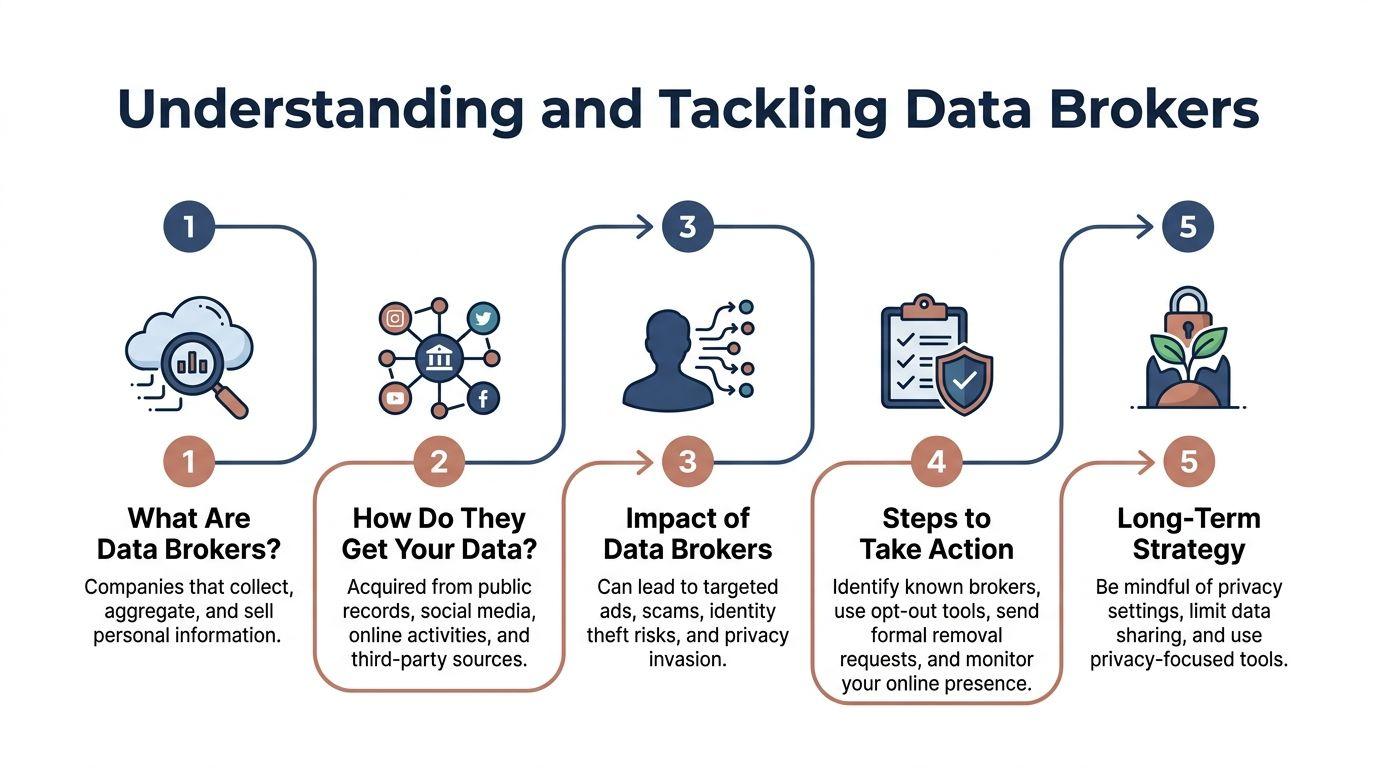
These companies collect, package, and sell information pulled from public records, commercial sources, online activity, and other databases. Some run people-search sites. Others feed marketing databases, lead lists, identity verification tools, or risk scoring systems.
That repeat cycle is why data broker cleanup frustrates people. A listing disappears from one site, then the same address, phone number, or family connection shows up somewhere else because another broker bought or scraped it from a different source.
What actually works
Manual opt-outs still do a lot of the heavy lifting.
According to Consumer Reports guidance on deleting your information from people-search sites, manual opt-out efforts can remove a large share of people-search listings at the start, but records often return over time. Consumer Reports also advises starting with the highest-risk people-search sites first rather than trying to clear every low-visibility broker at once.
That leads to a practical rule. Start with brokers that expose home address, phone number, relatives, age, or employer. Leave low-value marketing databases for later unless you have a specific reason to chase them.
The practical workflow
A targeted sweep works better than a vague goal to remove yourself from "the internet."
Step 1: Find the listings that matter
Search for your name with identifiers that brokers commonly use:
- city
- age range
- old addresses
- phone number
- relatives' names
Focus first on people-search sites and public-facing broker pages. Save the exact URL for every result that exposes useful personal details.
A spreadsheet beats memory here. Track:
| Site | Listing URL | Date submitted | Method | Status |
| Whitepages | saved URL | date | form/email | pending/removed |
| Pipl | saved URL | date | form/email | pending/removed |
| Other broker | saved URL | date | form/email | pending/removed |
If you manage privacy for a family or small business, add columns for person, risk level, and recheck date. That small bit of structure prevents duplicate work and missed follow-ups.
Step 2: Use the site's opt-out process
Most brokers hide opt-out links in the footer, privacy policy, or FAQ. Search the site for terms like:
- opt out
- suppress my data
- privacy request
- do not sell or share
- delete listing
Submit only the information required to identify the record. If the broker accepts a separate email address for correspondence, use a dedicated privacy inbox or burner address.
Give brokers enough information to find the listing. Do not hand over extra details that help them improve the profile.
Step 3: Verify after a delay
Check back in a few weeks. Search again and confirm that the exact page is gone, suppressed, or no longer indexed.
If the listing is still live, resubmit and document it. Some brokers remove one version of a name but leave another. Others process requests slowly or push the record into a hidden state that later becomes public again.
A lean email template
Some sites accept only forms. Others process privacy requests by email. Keep the message brief.
Subject: Request to remove personal listing
Hello, I am requesting removal of my personal information from your website. The listing appears at this URL: [paste URL].
Please remove or suppress this record and confirm when the request has been completed. I am providing only the information necessary to identify the listing.
Name shown on listing: [name as displayed]
Location shown on listing: [city/state only if needed]
Thank you.
Do not attach ID documents unless the site requires them and the request appears legitimate. If proof is required, send the minimum needed and redact anything unrelated.
Where the process breaks down
The same mistakes keep slowing people down.
Oversharing in forms
Optional fields are optional. If a broker asks for alternate phone numbers, prior addresses, or family names that are not needed to identify the listing, leave them blank.
Failing to track requests
After five or six brokers, memory stops being reliable. Without a tracker, reappearances get missed and duplicate submissions waste time.
Ignoring the source record
Some brokers republish from court filings, property records, business registrations, voter data, or archived directories. Removing the broker listing helps, but the record can return if the source stays public and accessible.
Use services with realistic expectations
Paid removal services save time. They do not replace oversight.
In practice, these services are best at broad coverage and recurring submissions across many brokers. Manual requests still matter for the listings that create real exposure, especially pages showing your home address, direct phone number, family members, or executive contact details.
A workable setup looks like this:
- Use a paid service for scale and recurring opt-outs
- Handle high-risk listings manually so you can verify the exact page is gone
- Recheck on a schedule instead of assuming the job is finished
- Keep a private tracker for stubborn sites and repeat offenders
That balance changes by user type. An individual may get by with manual removals plus quarterly checks. A family usually needs a shared tracker and recurring reviews tied to school, sports, and public registrations. A small business often benefits from assigning one person to manage broker removals for founders and customer-facing staff, then using a service to cover the long tail.
The tiered strategy that fits real life
Different groups have different exposure patterns, and the cleanup plan should reflect that.
Individuals
Start with your own name, phone numbers, addresses, and old usernames. Prioritize listings that reveal where you live, where you work, or how someone can contact you directly.
Families
Treat each household member as a separate removal project. Parents often clear their own records and miss a child's camp page, team roster, school directory entry, or a relative listing that ties the whole household together. Search by parent name plus child name, and by shared address or home phone if those were ever public.
Small businesses
Business and personal records often overlap. Owners, registered agents, staff bios, state filings, LLC registrations, and directory listings can all expose personal details. Start with the founder, leadership team, customer-facing staff, and anyone whose direct email, phone number, or home city appears in public listings.
For teams, assign ownership. One person should track requests, rechecks, and unresolved sites. Ad hoc cleanup leaves gaps, especially after hiring changes, vendor onboarding, or new directory listings.
Using Legal Tools for Data Takedowns
Sometimes opt-out forms aren't enough. A site ignores your request. A photo was posted without permission. Someone is using your personal information to harass, impersonate, or expose you.
That's when legal tools become useful.
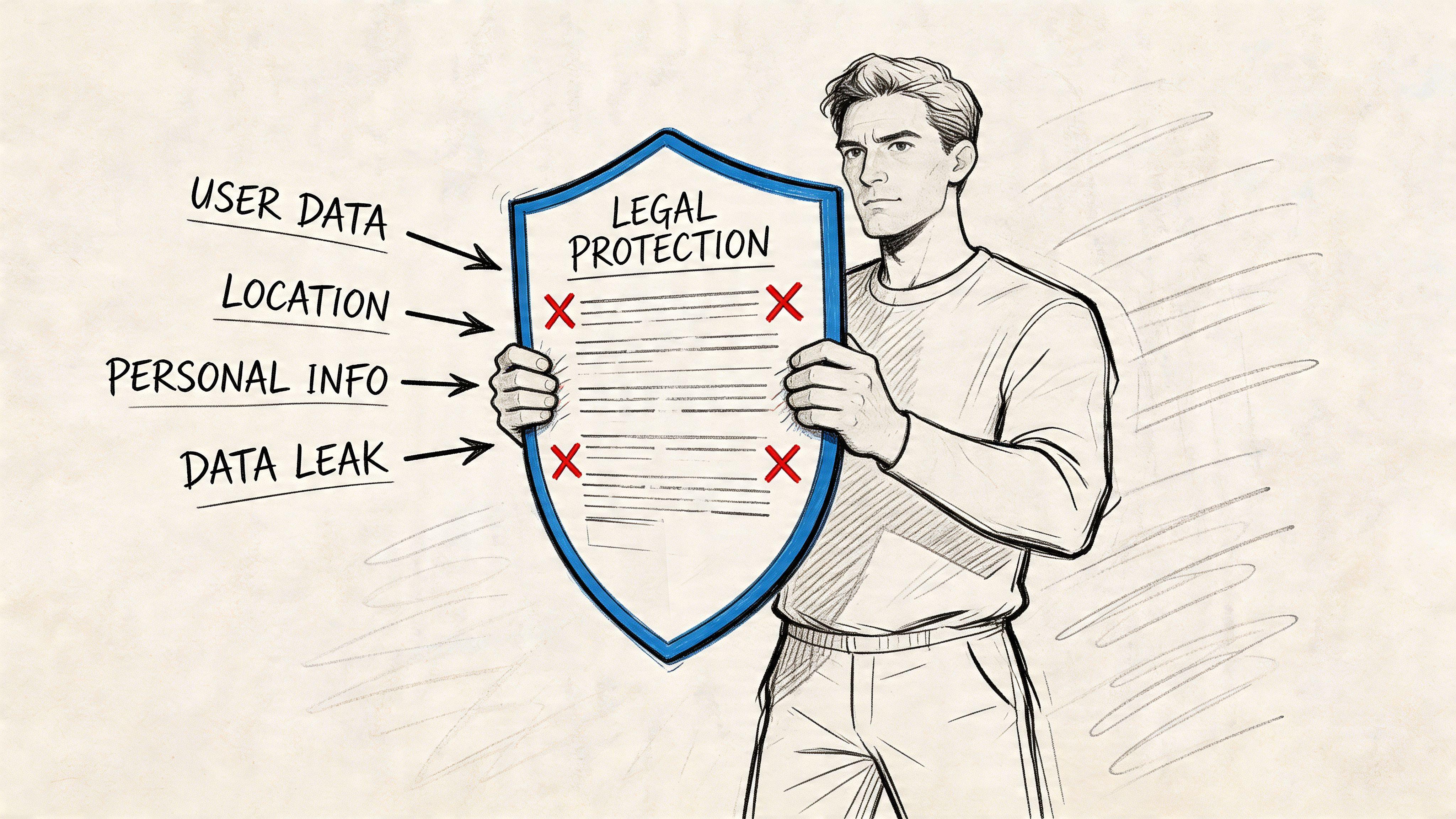
You don't need to become a lawyer to use them well. You do need to know what each tool is for.
Use the right lever for the right problem
Here's the fast version:
| Situation | Best tool | What it can do |
| Sensitive data in Google Search | Google personal info removal process | Removes from Search results |
| Your copyrighted photo or writing reposted without permission | DMCA takedown request | Pushes host or platform to remove infringing content |
| Company holds personal data and offers privacy rights requests | State privacy law request where applicable | Requests deletion or access |
| Harassment, impersonation, or doxxing | Platform abuse report plus legal escalation | Targets the account or content source |
DMCA for photos and original content
If someone reposted a photo you took, an article you wrote, or other original content you own, a DMCA takedown request can be effective. This works best when the issue is copyright infringement, not just unwanted visibility.
Use it when:
- your image was reposted without permission
- a blog copied your written content
- a platform user uploaded your original work
DMCA doesn't solve every privacy problem. It won't help if the content is factual public-record data or if you don't own the material. But when it fits, it gives you a clear escalation path with hosts and platforms.
Privacy law requests
Some companies provide privacy request forms that let you ask for deletion, access, or limits on data use where applicable. If the company falls under a state privacy law and your request qualifies, use the formal privacy channel rather than a generic support inbox.
Keep the request simple:
- identify yourself
- identify the account or record
- state the request clearly
- ask for confirmation when completed
A short version works well:
I am submitting a privacy request to delete personal information associated with my account or profile. Please confirm receipt and let me know if you require any limited information necessary to verify the request.
Escalation sequence
Don't jump straight to threats. Use a clean sequence.
- Platform or site request
- Formal privacy request
- Host or copyright route if applicable
- Documentation of all submissions
- Legal advice if the issue involves stalking, extortion, or ongoing harassment
The strongest requests are specific. Include the exact URL, the exact content at issue, and the exact action you want.
For doxxing or harassment, speed matters more than elegance. Report the content to the platform, use search-result removal where available, and preserve screenshots before anything changes. If the risk is immediate, involve legal counsel or law enforcement.
Privacy Strategies for Your Life and Business
One privacy plan rarely survives contact with real life. An individual can usually work from a short removal checklist. A family has shared accounts, school pages, and relatives posting without coordination. A small business has public contact needs, staff exposure, and legal records that cannot easily disappear.
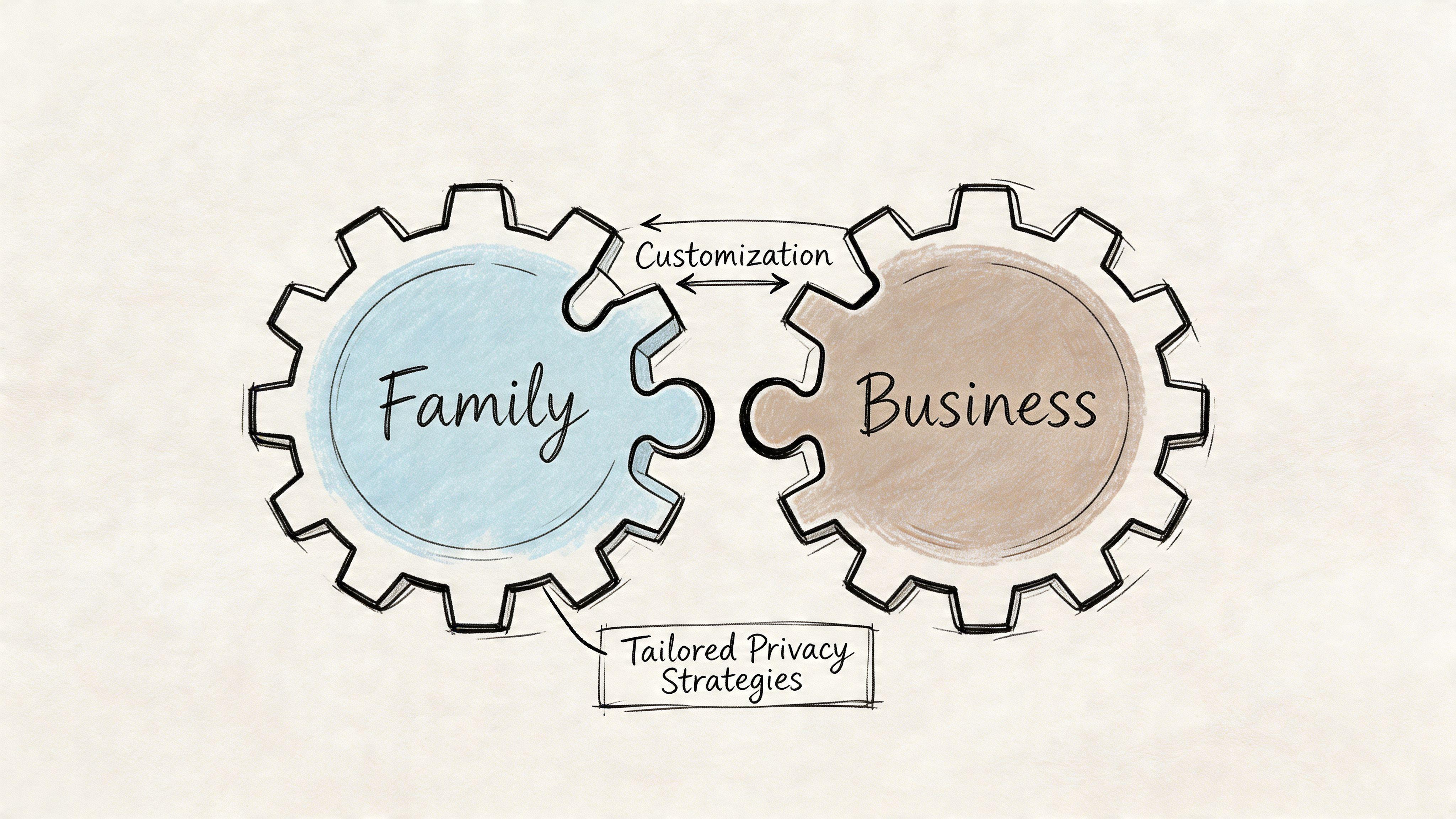
I see the same mistake across all three groups. They treat data removal as a one-time project, then wonder why the information returns. The better approach is tiered. Decide what matters for your situation, protect the records that create real risk, and set a review schedule because new exposure keeps appearing.
For families
Family privacy problems spread through connected habits. One parent opts out of brokers, but the home address still appears in an old listing page, a school fundraiser PDF, or a grandparent's public photo album.
A practical household cleanup usually covers:
- parents' people-search profiles
- children's school, camp, or activity pages
- family photos that reveal house numbers, license plates, or location patterns
- old real estate listings
- registry pages, wish lists, and neighborhood forum posts
Split the work on purpose. One adult handles search results, broker sites, and public records checks. The other reviews social accounts, shared albums, and school or activity pages. That division catches both formal data exposure and casual oversharing.
Pay extra attention to combinations of data. A child's full name, school, city, and activity schedule in one public page is a stronger risk signal than any one detail alone.
For students and young adults
Students usually need reputation control more than full disappearance. Old usernames, forgotten public posts, and tagged photos cause more trouble than business records.
Set priorities in this order:
- remove sensitive or risky content
- lock down old social accounts and unused profiles
- separate personal accounts from school or career-facing profiles
- keep one credible public profile for employers, internships, or graduate programs
That last point matters. Trying to erase everything can look strange if a hiring manager searches your name and finds nothing but fragments. A cleaner approach is to reduce low-value exposure and keep one accurate public presence. Use strong unique passwords for every account and store them in a tool that explains how password managers protect online accounts.
For small businesses
Small businesses have a mixed privacy problem. The company needs to be reachable. The owner and staff do not need every personal detail tied to that public presence.
Start by reviewing where business and personal data overlap:
| Exposure point | Why it matters |
| founder or owner details in filings | can reveal a home address or personal phone number |
| employee bio pages | gives attackers names, roles, and contact patterns |
| vendor signups and local listings | spreads direct emails and phone numbers across multiple databases |
| old press releases and archived team pages | keeps outdated staff information searchable |
| domain registration and inbox setup | can expose admin contacts if configured poorly |
Then decide what stays public because it serves the business. A general support inbox should stay. A direct personal cell number usually should not. Staff directory pages may help sales, but publishing every team member's full email address also makes phishing easier.
Assign ownership. In a very small company, this often sits with operations, IT support, or the owner. That person should maintain a privacy inventory with three columns: where the data appears, why it is public, and when it was last reviewed.
Public employee data often becomes the raw material for convincing phishing messages and impersonation attempts.
Where paid services help, and where they do not
For individuals, automated removal services can save time on the largest broker sites. For families and businesses, they are only part of the job.
The gap is scope. Families need coverage across parents, children, aliases, addresses, and shared accounts. Small businesses need to track founders, staff, old domains, local listings, and records tied to both a person and a company. Services rarely cover all of that cleanly.
Use a hybrid process instead:
- paid service for broad broker coverage
- manual review for high-risk people and high-visibility records
- shared tracking sheet for removals, reappearances, and deadlines
- approved public contact points for the household or business
- recurring audits every few months
That recurring audit is the part people skip. Data brokers refresh records. Old pages get reindexed. New exposures show up through signups, filings, relatives, vendors, and apps. Privacy cleanup works best as maintenance, not as a single event.
Build Your Long-Term Privacy Defense
If you only remove data and keep feeding new data into the system, the cleanup never ends.
The better model is defense first, removal second. Cut off the easy collection channels, then maintain visibility into what still escapes.
According to Panda Security's guide on removing information from the internet, disabling third-party cookies and mobile ad tracking can reduce data harvesting by brokers by up to 75%. The same guidance says combining those technical blocks with manual opt-outs can lead to a 75% reduction in online visibility within three months, though data can return through unaddressed public records.
Block the easy tracking
Start with browser and phone settings.
Browser basics
- Chrome: block third-party cookies in privacy settings
- Firefox: enable Enhanced Tracking Protection
- Safari: restrict cross-site tracking
- Extensions: remove anything you don't trust or no longer use
Mobile basics
- iPhone: turn off app tracking where possible
- Android: opt out of ad personalization
- All devices: review app permissions and cut location access to the minimum needed
These settings don't erase data already out there. They reduce what gets collected going forward.
Create early warning systems
Google Alerts are simple and still useful. Set alerts for:
- your full name
- business name
- older usernames
- primary email address if appropriate
- home address if exposure is a concern
You'll get notified when new pages are indexed that match those terms. That's not full monitoring, but it helps you catch fresh exposure early.
Use masked contact details
The easiest privacy win is to stop handing out your primary email and phone number for every signup.
Use:
- masked email addresses for newsletters, trials, and shopping
- separate inboxes for high-trust and low-trust accounts
- secondary numbers where appropriate for forms and public use
That way, when spam starts or a vendor leaks data, you know which channel was exposed and can shut it down without rebuilding your whole digital life.
This pairs well with stronger account hygiene. If you need a refresher on credential management, this breakdown of how password managers work helps with the account side of privacy defense.
Put privacy on a calendar
The people who stay cleaner online aren't more paranoid. They're more consistent.
Do this on a repeating schedule:
- monthly: search your name and check alerts
- quarterly: review social privacy settings and app permissions
- twice a year: repeat broker checks and opt-outs
- any time you move, change jobs, or launch a business: run a fresh exposure audit
Removing personal information from the internet works best when it's treated like security maintenance. You don't do it once and declare victory.
Frequently Asked Questions About Data Removal
Can you remove yourself from the internet completely
No. Not in the absolute sense.
You can remove a lot, suppress much more, and reduce future collection. But public records, archived pages, reposts, and third-party copies make complete erasure unrealistic. The practical goal is control, not perfection.
Are paid data removal services worth it
They can be. It depends on whether you're buying time or expecting total coverage.
DeleteMe says it has removed over 100 million personal listings since 2010, which shows the scale of the market and the amount of data floating around. Services save time, especially if you don't want to submit opt-outs one by one. Their results can still be inconsistent, so the most effective approach is usually hybrid: use a service, then do periodic manual checks yourself.
How often should you repeat the process
Regularly. Data comes back.
Twice-yearly broker reviews serve as a good baseline. If you have a public-facing job, run a business, have children with active school or sports profiles, or you've dealt with harassment before, check more often.
Should you remove data from Google or from the website itself
If possible, both.
Removing a result from Google reduces visibility. Removing it from the source site addresses the root problem. If you can only do one quickly, start with the result that creates the most immediate risk, then work backward to the source.
What's the best starting point if you feel overwhelmed
Don't start with all of it. Start with the biggest leaks:
- your Google results
- your public social profiles
- the top people-search listings for your name
- old accounts you no longer use
That first pass gives you momentum. After that, build the recurring system.
If you want a privacy-first AI workspace for family or team use after you've tightened your digital footprint, try 1chat. It gives you access to leading LLMs in one place with a privacy-first approach built for families, students, and small businesses.