Your team is already doing AI work, even if you haven’t approved an AI strategy.
Someone is pasting customer emails into a chatbot to draft replies. Someone else is using it to rewrite product copy, summarize meeting notes, or clean up a rough proposal before it goes to a client. That usually starts as a convenience. Then it turns into shadow workflow.
That’s why chat gpt for businesses matters now. For a small or midsize company, the question isn’t whether AI is interesting. The question is whether you’ll use it deliberately, with guardrails, in places where it saves time without creating new risk.
Used well, it can take repetitive writing, summarizing, drafting, and internal support work off your team’s plate. Used badly, it can spread errors faster, leak sensitive information, and create a mess nobody owns.
Most guides stop at “use AI for marketing.” That’s too shallow. What small businesses need is department-level implementation, clear boundaries, and a sober view of privacy and compliance.
What ChatGPT Means for Your Business Growth
A lot of owners are stuck in the same loop. Inbox overload in the morning. Internal questions all day. Customer messages piling up. Reports that need to be written, job descriptions that need to be posted, sales follow-ups that should have gone out yesterday.
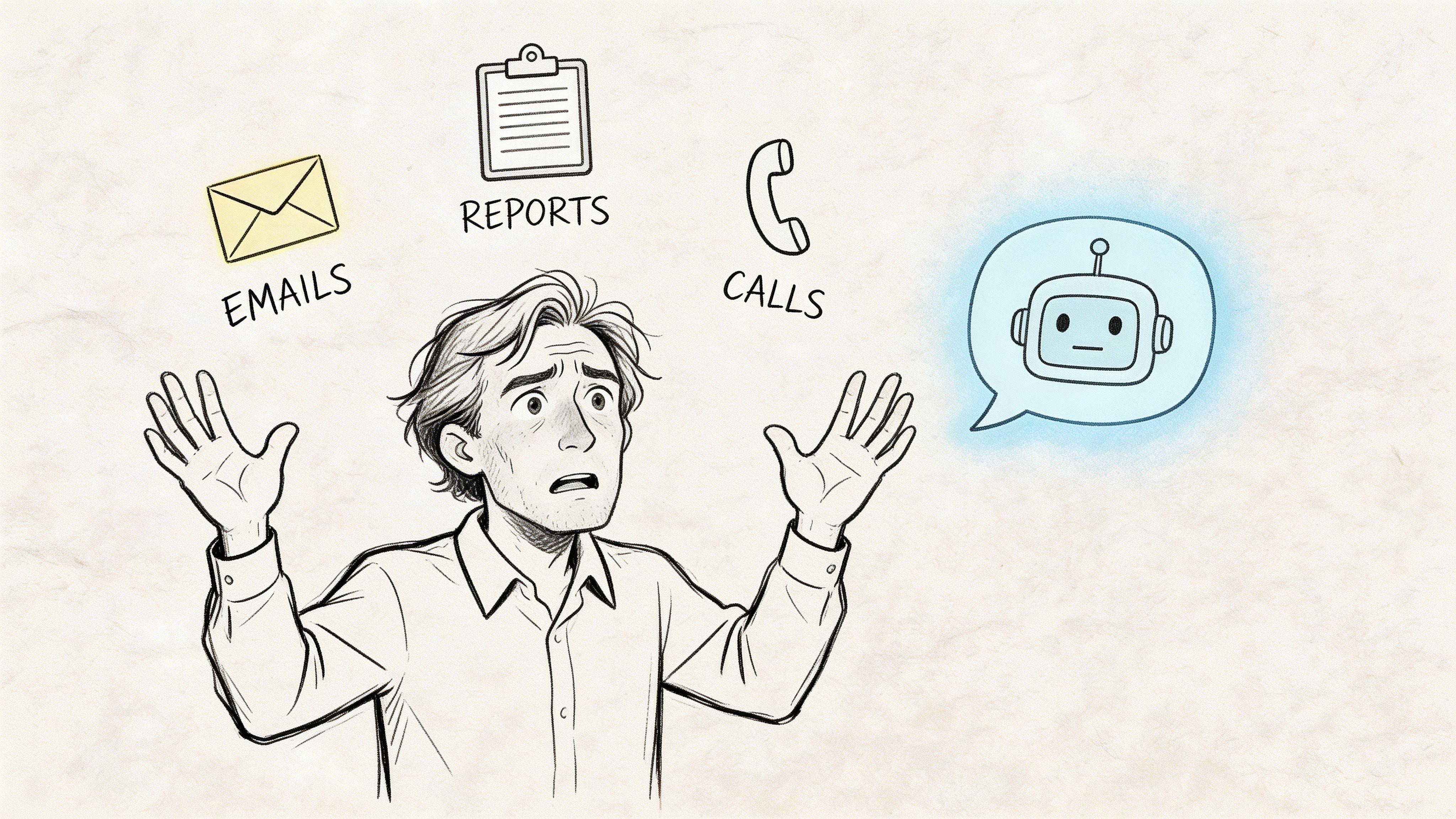
In that environment, AI isn’t a gimmick. It’s a force multiplier for teams that don’t have spare headcount.
By mid-2025, 49% of U.S. companies were using ChatGPT, and enterprise users reported 40 to 60 minutes in daily time savings, according to these ChatGPT business adoption statistics. For a small business, that matters less as a headline and more as a signal. Competitors are already using AI to reduce routine workload.
What growth actually looks like
For most SMBs, growth doesn’t start with some dramatic AI transformation. It starts with simpler gains:
- Faster output: Your team drafts proposals, emails, briefs, and internal documents faster.
- Less context switching: Staff spend less time rewriting the same answer for customers or coworkers.
- More consistent communication: Marketing, sales, and support can work from reusable prompts and approved patterns.
- Recovered thinking time: Managers can spend more time on decisions that require judgment.
Those gains compound because they affect daily operations, not occasional special projects.
Practical rule: Don’t treat AI as a replacement for employees. Treat it as a first-draft engine and research assistant for work your team already knows how to judge.
Where small businesses usually go wrong
The mistake is buying access first and deciding usage later.
That creates two problems. First, teams use AI on random tasks, so nobody sees a repeatable return. Second, people paste in data they shouldn’t, because no one set a policy.
A better approach is narrower. Pick one workflow that happens every week, takes too long, and doesn’t require sensitive data in the first test. Then improve that workflow until the team trusts it.
Good early candidates include:
- Summarizing long emails or notes
- Drafting marketing variations from one source document
- Creating first-pass customer support replies
- Turning messy internal ideas into structured checklists
That’s where chat gpt for businesses earns its keep. Not as magic. As a structured application.
Understanding Generative AI Beyond the Hype
The easiest way to understand generative AI is this. It behaves like a very fast junior assistant with broad language knowledge, no lived business context by default, and no built-in judgment about what matters most to your company.
That assistant can write, summarize, reorganize, brainstorm, classify, and explain. It can also sound confident while being wrong. That’s the part many owners miss.
A useful mental model
If you ask a vague question, you get a vague answer.
If you provide context, examples, constraints, tone, audience, and desired output format, the quality improves fast. In practice, the model is less like search and more like delegation. You’re assigning a task.
That means the value doesn’t come from asking, “Write me a blog post.” It comes from asking something closer to this:
- Role: Act as a marketing manager for a local service business.
- Task: Rewrite this article into three email versions for existing customers.
- Constraints: Keep each under a clear reading length, avoid hype, and include one call to action.
- Context: Our audience is busy homeowners. Our tone is practical.
- Output: Use a subject line, preview text, and body copy for each version.
That’s when the tool starts behaving like a business system instead of a novelty.
What it can do well
Generative AI is strongest when the work is language-heavy, repetitive, and structured enough for a human to review quickly.
Here are the core jobs it handles well:
| Business need | What AI can do |
| Writing support | Draft emails, landing page copy, ad variations, scripts, and internal memos |
| Summarization | Condense meetings, reports, policy documents, tickets, and long email threads |
| Knowledge organization | Turn unstructured notes into SOPs, FAQs, checklists, or training drafts |
| Idea generation | Produce angles for campaigns, outreach sequences, hiring questions, or content calendars |
What it does poorly
It struggles when the task depends on hidden context, current system data, or domain-specific nuance that hasn’t been supplied.
Common failure points include:
- Sensitive judgment calls: Handling legal, HR, or customer escalations without review
- Live operational truth: Referring to stock, pricing, contract terms, or account status that may have changed
- Cross-system tasks: Answering questions that require data from your CRM, help desk, or ERP if no integration exists
- Final decision-making: Choosing strategy, approving policy, or interpreting compliance obligations on its own
AI is often excellent at producing options. Your team still has to select the right one.
The text limitation most businesses ignore
A chatbot only knows what’s in the prompt, the uploaded material, and the tools connected to it. If your staff assumes it “knows the business,” they’ll over-trust it.
That’s why the best use of chat gpt for businesses usually starts with bounded tasks. Summarize this. Rewrite that. Extract key themes. Turn this call transcript into follow-up steps. Compare these two drafts and flag differences in tone.
Once a team understands those strengths and limits, they stop asking AI to “run the business” and start using it to remove friction from actual work.
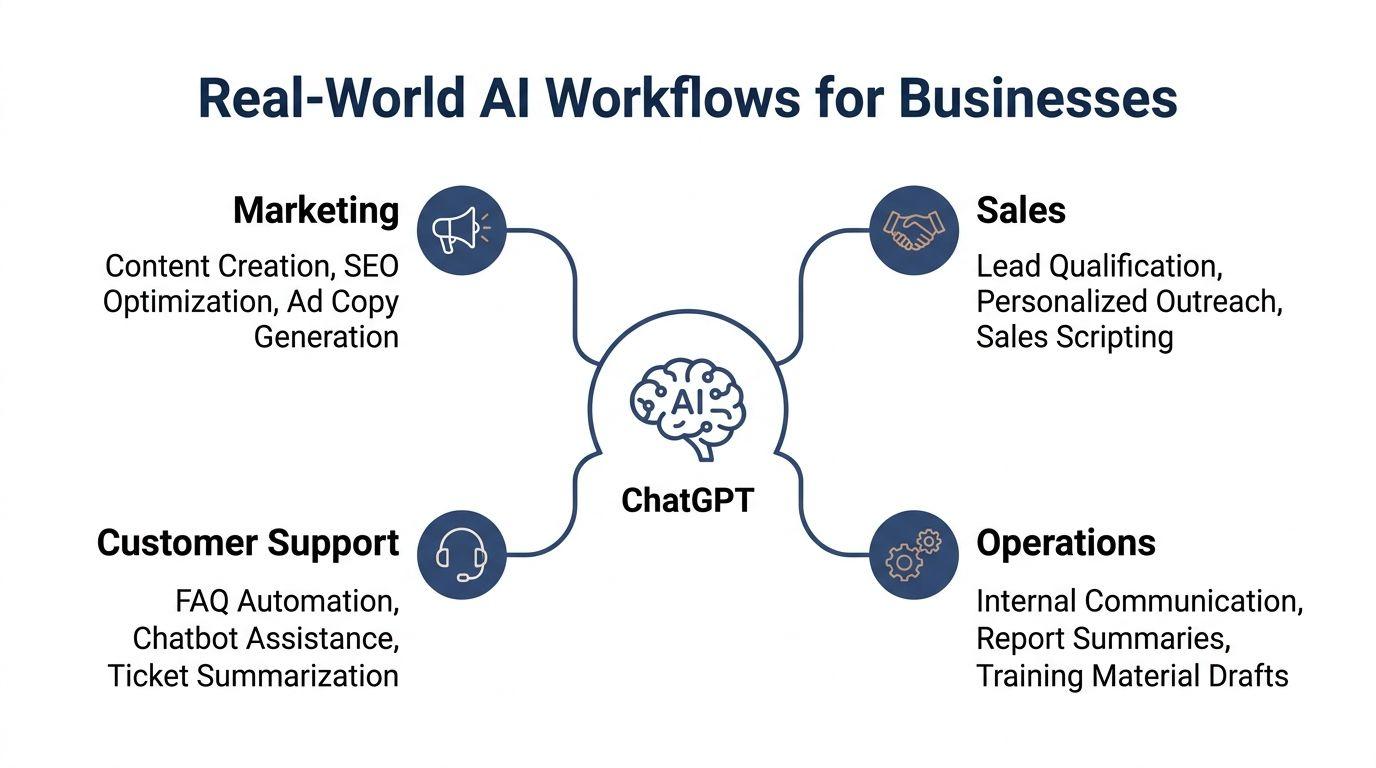
Real-World AI Workflows for Every Business Department
The most effective deployments are boring on purpose. They don’t start with grand automation. They start with one annoying task per department, then turn that task into a repeatable workflow.
Marketing workflows that reduce content drag
Marketing teams often waste time turning one good idea into many usable assets. AI is good at format conversion.
A practical workflow starts with one strong source piece, such as a blog post, webinar transcript, customer interview, or product announcement. From there, the marketer asks AI to spin out channel-specific versions.
A simple sequence looks like this:
- Start with a source asset. Use the finished blog post or transcript, not rough notes.
- Ask for segmentation. Request versions for prospects, existing customers, and partners.
- Convert by channel. Generate email copy, social posts, short-form ad copy, and FAQ snippets.
- Review for truth and tone. Check claims, names, offers, and brand voice.
- Store the winning prompt. Reuse it next month instead of starting from scratch.
That process saves more time than asking for net-new content every time.
Marketing can also use AI to tighten messy drafts. A small team often has subject-matter expertise but not enough editorial capacity. AI can turn a rambling founder memo into a decent article outline, then help shape it into readable copy.
For teams exploring broader marketing support, this guide on an AI assistant for small business is useful context when you’re deciding what tasks should stay manual and which ones can be standardized.
Don’t ask AI to invent customer pain points. Feed it real sales call notes, real objections, and real support questions. The output gets much better.
Sales workflows that improve speed without sounding robotic
Sales teams benefit when AI helps before and after the conversation.
Before outreach, it can turn account notes into a usable first draft. After a meeting, it can organize notes, identify follow-ups, and draft recap emails that are clearer than most hurried human versions.
A workable sales workflow might look like this:
- Lead research prep: Paste in public company info, prospect role, and your offer. Ask for a short relevance summary and likely objections.
- Personalized outreach draft: Generate two email versions. One direct, one consultative.
- Call prep sheet: Ask for discovery questions tied to the prospect’s likely priorities.
- Post-call recap: Turn rough notes into an action summary, decision risks, and next-step email.
- CRM hygiene support: Use AI to normalize messy notes before they’re logged by the rep.
What doesn’t work is letting AI write generic outbound messages at scale with no human edit. Buyers can smell that instantly.
The strongest use case is speeding up the rep who already knows how to sell. AI handles drafting and structure. The rep adds judgment.
Customer support workflows that shorten response time
Support is one of the cleanest early wins because so much of the work is repetitive language.
A small business may not need a full automation stack. It may just need a better way to answer recurring questions consistently.
Three strong support uses stand out:
FAQ drafting
Take your past support emails and identify repeated issues. Then ask AI to draft a first version of an internal answer library.
That gives your staff a starting point for common requests such as refunds, account access, order timing, billing clarification, or setup instructions.
Ticket summarization
Long customer threads are expensive in attention. AI can compress a multi-message exchange into:
- Issue summary
- Customer sentiment
- Actions already taken
- Best next response
That’s especially useful when one staff member hands off a case to another.
Response assistance
Instead of auto-sending replies, many SMBs get better results from assisted drafting. The agent reviews the suggested answer, adjusts tone, confirms details, and sends it.
That model balances efficiency with accountability.
Operations and HR workflows that remove internal friction
Operations is where AI often delivers quiet value.
It can take process documents, manager notes, meeting transcripts, and scattered instructions, then turn them into something the team can use.
Examples that work well:
| Function | AI-supported workflow |
| Internal operations | Summarize meeting notes into decisions, owners, and deadlines |
| SOP creation | Convert a screen-recording transcript or rough process notes into a draft procedure |
| HR admin | Draft job descriptions, interview scorecards, onboarding checklists, and policy summaries |
| Reporting support | Turn raw narrative updates into concise weekly status reports |
HR needs extra caution because people data is sensitive. Early pilots should avoid feeding personal employee details into public systems. Use generic scenarios first.
What successful departments have in common
The departments that get value from chat gpt for businesses usually follow the same pattern:
- They choose repetitive tasks, not mission-critical decisions
- They use approved prompts instead of ad hoc experimentation
- They require human review before anything external is sent
- They document the workflow so another employee can repeat it
That last point matters. If AI only helps one power user, you don’t have a business capability yet. You have one clever employee.
Integrating AI into Your Existing Business Tools
Most owners don’t need a custom AI build on day one. They need the least complicated setup that fits the task, team size, and risk level.
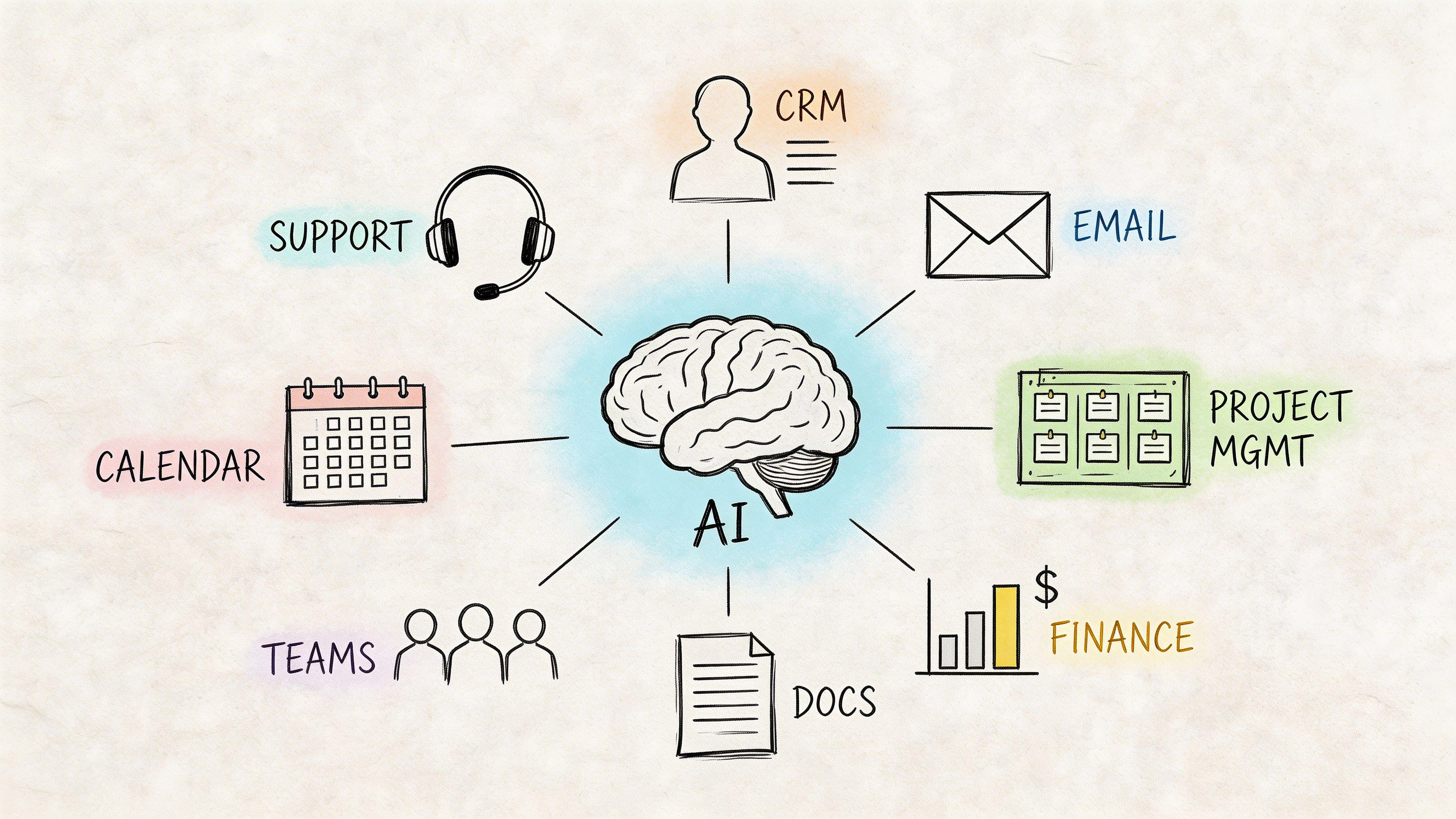
Start with the interface, not the architecture
There are three common implementation paths.
Web app use
This is the easiest starting point. A team logs into a browser-based AI tool and uses it directly for drafting, summarization, analysis, or brainstorming.
This works well when:
- The workflow is still being tested
- Only a few people need access
- The task doesn’t require live business system data
- You want fast adoption with low setup friction
The downside is fragmentation. Useful prompts and outputs stay trapped in individual chats unless someone documents them.
API integration
This is the next step when you want AI inside your existing software.
For example, a CRM could trigger a draft follow-up email from call notes. A support tool could generate a suggested reply from ticket history. An internal portal could summarize uploaded reports automatically.
This approach gives more control, but it adds implementation work and governance requirements. Enterprise-grade AI platforms are built for scale and security. According to this ChatGPT Enterprise implementation overview, infrastructure can support 500+ requests per second and includes SOC 2 compliance. For SMBs, the practical lesson is simple. Choose a platform that manages reliability and security well, because most small teams don’t want to build that layer themselves.
The middle ground most SMBs should consider
There’s often a better option than either “everyone use a public chatbot however they want” or “let’s build a full custom integration.”
That middle ground is a managed team platform with shared access, policy controls, and practical features for documents and collaboration. One option is 1chat, which provides access to multiple LLMs in one place and is positioned as a privacy-first platform for teams and small businesses.
That kind of setup can be useful when you want more control than a consumer chatbot offers, but you’re not ready for custom API work.
Implementation advice: If a workflow touches customers, employees, contracts, or finance, don’t rely on scattered personal accounts. Put the work inside a managed team environment.
How to choose your first integration path
Ask four questions before you buy anything:
- Where does the work start? In email, CRM, docs, tickets, or meetings?
- Who needs the output? One employee, a whole department, or customers?
- How sensitive is the data? Public marketing copy is not the same as customer records.
- How often does it happen? A daily workflow deserves tighter integration than an occasional task.
If the task is frequent and low-risk, start in a web app and document the prompt. If it becomes central to operations, move it into a system integration later.
What not to integrate too early
Avoid connecting AI directly to actions that commit the business unless there’s a solid review layer.
That includes sending final legal language, changing account status, making HR determinations, or responding to edge-case support issues automatically. Early-stage AI should assist. It shouldn’t decide.
Navigating AI Security Privacy and Compliance Risks
Many business owners hesitate on AI for one reason that bigger guides barely address. Data risk.
That hesitation is rational.
A 2025 Forrester study found that 40% of businesses experienced data leaks via public LLMs, and a Gartner report noted that 65% of SMBs cite data privacy as their top barrier to AI adoption, as summarized in this small business AI privacy discussion. Those aren’t abstract concerns. They point to a common pattern: teams move faster than policy.
Where the real risk shows up
The biggest risk usually isn’t a malicious attack. It’s an ordinary employee trying to get help.
Someone pastes in:
- A customer complaint with identifying details
- An employee performance issue
- A contract draft
- Financial notes
- A child or student record in education-related settings
- Internal operating data that should stay private
Once that happens in the wrong environment, you may have created a privacy, confidentiality, or compliance problem without realizing it.
This matters even more for companies dealing with regulated data or obligations under rules like GDPR or CCPA. Small businesses sometimes assume compliance scrutiny only hits larger firms. It doesn’t work that way if your team handles personal data poorly.
A privacy-by-design policy that actually works
Most SMBs don’t need a long AI policy to start. They need a short policy people will follow.
Use something like this:
- Ban sensitive raw data in public AI tools. No names, account numbers, health details, student details, payroll info, or contract language unless the approved platform and workflow allow it.
- Require anonymization first. Replace identifying details with placeholders when testing prompts.
- Separate drafting from decision-making. AI may draft. A person approves.
- Use approved tools only. Personal accounts create blind spots.
- Log recurring workflows. If a team uses AI for a task every week, document the prompt, inputs allowed, and reviewer.
If you can’t explain where the prompt data goes, who can access it, and whether it’s retained, you shouldn’t use that tool for sensitive work.
Public convenience versus business safety
The temptation is obvious. Public tools are fast, familiar, and easy to access.
But convenience often hides governance gaps. Public chatbot use across a team creates inconsistent practices, inconsistent retention behavior, and inconsistent risk. One employee may be careful. Another may paste in a full spreadsheet.
That’s why privacy-first tooling and internal standards matter. Even if your first use cases are low-risk, teams normalize habits quickly. If those habits form around careless input handling, you’ll spend months undoing them.
Safe use cases for early adoption
If you want low-risk starting points, use AI for:
- Generic content drafting
- Anonymous process improvement ideas
- Meeting summary cleanup with sensitive details removed
- Internal training drafts based on non-confidential material
- Public-facing FAQ drafting from already approved content
Avoid sensitive support records, HR matters, legal review, and financial analysis until your platform choice, permissions, and policy are mature enough to support that work.
Evaluating AI Cost ROI and Alternative Platforms
AI cost looks small until you buy the wrong way.
A few subscriptions won’t wreck a budget. What creates waste is scattered tool spend, duplicate usage, unclear ownership, and no measurement of whether time savings showed up.
How to think about ROI without overcomplicating it
The best SMB ROI calculation is operational, not theoretical.
Track three things for a pilot workflow:
- Time saved per task
- Output volume your team can now handle
- Quality impact, positive or negative
You don’t need a finance model worthy of a board deck. You need to know whether a specific process now takes less staff time while maintaining acceptable quality.
One useful benchmark does exist. In the earlier adoption data, enterprise users reported daily time savings, and some businesses reported meaningful financial savings from AI use. That doesn’t guarantee your result. It does tell you the upside is real when the workflow is chosen well.
Where businesses overspend
Most SMBs waste money in one of four ways:
| Cost mistake | Why it happens |
| Too many individual subscriptions | Teams buy their own tools with no shared policy |
| Paying for advanced capability nobody uses | The tool is stronger than the workflow requires |
| Forcing custom integration too soon | Build costs arrive before the use case is proven |
| Ignoring risk costs | A cheap tool becomes expensive if it creates a privacy issue |
AI Platform Comparison for Small Businesses
When comparing options, focus less on headline features and more on how the platform fits your risk profile and team workflow.
| Feature | Standard Public AI (e.g., ChatGPT) | Privacy-First Platform (e.g., 1chat) |
| Access model | Often starts with individual accounts | Typically designed with team use in mind |
| Data handling approach | May require extra care and stricter internal rules | Usually positioned around tighter privacy controls |
| Multi-model access | Often centered on one provider ecosystem | May provide access to multiple LLMs in one workspace |
| Best fit | Fast experimentation and general drafting | Teams that want governance, privacy emphasis, or shared workflows |
| Management style | Can become fragmented across employees | Better suited to centralized oversight |
A broader comparison of what teams should look for in a business chatbot appears in this article on the best AI chatbot for business.
The practical buying rule
Buy for the workflow, not the demo.
If your team mostly needs writing help and summarization for non-sensitive work, a standard tool may be enough to start. If your use cases involve team governance, customer information, or a stronger privacy posture, a privacy-first platform may be the more sensible fit even if the interface looks less flashy.
The wrong platform creates hidden costs. The right one makes repeatable work cheaper.
Your Action Plan for AI Adoption in 2026
Start smaller than you think.
The companies that get value from chat gpt for businesses usually don’t begin with automation across every department. They begin with one workflow, one owner, and one clear rule set.
Use this sequence:
- Pick one repeatable, low-risk workflow. Good examples include summarizing meeting notes, drafting marketing variations, or creating first-pass support replies from approved content.
- Assign a workflow owner. One manager should decide how the tool is used, what prompts are approved, and what success looks like.
- Write a short AI usage policy. Keep it practical. No sensitive data in unapproved tools. Human review before external use. Approved platforms only.
- Test for two weeks. Save prompts, compare outputs, and note where edits are still needed. Look at time saved, consistency, and whether the team kept using it.
- Expand carefully. Move to a second department only after the first workflow is stable.
A good AI rollout feels controlled, slightly boring, and easy to repeat. That’s what makes it durable.
If you need a framework for operational rollout, this guide on how to implement AI in business is a useful next read.
The opportunity is real. So is the risk. Small businesses win when they treat AI as an operating tool with rules, not a toy with unlimited access.
If your team is already experimenting, formalize it now. The businesses that benefit most won’t be the ones with the fanciest prompts. They’ll be the ones that choose the right workflows, protect their data, and build habits their staff can follow every day.