So, what exactly is an AI chat tool for students? Put simply, it’s like having a smart study partner on call 24/7. Think of it as your own personal tutor who can break down tricky subjects, help you find information, or even help you map out a study schedule.
Meet Your New AI Study Partner
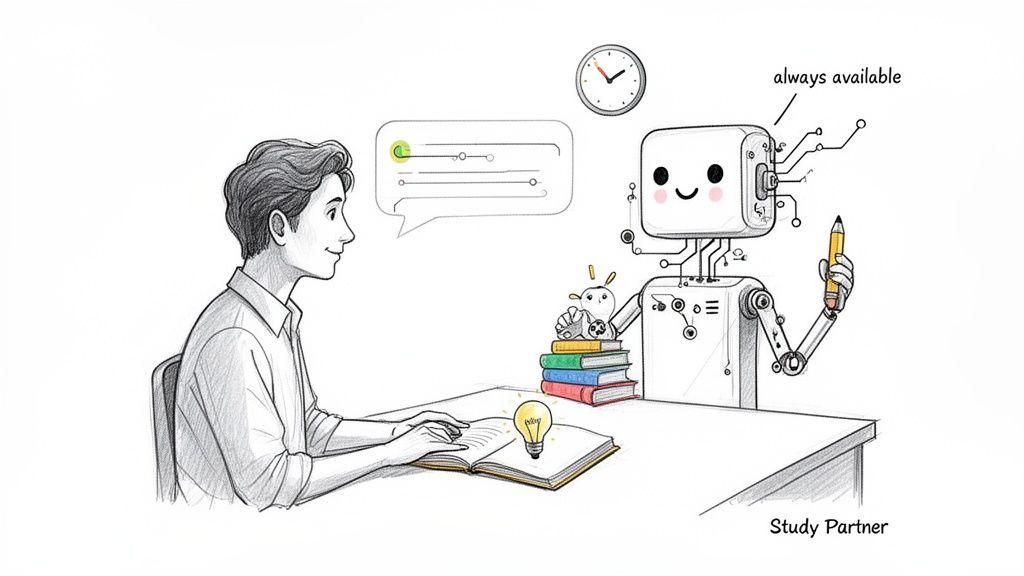
Imagine a study buddy that never gets tired, has practically read every textbook, and is always ready to help you wrap your head around a tough concept. That’s the real value of an AI chat for students. It’s so much more than just a search engine or an answer machine; it’s a dynamic tool built to support your entire learning process.
You don’t need to be a tech wizard to use one, either. At its core, an AI chat acts as a versatile assistant that shifts roles based on what you need in the moment.
Your Personal Academic Assistant
Stuck on a history essay? Your AI can act as a brainstorming partner, helping you structure your arguments. Prepping for a big science test? It can turn into a quiz master, creating practice questions to see what you really know. This adaptability is what makes these tools a game-changer for modern learning.
It's clear that students are catching on fast. A Pew Research Center report found that by early 2024, the percentage of US teens aged 13 to 17 using ChatGPT for schoolwork had more than doubled to 19% in under a year.
AI chat isn't just a passing trend—it's quickly becoming a standard part of a student's toolkit. The trick is learning to use it as a tool to deepen your understanding, not as a shortcut to skip the hard work.
An AI chat can wear many hats to help you succeed. Here’s a quick look at the key roles it can play in your academic life.
Key Roles of an AI Chat in Your Student Toolkit
| Role | How It Helps You Learn | Example Task |
| The Explainer | Breaks down complex theories into simple, easy-to-understand terms. | "Can you explain photosynthesis to me like I'm in middle school?" |
| The Research Assistant | Gathers information, finds sources, and summarizes long articles for you. | "Summarize the main causes of the American Revolution." |
| The Writing Coach | Helps you brainstorm ideas, outline essays, and proofread for grammar. | "Check this paragraph for clarity and suggest improvements." |
| The Study Planner | Creates customized study schedules and quizzes to prepare you for tests. | "Make a 5-day study plan for my upcoming biology exam." |
These functions show how an AI assistant can add a powerful new layer of support to your education.
By understanding how these tools work, students, parents, and teachers can make them a safe and productive part of the learning journey. If you're curious about the technology behind these conversations, you can get a great overview from our guide on what conversational AI is and how it all works.
How to Supercharge Your Studies with AI
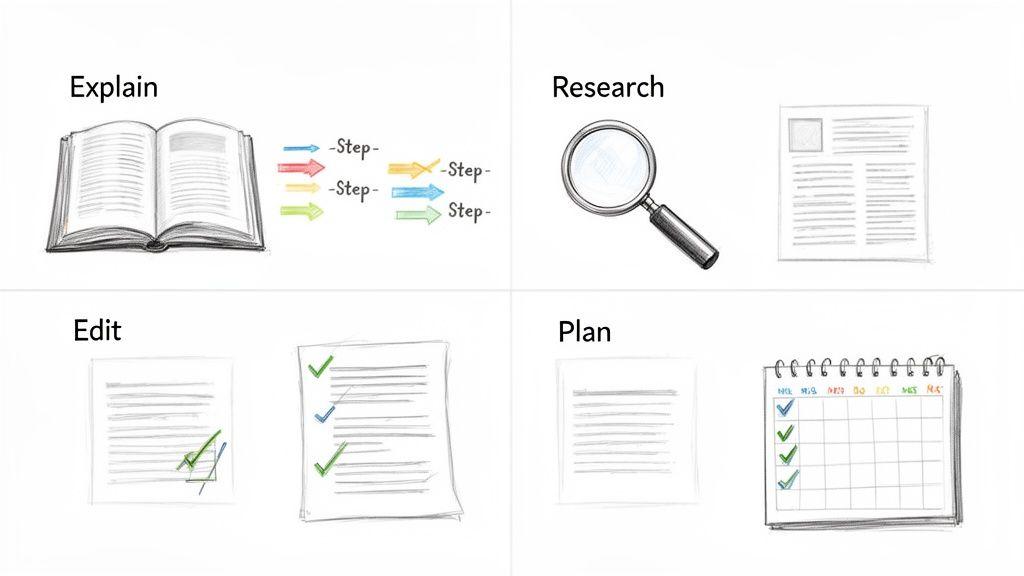
Alright, you get the basic idea behind AI chat tools for students. But how do you actually use one to get better grades and genuinely understand your schoolwork, instead of just grabbing quick answers? The secret is to treat it like a study partner that helps you in four key ways.
Thinking smart about how you use an AI chat means you're doing more than just asking simple questions. It’s about having a real conversation with the tool—one that forces you to think critically, organize your ideas, and put what you've learned into practice. When you do that, it stops being a shortcut and becomes a seriously powerful way to learn faster.
Explain Complex Homework Concepts
We've all been there. You're staring at a textbook, and a concept just isn't clicking. Maybe the chapter on cellular respiration is putting you to sleep, or your notes on a historical treaty just look like a jumble of names and dates. This is where an AI can be an absolute lifesaver.
Instead of just asking, "What is cellular respiration?"—which will spit out a generic definition—you can prompt the AI to actually teach you.
Here’s a much better prompt:
"Explain cellular respiration to me step-by-step, like you're a high school biology teacher. Use an analogy to make glycolysis easier to understand. Then, ask me a question to check my understanding."
See the difference? This prompt doesn't just hand you the answer. It turns the AI into your personal tutor, breaking down the tough stuff and then quizzing you to make sure it sticks. That's how information moves from your screen to your long-term memory.
Accelerate Your Research Process
Writing a research paper can feel like searching for a needle in a digital haystack. You’re wading through countless articles, websites, and books, and the deadline is looming. An AI chat can be an incredible research assistant, helping you sort through the noise.
You can ask it to summarize a dense, 20-page academic paper into a few bullet points, letting you know in seconds if it's relevant. It can also help you discover credible sources you might have missed, saving you from hours of scrolling through search engine results.
Use AI to tackle these research tasks:
- Summarize Articles: Copy and paste the text from a long article and ask for a bulleted summary of the main points and arguments.
- Find Sources: Ask for a list of scholarly articles or primary sources on a specific topic, like "the economic impact of the Silk Road."
- Brainstorm Keywords: If your searches are coming up dry, ask the AI for a list of alternative keywords related to your topic to broaden your search.
Improve Your Writing and Proofreading
Every student knows that feeling of staring at a first draft and just wondering, "Is this any good?" An AI chat tool can serve as your on-demand writing coach, giving you feedback on clarity, structure, and grammar without doing the work for you. In fact, 84% of students who use AI this way report that it helps them save time and improve the quality of their writing.
The goal isn't to have the AI write your paper, which is plagiarism. It's about getting targeted feedback.
Try a prompt like this:
"Review this paragraph from my essay on The Great Gatsby. Is the topic sentence clear? Are there any sentences that are too long or confusing? Suggest three stronger vocabulary words I could use."
A prompt like that keeps you in the driver's seat. You’re using the tool to sharpen your own work, which is a fantastic way to become a better, more confident writer over time.
Master Your Time Management
Finally, an AI chat for students is a brilliant organizational tool. It can help you transform that feeling of pre-exam dread into a calm, focused plan.
From mapping out a study schedule for finals week to generating a quick practice quiz on a specific chapter, an AI can help you structure your learning. It’s like having a personal assistant dedicated to keeping you on track and making sure you’re truly prepared.
Choosing a Safe and Effective AI Chat for Students
It seems like a new AI tool pops up every day, doesn't it? While it's exciting to see, this explosion of options can make it tough to figure out which one is right for your student. The key is to find an AI chat for students that’s more than just a clever gadget—it needs to be a truly safe and supportive partner in their education.
Think about it like finding a great tutor. You wouldn't just pick the first person you find online. You'd look for someone you can trust, who knows their stuff, and who genuinely helps your child learn and grow. We should hold our digital tools to that same high standard.
Prioritize Safety and Privacy Above All
Before you even start looking at cool features, the very first thing to check is the platform's approach to safety and privacy. When it comes to students, especially minors, protecting their data is absolutely non-negotiable. Many of the popular, general-purpose AI chats actually use your conversations to train their future models, which is a major privacy red flag.
A tool built for students should make it crystal clear that their conversations are private and never used for training.
Beyond just data privacy, the learning environment itself has to be secure. A good platform will have robust content filters in place to block inappropriate or harmful material. It should also be completely free of ads, which are not only distracting but can also lead kids to unvetted websites.
An AI chat tool designed for education must act as a walled garden, providing access to helpful information while protecting students from the unfiltered, and often unsafe, parts of the web. This creates a secure space where learning can happen without worry.
When you're checking out a potential tool, here are the critical safety questions to ask:
- What is the privacy policy? Does it explicitly state that student conversations are private and not used for training AI models? What personal data, if any, does it collect?
- Are there content filters? The platform should have built-in safeguards to shield students from age-inappropriate content.
- Is it ad-free? A focused learning environment is an ad-free one. This prevents distractions and keeps students from clicking on questionable links.
Evaluate Key Features for Learning
Once you've confirmed a tool is safe, you can start digging into the features that actually help with schoolwork. The quality of the AI model running behind the scenes makes a world of difference. Some tools give you access to several top-tier models, which is a huge plus because you can switch between them for different tasks. If you're curious about what's out there, checking out some of the best free ChatGPT alternatives can give you a good feel for the variety of models available.
Another game-changing feature is the ability to analyze documents. Imagine your student uploading a dense PDF of a historical text or a draft of their English essay and getting to ask specific questions about that document. This allows the AI to provide feedback that is incredibly specific and contextual, which is far more helpful than generic advice.
Finally, none of this matters if the tool is a pain to use. A clean, simple interface is a must. Students should be able to jump right in and start learning, not waste precious time fumbling with complicated software.
It’s no longer a question of if AI belongs in the classroom—it’s already there. What started as a niche tool for tech-savvy early adopters has quickly become a standard part of the educational toolkit for students and teachers alike.
Think about how calculators became indispensable for math class. AI assistants are now filling a similar role across all subjects. Teachers are using them to map out lesson plans and create grading rubrics, while students are turning to them for everything from brainstorming essay topics to getting instant feedback on their writing. It’s clear that knowing how to use these tools isn't just a bonus skill anymore; it's essential for navigating modern education.
A Tsunami of Adoption
The speed at which AI has swept through schools is nothing short of astonishing. A recent, comprehensive report found that an incredible 85% of teachers and 86% of students used AI over the last school year. During that time, student use for schoolwork shot up by 26%, and teacher adoption grew by 21%. These aren't small shifts—they represent a massive change in how learning happens. You can dive deeper into these numbers in the full report on AI in education from Engageli.com.
This explosive growth, however, has created a new and pressing challenge for schools and families.
We’re now facing a "governance gap"—the chasm between how quickly students and teachers are adopting new AI tools and how slowly official school policies are catching up. This gap creates real uncertainty and underscores the need for safe, responsible platforms.
Bridging the Governance Gap
Without clear school policies, much of this AI use is happening in a sort of digital Wild West. Students often turn to whatever general-purpose AI chat is easily available, which means they could be using platforms with weak safety filters or unclear privacy policies.
This is precisely why a dedicated and secure AI chat for students is so important. A tool built specifically for an educational setting can close that governance gap by providing a controlled environment that parents and schools can actually trust.
These platforms deliver the academic benefits of AI but come with built-in guardrails, like content filtering and strict data privacy, to create a safe learning space. By choosing tools designed with education in mind, we can make sure this powerful technology truly supports learning and student well-being, both at school and at home.
Navigating the New Rules of AI in School
Let's be honest: with any powerful new tool, there are new rules to learn. This is definitely the case with an ai chat for students. While these tools can be fantastic for learning, they also bring up some big questions about academic honesty. The number one concern for teachers and schools is plagiarism, so it's vital for students to know where the line is between using AI as a helper and letting it do all the work.
Think of it this way: AI should be your thinking partner, not your ghostwriter. Using it to brainstorm ideas for a paper, simplify a tricky concept, or double-check your grammar is a smart way to learn. But asking it to write an essay from scratch and putting your name on it? That’s just cheating. Setting clear boundaries starts with open conversations between students, parents, and educators.
Fostering Responsible AI Use
For parents and teachers, the goal isn't to ban AI but to guide students on how to use it well. The best first step is to talk openly about what responsible use looks like versus what crosses the line into academic dishonesty.
Encourage students to question the information AI gives them. Is it accurate? Does it have a particular bias? This teaches them to be savvy digital citizens who think for themselves, rather than just passively accepting what a machine tells them.
As AI becomes a fixture in education, both teachers and students are getting on board, which is shaping new classroom dynamics.
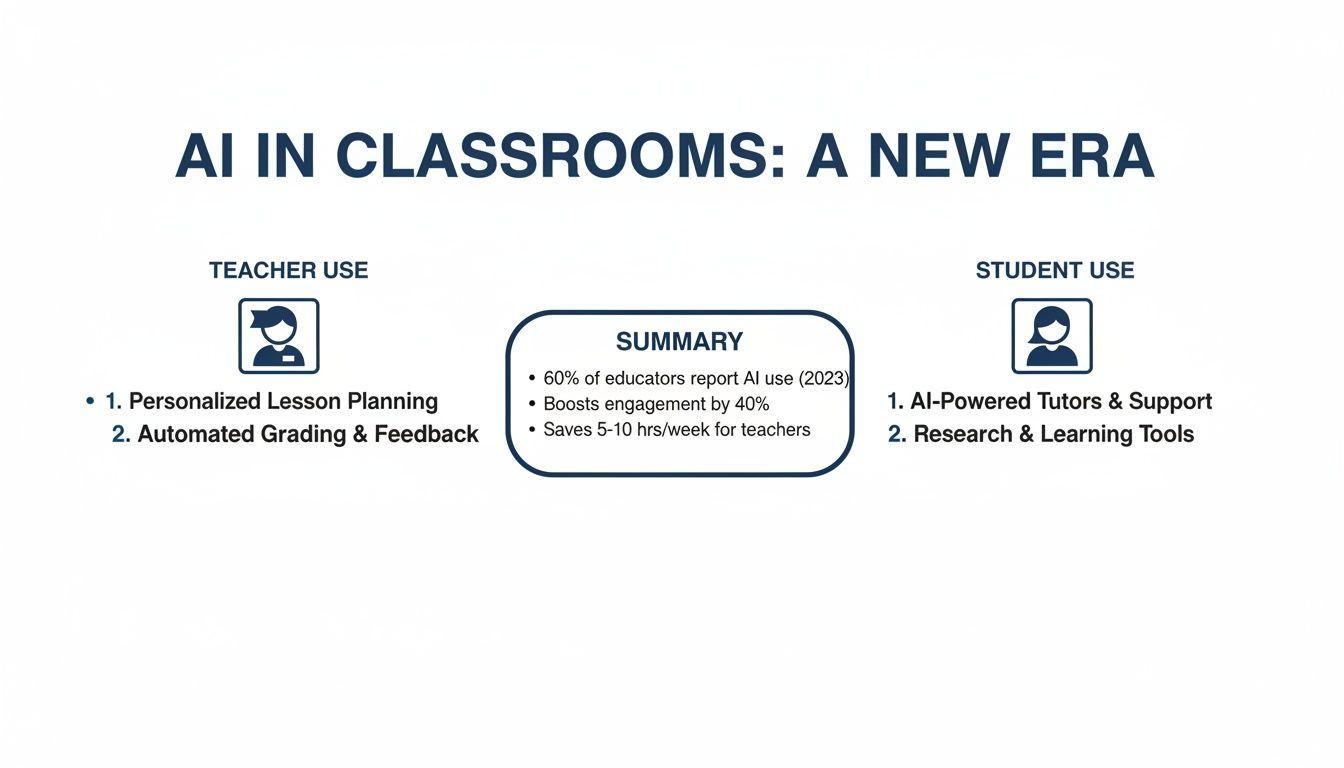
This chart really drives home how AI is becoming a standard part of the toolkit for both teaching and studying. Since everyone is starting to use it, we have a shared opportunity to set clear, cooperative rules for using it ethically in school.
To make this crystal clear, it helps to see a side-by-side comparison of what smart, productive AI use looks like versus a lazy shortcut that actually hurts learning.
Smart Use vs. Shortcut: How to Use AI Chat Responsibly
| Task | Smart Use (Enhances Learning) | Shortcut (Hinders Learning) |
| Essay Writing | Brainstorming outlines, getting feedback on a first draft, or improving sentence structure. | Generating the entire essay and submitting it as original work. |
| Research | Asking for summaries of complex topics, finding primary sources, or defining key terms. | Copy-pasting AI-generated text directly into a report without verification or citation. |
| Math Problems | Requesting step-by-step explanations for a problem you're stuck on to understand the method. | Getting the final answer without learning the process to solve it yourself. |
| Proofreading | Checking for grammar, spelling, and punctuation errors in your own completed writing. | Rewriting entire paragraphs to sound "smarter" without understanding the new vocabulary. |
The bottom line is that the best approach always involves you doing the core thinking, with AI acting as a helpful assistant to refine your work.
Think of an AI assistant like a calculator for writing. A calculator helps you solve complex math problems faster, but you still need to know which formulas to apply and understand the logic behind them. Similarly, an AI chat can help you express your ideas more clearly, but the core ideas and critical thinking must be your own.
Getting a handle on this difference is everything. If you're looking for practical ways to use AI to rephrase ideas without accidentally crossing the line, check out our guide on how to paraphrase without plagiarizing.
Your Questions About AI Chat for Students, Answered
It's completely normal for parents, teachers, and students to have a lot of questions about bringing AI into the classroom. Let's tackle some of the most common ones so you can feel confident about using these new tools.
Is Using AI for Homework Considered Cheating?
That's the big question on everyone's mind, isn't it? The short answer is: it all comes down to how you use the tool.
If you simply copy and paste an answer from an AI chat for students and turn it in as your own, that's definitely cheating. But think of it this way: using it as a brainstorming partner to get ideas flowing, or as a tutor that walks you through a tough math problem step-by-step, is just smart learning. The key is to always check your school's official policy and be transparent about when and how you used AI for help.
How Can I Make Sure My Child Uses AI Safely?
Keeping kids safe online is always a top priority. Your best first step is to choose an AI tool that was built specifically for students. Look for platforms that take privacy seriously, have built-in content filters to block inappropriate material, and don't run on distracting ads.
Beyond picking the right tool, it’s all about having an open conversation. Talk to your child about how they're using the AI. Frame it as a "thinking partner" that can help them understand concepts, not a machine that just hands out answers.
Can AI Actually Help with Math and Science?
Absolutely. AI chat tools are surprisingly powerful for STEM subjects, not just for writing essays.
Think of it as an on-demand tutor. It can break down a complex physics theory with a simple analogy you'll actually remember. It can also show you the step-by-step logic for solving an algebra equation, or even generate a practice quiz to help you get ready for a big test. The goal is to help you master the process, not just spit out the final answer.