You've probably had this moment already. A coworker says, “Just ask ChatGPT.” Your kid mentions Gemini for homework. A friend swears by Claude for writing. Then you open a chat app, stare at a list of model names, and realize you don't know what separates them.
That confusion makes sense. The category has grown fast, and it's no longer a niche tool for developers. The global user base for AI chatbots reached 987 million in 2026, and Gartner predicts chatbots will reduce contact center labor costs by $80 billion by the end of 2026, according to Noupe's roundup of AI chatbot statistics. That doesn't mean every family or small business should rush into every new tool. It does mean understanding ai chat models has become a practical skill, like learning cloud storage or video calls.
Most guides focus on coding, benchmarks, and model architecture. Everyday users usually need something else. They need to know which option is affordable, which one protects private information, which one is safer for children, and which one helps without creating extra work.
Feeling Lost in the World of AI Chat
A bakery owner uploads customer feedback and wants a summary. A parent wants help planning a weekend trip with age-appropriate stops. A student needs help tightening an essay outline without copying fake facts into a school paper. All three people are using the same broad category of tools, but they don't need the same kind of model.
What makes this harder is the naming. Companies market model families, app interfaces, subscriptions, and features all at once. People hear “ChatGPT,” “Gemini,” or “Claude” and assume they're buying one simple thing. In reality, they're choosing a mix of model behavior, privacy rules, moderation style, and price structure.
If you want a quick foundation before going deeper, this plain-language guide to conversational AI basics helps define the bigger category these tools belong to.
Why the overload feels so real
Individuals often aren't confused because they are lagging behind. They are confused because the market shifted from novelty to daily life very quickly. One tool writes marketing drafts. Another reads PDFs. Another handles images. Another sounds more natural in conversation but may be stricter in what it will answer.
That creates a very ordinary question with no obvious answer: Which AI chat model fits my actual life?
The right model isn't the one with the loudest hype. It's the one that matches your task, your privacy comfort level, and the age or skill level of the person using it.
What everyday users actually need
Families, students, and small teams usually care about four things:
- Can I trust the answer enough to use it as a starting point?
- Will this cost more than the time it saves?
- What happens to my data after I upload it?
- Is the tool safe and well-moderated for kids or shared team use?
Those questions are more useful than chasing every new leaderboard.
How AI Chat Models Actually Work
The simplest mental model is this: an AI chat model is like a super-powered librarian who has read a huge amount of text and learned patterns in language. You ask a question, and it produces a response based on what word or phrase is most likely to come next, then the next one, and then the next.
That sounds mechanical because it is. These systems can feel thoughtful, but they don't “understand” in the way a person does. They generate answers by predicting language patterns at high speed.
The librarian analogy
Think of a librarian who has read textbooks, articles, forums, recipes, instruction manuals, and essays. If you ask, “Help me outline a history paper,” that librarian can give you a strong structure because they've seen many examples of outlines and arguments.
But this librarian also has limits:
- They can sound certain even when wrong
- They may blend patterns from different sources
- They may give a polished answer that still needs checking
That last point matters most. AI chat models are often useful not because they're always right, but because they're fast at drafting, organizing, rewording, summarizing, and brainstorming.
Why they sometimes make things up
People often hear the word “hallucination.” In plain English, that means the model produced an answer that sounds convincing but isn't grounded in reality. Since the system is predicting language, not verifying truth by default, it can produce a clean paragraph with a false detail inside it.
That's also why prompt quality matters. A vague request gets a vague answer. A specific request gives the model more structure to work with. If you want a broader beginner-friendly explanation of the language side of these systems, this article on natural language processing is a useful companion.
For readers interested in how these tools are changing search behavior and content discovery, LLMrefs has a practical piece on conversational AI in SEO that shows why natural-language interfaces now matter beyond chat apps.
What the model is really doing when you type
A typical exchange looks like this:
- You provide input such as a question, document, image, or instruction.
- The model breaks that input into pieces of language it can process.
- It predicts a response sequence based on patterns it learned during training.
- Safety and moderation layers may filter or reshape the output before you see it.
Practical rule: Treat the first answer as a draft, not a verdict.
That mindset saves people from the biggest mistake with ai chat models, which is assuming fluent writing equals reliable information.
Decoding the Different Types of AI Models
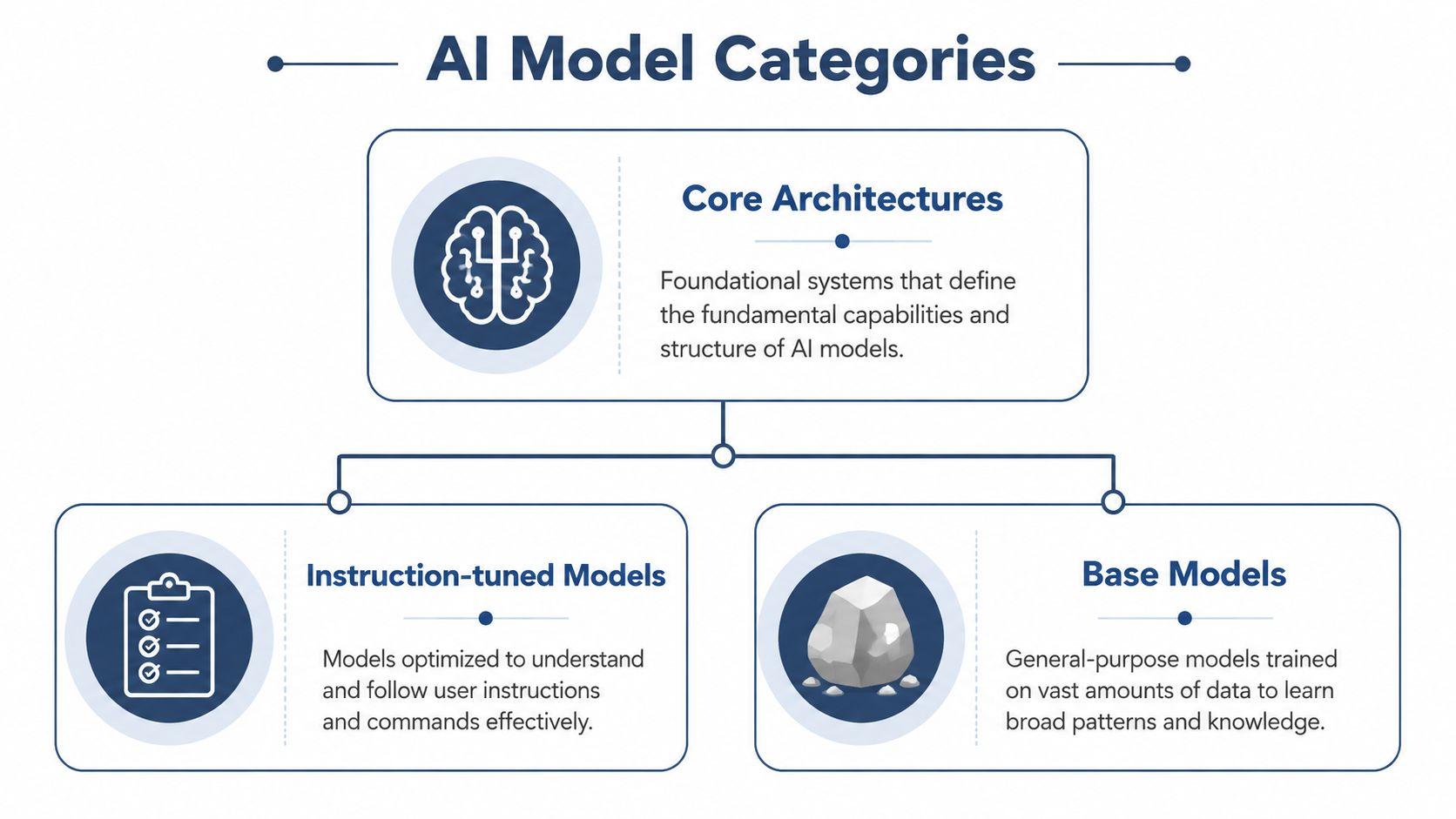
Not all ai chat models are built for the same job. Some are trained to follow instructions cleanly. Some are raw base systems that need further tuning. Some can read documents and images. Some give you more control over privacy because their weights are open.
Getting these categories straight makes model shopping much easier.
Instruction-tuned models and base models
A base model is the broad foundation. It has learned language patterns, but it may not behave like a polished assistant. Ask it a question and you might get something awkward, incomplete, or inconsistent.
An instruction-tuned model has been further trained to respond in a more helpful chat format. It's more likely to follow requests like “summarize this,” “rewrite this for a 10-year-old,” or “compare these two ideas.”
For most non-technical users, instruction-tuned models are the better fit. They're designed for everyday interaction, not experimentation.
Chat-optimized and task-optimized
Some models are tuned for smooth back-and-forth conversation. Others are stronger at narrower tasks such as coding help, document analysis, reasoning through a worksheet, or extracting details from a long PDF.
That's why one model may feel warm and natural in casual conversation while another gives a tighter summary of a business report. The answer quality depends on the task, not just the brand name.
If you want another plain-English walkthrough of these distinctions, this Sight AI guide to AI models helps frame the difference between general chatbot concepts and specific tools people use daily.
Open-weight and closed-weight models
This is one of the most important distinctions for regular users.
Closed-weight models are proprietary. You use them through a company's app or API, but you can't inspect or modify the underlying model weights. Well-known examples include GPT-family and Claude-family systems.
Open-weight models make the model weights available for use and deployment. That gives organizations more flexibility in where and how the model runs, which can matter for privacy, control, and cost.
By early 2025, the performance gap between leading closed-weight and open-weight models had narrowed to 1.70% on the Chatbot Arena Leaderboard, according to the Stanford HAI AI Index technical performance summary. For everyday users, the key takeaway is simple: open models are no longer automatically “the weaker option” for many common tasks.
If privacy matters a lot, it's worth asking not just “Which model is smartest?” but “Which deployment model gives me appropriate control over my data?”
Multimodal models
A multimodal model can handle more than plain text. It may read PDFs, interpret images, describe charts, or combine text with visual input.
That matters in ordinary situations:
- A shop owner uploads a customer survey PDF and asks for recurring complaints.
- A parent shares a museum flyer and asks for child-friendly highlights.
- A student uploads class notes and asks for a study guide.
This is often the difference between a tool that merely chats and one that fits into your workflow.
Choosing a Model Based on What Matters Most
Benchmarks get attention, but many users choose AI tools based on consequences. If the model is wrong, will it waste your afternoon? If the data is sensitive, can you afford to upload it casually? If a child is using it, are the guardrails strong enough? Those are better buying questions than “Which model won the internet this week?”
Accuracy means fitness for the task
Accuracy isn't one universal score. A model that shines at one kind of reasoning may be less impressive at writing simple family-friendly explanations or extracting useful points from a messy document.
In January 2026 benchmarks, Gemini 3 Pro Preview scored 37.2% on Humanity's Last Exam, while GPT-5.2 scored 35.4%, according to Exploding Topics' AI statistics roundup. That result matters less as a brand contest and more as a reminder that no single model is best at everything.
If you're a student, “accurate” may mean catching weak logic in an essay outline. If you run a small business, it may mean summarizing a PDF report without missing the main customer complaint. If you're a parent, it may mean giving age-appropriate answers without drifting into unsafe territory.
Don't ask, “Which model is smartest?” Ask, “Which model is reliable for my kind of work?”
Cost changes how often you'll actually use it
Some people choose a premium model, then avoid using it because every session feels expensive. Others pick the cheapest option, then spend extra time correcting weak outputs. The practical goal is not the lowest price. It's the best trade-off between cost and saved effort.
For a small team, this often means choosing a platform that lets you switch between models depending on the task. Use a lighter model for quick drafts and a stronger one when the document matters more.
Privacy-first multi-model services can fit here too. 1chat is one example of a platform that provides access to multiple LLMs in one place, with features such as PDF analysis and image generation, which can be useful for families and small teams comparing outputs without committing to a single model workflow.
Privacy depends on where your data goes
Many buyers slow down at this point, and they should. If you're uploading customer feedback, internal notes, school writing, or family plans, privacy isn't a side issue. It's part of the product.
Open-weight models often appeal to privacy-conscious teams because they can be deployed with more control. Closed-weight tools may be more convenient, but users should read the data handling policies carefully and avoid sharing sensitive material unless they're comfortable with the setup.
A useful rule is to sort your tasks into three buckets:
- Low sensitivity such as brainstorming birthday themes
- Medium sensitivity such as rewriting a public blog draft
- High sensitivity such as customer records, student data, or internal business documents
The more sensitive the material, the more your choice should favor clear privacy controls over convenience.
Moderation and safety matter more in shared settings
A solo adult using AI for rough brainstorming has a different risk profile than a child doing homework or a team sharing an account. Moderation can feel annoying when it blocks harmless requests, but weak moderation creates a different problem, especially in family and school contexts.
Some tools are better for open-ended creative work. Others are better for supervised, safer, more bounded use. If children or teens will use the system, choose for consistency and appropriateness, not just intelligence.
Here's a simple side-by-side view.
| Factor | Open-Weight Models (e.g., Llama 3, Mistral) | Closed-Weight Models (e.g., GPT-5, Claude 4) |
| Accuracy | Often strong for many everyday tasks, especially now that the top-tier gap has narrowed | Often polished and strong out of the box, but still varies by task |
| Cost | Can be attractive when control and flexible deployment matter | Often simple to access, but pricing and usage limits may shape habits |
| Privacy | Usually offers more deployment flexibility and control options | Depends heavily on provider policies and account settings |
| Moderation | Can vary widely depending on deployment and tuning | Often comes with built-in safety layers and stricter guardrails |
Matching the Right AI Model to Your Mission
The easiest way to choose among ai chat models is to stop thinking in abstract categories and start with a real job.
A small business sorting customer feedback
A small e-commerce team has a long PDF export of customer comments. They want to identify repeated complaints, group them into themes, and draft clearer product descriptions based on what buyers care about.
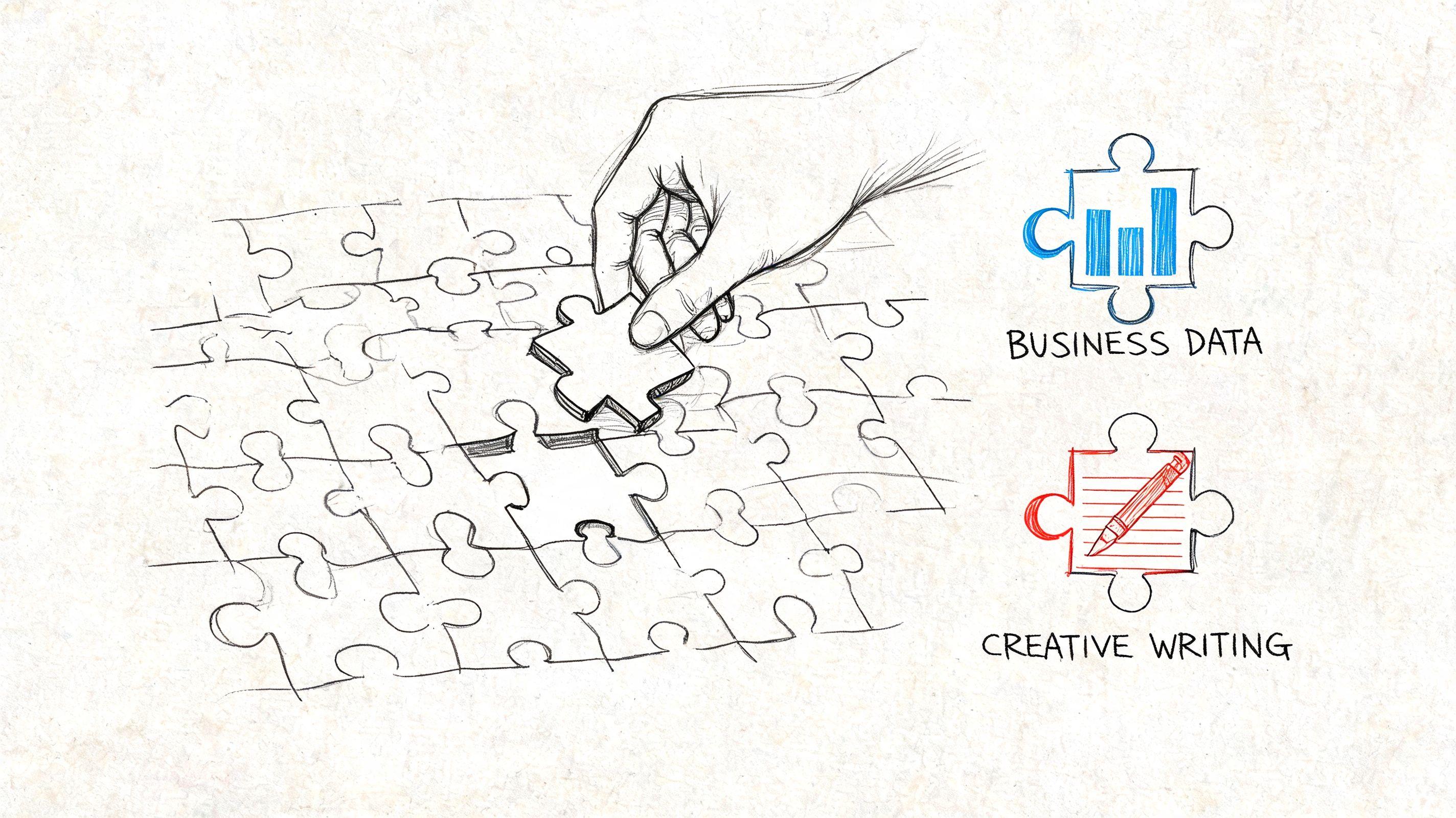
A good fit here is a privacy-conscious multimodal model setup that can read documents and handle structured summarization. The team should prioritize privacy and document handling first, then use a stronger writing model only after they've cleaned or generalized anything sensitive.
A useful workflow is to ask for:
- Theme extraction from the PDF
- Complaint clustering in plain language
- Three marketing angle drafts based only on those findings
That sequence keeps the model grounded in source material before it moves into creative writing.
A family planning a trip together
A family wants help planning a multi-city vacation. They need travel ideas that work for adults, a younger child, and a teenager with different interests.
Here, a well-moderated conversational model is usually a better choice than a highly technical one. The task is not expert reasoning. It's safe planning, age-sensitive suggestions, and keeping information organized.
The family might ask the tool to create:
- A simple day-by-day schedule
- Rainy-day backup activities
- A version of the plan written for kids
That last step matters. Some models are much better at adjusting tone and reading level than others.
A student outlining a history essay
A high school student is writing about a historical turning point and wants help building an argument, checking weak logic, and tightening transitions.
The best fit is often an instruction-tuned model with clear reasoning ability, but the student should use it as a coach, not a ghostwriter. The model can help refine a thesis, suggest counterarguments, and point out where claims need evidence.
Use AI to test your thinking, not replace it.
A smart prompt here is: “Read my outline. Tell me which claim is weakest, which paragraph needs evidence, and what counterargument a teacher might raise.” That's much safer and more educational than “Write my essay.”
Different missions need different strengths. Business use often starts with privacy and documents. Family use starts with moderation and clarity. Student use starts with explanation and structure.
Actionable Tips for Safe and Effective Use
Good results don't come only from picking the right model. They also come from using it well. Most problems people blame on AI are really a mix of vague prompting, misplaced trust, and skipped fact-checking.
Start with better instructions
Short prompts can work, but clearer ones work better. Give the model context, audience, and format.
Instead of: “Help with this essay.”
Try: “Review this history essay outline for a 10th grade class. Point out weak logic, missing evidence, and repetitive phrasing. Don't rewrite it fully.”
If you want more guidance on this skill, this beginner-friendly article on prompt engineering explains how small prompt changes can improve results.
Watch for bias and uneven treatment
An MIT study reported in early 2026 found that leading AI models gave less accurate and more dismissive responses to users with lower English proficiency or from non-US origins, according to MIT News coverage of the study. That's a practical warning, not an abstract ethics debate.
If your family, customers, or team members use different varieties of English, don't assume the model treats every user equally well.
You can reduce that risk with simple habits:
- Rephrase important questions: Ask the same question in two slightly different ways and compare the answers.
- Ask for plain-language explanations: This can expose whether the model has a solid grasp of the topic.
- Review tone as well as facts: A dismissive answer may signal hidden bias or weak handling.
- Have another person test the prompt: Especially if the output affects customers, students, or multilingual users.
If an answer feels oddly rude, vague, or patronizing, don't brush it off. Test the question again and inspect the result.
Treat AI like a collaborator with limits
The healthiest mindset is somewhere in the middle. Don't fear it, and don't worship it.
Use it for:
- Brainstorming when you're stuck
- Summarizing long notes or PDFs
- Rewriting for tone, clarity, or reading level
- Checking structure in arguments or presentations
Avoid relying on it alone for:
- Medical decisions
- Legal conclusions
- School citations without verification
- Sensitive business judgments based on one answer
A quick final check can prevent a lot of trouble: ask the model what assumptions it made, what it might have missed, and which parts need human verification.
The Future of AI Chat Is In Your Hands
The most useful way to think about ai chat models is not as magic and not as menace. They're tools. Strong tools, sometimes flawed tools, and increasingly everyday tools.
That future doesn't have to belong only to large tech companies or technical teams. Positive examples already exist. The Darli platform supports over 110,000 farmers across 20+ languages, showing how AI can become more equitable when adapted to local needs, as described by the World Economic Forum's look at grassroots AI solutions.
That is the actual opportunity. Families can choose safer workflows. Students can use AI to sharpen thinking instead of outsourcing it. Small businesses can cut busywork without giving up privacy standards.
The smart move in 2026 isn't choosing one model forever. It's learning how to choose wisely, task by task.