Absolutely. In fact, using Google is often the best place to start. It's a surprisingly powerful, no-cost way to run a quick plagiarism check. The secret is to paste any suspicious sentences into the search bar and wrap them in "quotation marks". This simple trick tells Google to hunt for that exact phrase across billions of web pages.
Why Google Is Your First Line of Defense
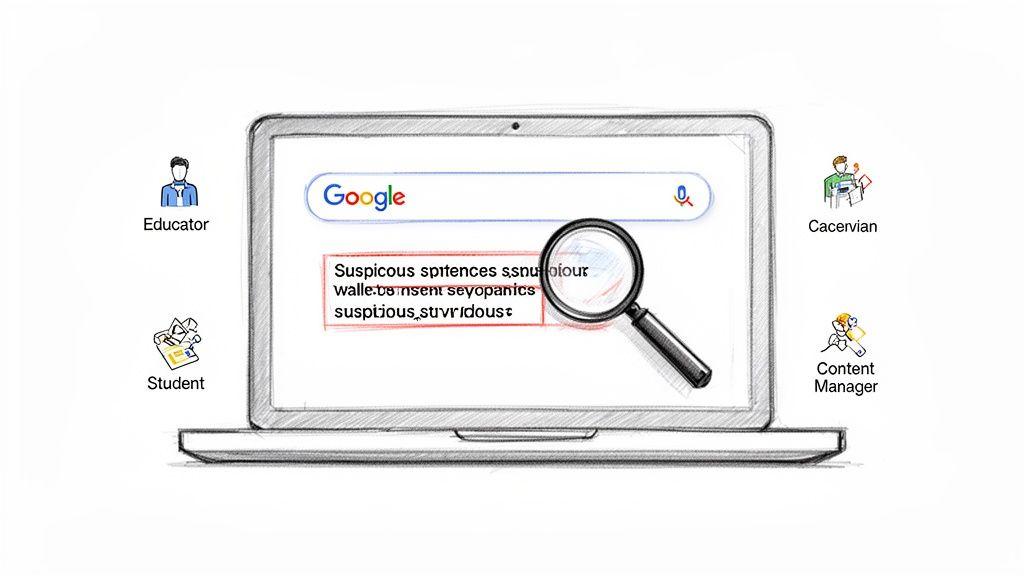
Before we get into more complex tools, it's worth understanding why this basic search is still so effective. Think of Google as the world's largest public library, one that's updated every second. Its power to instantly cross-reference a piece of text against that massive index makes it an essential tool for everyone, from teachers and editors to students.
What makes it so handy is its sheer accessibility and speed. You don't need any special software or a subscription to get started. This makes it perfect for those initial screenings when you just have a hunch that a piece of text feels a little too polished or out of place.
The Power of a Quick Check
So, when is a quick Google search enough? It's the perfect tool for a few common situations:
- Checking a student's paper: An educator can instantly paste a uniquely phrased sentence to see if it was lifted from a popular blog, news article, or Wikipedia page.
- Vetting freelance work: A content manager can spot-check a few key paragraphs from a draft to make sure the writer hasn't recycled it from another client's project.
- Reviewing your own writing: You can double-check your own paraphrasing to make sure you haven't stuck too closely to the original source material.
This "copy-paste" check became a common practice in the early 2000s. By 2010, many educators found it could catch up to 70% of the most obvious, blatant plagiarism. But it’s not foolproof. A 2015 study revealed a major weakness: while Google is great at finding direct matches from public websites, it missed 85% of content that was even slightly paraphrased. For a deeper dive into how plagiarism detection has changed over the years, check out this detailed academic analysis.
Key Takeaway: Google is your go-to for catching direct, "copy-paste" plagiarism from public sources. It’s fast, free, and incredibly effective for a first pass, but it will struggle with more subtle or cleverly disguised unoriginal content.
Knowing this balance is key. Use Google as your first-line scanner, but be ready to dig deeper with more advanced methods when you need to be certain. And if you're evaluating sources, you might find our guide on what makes a source credible helpful.
Using Google Search Operators Like a Pro
Just dropping a suspicious sentence into Google is a decent first step, but if you really want to dig deep, you need to learn Google's "secret" language. I’m talking about search operators—simple commands that turn a generic search into a focused investigation. They're what separate a quick glance from a thorough audit.
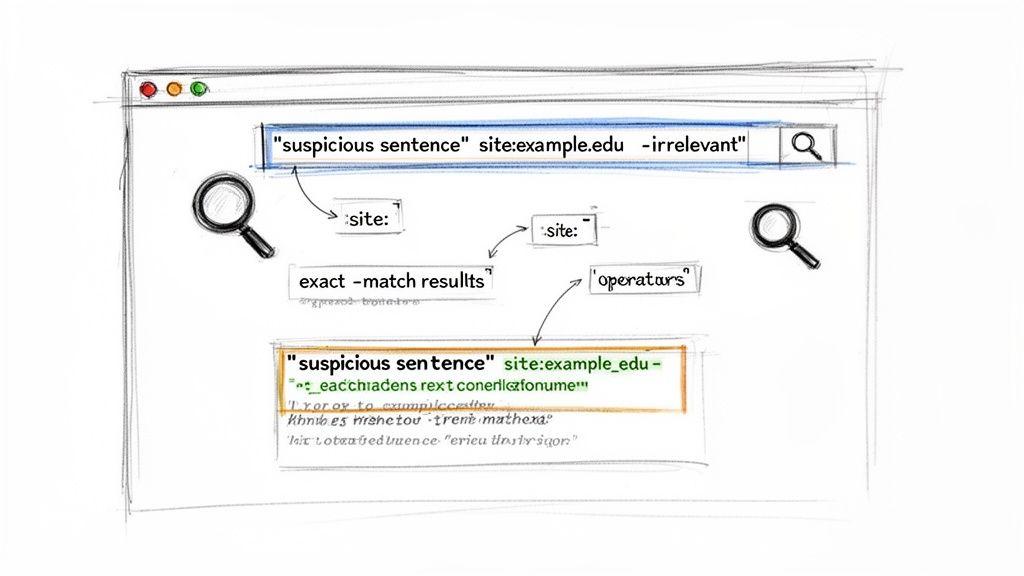
The most essential operator, and the one you'll use constantly, is putting a phrase in quotation marks (""). This tells Google you’re not just interested in pages about those words; you want to find that exact phrase, in that exact order. This is your go-to for catching blatant, copy-paste plagiarism.
Think about it: a search for the psychological effects of social media will give you a sea of related content. But wrap a specific sentence in quotes, like "the profound psychological effects of constant social media engagement", and you'll instantly see if that exact string of words appears anywhere else online.
Combining Operators for Surgical Precision
This is where the real magic happens. By stacking different operators, you can narrow your search with incredible accuracy, saving a ton of time and cutting through the noise.
Let's say you're a professor reading a paper on quantum mechanics, and a few sentences feel a little too polished. You have a hunch the student might have lifted them from a specific university's open-course materials. This is where the site: operator comes in handy.
Instead of just searching the phrase, you can get specific:
- Your basic check:
"quantum entanglement is a phenomenon where two particles are linked" - A more targeted search:
"quantum entanglement is a phenomenon" site:mit.edu
That second query forces Google to look only within the mit.edu website. It's a game-changer for checking if content was pulled from competitor blogs, particular news outlets, or known academic sources.
Another favorite of mine is the minus sign (-), which lets you exclude words or entire websites. If your search keeps bringing up the student's own blog where they posted a draft, you can filter it out like this: "[phrase]" -studentblog.com. Simple, effective, and gets you right to the sources that matter.
For a quick reference, here are the most useful operators for this kind of work.
Key Google Search Operators for Plagiarism Checks
This table breaks down the operators I use most often and what they're best for. Keep it handy—it will make your checks much faster.
| Search Operator | Example Usage | Primary Use Case |
| "" | "a specific phrase to be checked" | Finds exact, word-for-word matches. The most critical operator for direct plagiarism. |
| site: | "copied text" site:example.com | Restricts the search to a single website, like a competitor or a known source. |
| - (minus) | "copied text" -yoursite.com | Excludes a specific word or site from the search results to reduce irrelevant noise. |
| OR | "copied phrase" OR "similar phrase" | Searches for either one phrase or another, useful for checking slight variations. |
| intitle: | intitle:"How to Check for Plagiarism" | Searches for pages that have the exact phrase in their page title. |
Mastering these few commands turns a simple search into a powerful investigative tool.
Practical Scenarios and Examples
Let's walk through a real-world scenario. A small business owner has just received a blog post from a new freelance writer. The topic is sustainable marketing, and while the content looks good, they want to do their due diligence.
They pick a unique-sounding sentence from the article: "circular economy principles can drastically reduce a company's carbon footprint."
Here's a simple, effective workflow:
- The Baseline Check: First, they search for that exact phrase in quotes to see if it pops up anywhere.
- The Competitor Scan: Next, they add
site:competitorblog.comto the search to check if the writer borrowed from a direct rival. - The Broad Sweep: Finally, they use
"[the phrase]" -yourcompany.comto make sure it's not being flagged on their own site while catching any other duplicates out there.
Pro Tip: Never rely on checking just one sentence. I always pull two or three distinct, well-written sentences from different parts of the text. A single matching phrase can sometimes be a coincidence, but finding multiple identical sentences is a huge red flag.
By getting comfortable with these operators, you’re no longer just "searching." You’re actively investigating, giving you the power to quickly and confidently verify that the content you're reviewing is original.
Uncovering Stolen Images with Google Lens
Plagiarism isn't just about words—image theft is rampant online. When you need to check if a photo, illustration, or graphic has been used without permission, your best tool is Google Lens, which evolved from the classic Reverse Image Search.
Think of it as a search engine for pictures. Instead of keywords, you give it an image, and it scours the web for visual matches. This is a game-changer for anyone who works with visuals—photographers, designers, marketers—and needs to ensure their work is original or that they're giving proper credit.
Getting started is simple. You can drag and drop an image file, paste a URL, or even right-click a picture on a website and choose "Search image with Google." A few seconds of effort here can save you a world of copyright headaches later.
Here's what the starting point looks like—a clean, no-fuss interface ready for your image.
As you can see, it's designed to get you straight to the point: upload your file or paste a link and go.
Sifting Through the Results
After you search, Google will return a page full of results, which can feel like a lot to take in at first. You'll see pages with the exact image and a collection of visually similar ones. The trick is knowing how to cut through the noise.
Your primary mission is to pinpoint the original source.
To track it down, look for these tell-tale signs:
- Find the earliest date: Use Google's search filters to sort results by date. The first time an image was indexed by Google is a powerful clue to its origin.
- Spot professional sources: Is the image on a photographer’s personal site, a Behance portfolio, or a major stock photo platform like Getty Images or Adobe Stock? These are almost always the original publishers.
- Look for credits and watermarks: Often, the original creator will have their name credited on the page or a subtle watermark embedded in the image itself.
Key Insight: Don't get fixated on finding an exact pixel-for-pixel match. Pay close attention to different sizes and resolutions. A massive, high-resolution version on a professional portfolio is a much stronger indicator of originality than a tiny, pixelated copy on a random blog.
Spotting Manipulated or Cropped Images
Sometimes, thieves try to be clever. They might crop, flip, or make small edits to an image, hoping to fly under the radar. This is where Google Lens really shines. Its core "Find image source" function is incredibly good at identifying the original photo, even after it's been altered.
For instance, if you search with just a tightly cropped portion of a picture, Google can often recognize the full, original image it was cut from. This is absolutely critical for catching content that's been stolen and repurposed without permission.
Being able to pull information from visuals is a huge asset. In fact, if you're interested in taking that skill further, our guide on how to convert an image into text can show you some other powerful techniques. Mastering these visual search methods adds an essential layer of protection to your plagiarism-checking process.
Building a Reliable Verification Workflow
Relying on a single search is like trying to solve a puzzle with only one piece. You'll never see the full picture. To get a real sense of a document's originality, you need a structured, multi-step process that layers different Google tools on top of each other.
This approach goes way beyond just spot-checking a suspicious sentence. It’s about creating a systematic investigation that starts broad and then narrows its focus. Once you have a repeatable process, you can be consistent and thorough every single time you review a piece of content, whether it's an academic paper, a blog post, or a business report.
Expanding Your Search to Academic Sources
A standard Google search is incredibly powerful, but it has a massive blind spot: the world of academic journals, scholarly articles, and research papers. Much of this content lives in databases that aren't fully indexed by the main search engine. This is where Google Scholar becomes an essential part of your workflow.
Think of it this way: a student might lift a paragraph from a published research paper, and a regular search could come up completely empty. But paste that same paragraph into Google Scholar, and the original source will likely pop right up. This is more important than ever, as recent data shows a serious uptick in academic plagiarism.
A deep dive into nearly 70 million documents found that plagiarism matches from paid academic databases can account for 27-47% of flagged content. This really drives home why you need tools like Google Scholar; a standard search just can't see behind paywalls or into those specialized repositories. You can dig into more of this data on these global plagiarism trends.
A Practical Checklist for Your Workflow
So, how do you tie this all together? Here’s a simple, repeatable process you can adapt for your own needs. It ensures you cover text, academic sources, and visuals methodically.
- Initial Phrase Check: Grab two or three unique, well-written sentences from the document. Pop each one into the main Google search bar using exact-match quotes (" "). This is the quickest way to catch any direct copy-paste jobs from public websites.
- Academic Cross-Reference: Now, take those same phrases and run them through Google Scholar. This step specifically targets academic dishonesty and makes sure the content hasn't been borrowed from scholarly works.
- Deeper Dive with Advanced Search: If you suspect the content might be from a certain time period or a specific file type (like a PDF report), use Google's Advanced Search. You can filter results by date to find the earliest publication or search exclusively for
.pdfor.docxfiles to uncover copied reports or e-books. - Visual Verification: Don't forget the images. Use Google Lens to run a reverse image search on any key graphics or photos. This quickly confirms if they are original, stock, or need to be credited to a source.
This visual guide breaks down the basic process for checking images, a critical step in any thorough review.
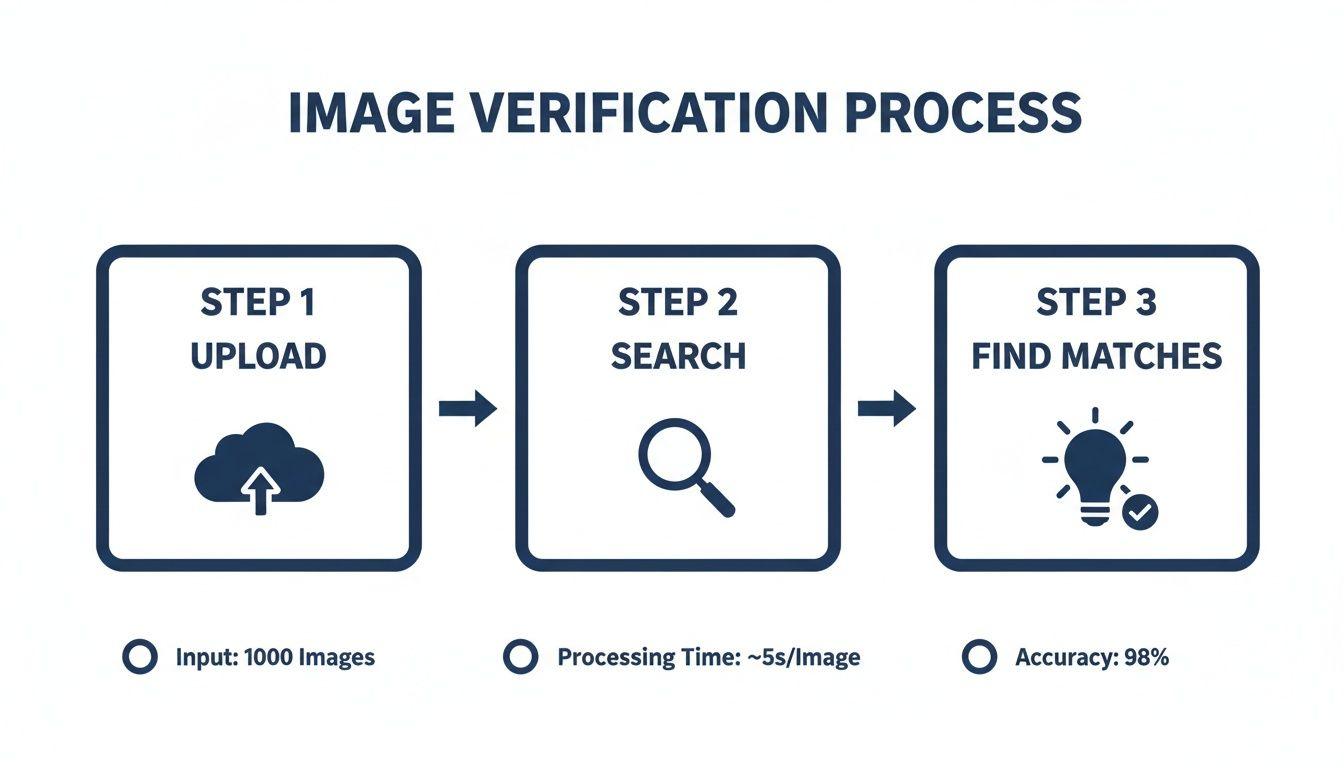
This simple upload-search-find method is crucial for confirming the originality of visual content.
Ultimately, this workflow isn't just about catching cheaters; it's about building confidence in the content you publish or accept. It’s a structured way to respect intellectual property and maintain your integrity. For those looking to improve their own writing, it's also worth learning how to paraphrase without plagiarizing, as this goes hand-in-hand with any good verification process.
Understanding Google’s Blind Spots and the Rise of AI
Using Google for a quick plagiarism check is a fantastic starting point, but it's important to know where its capabilities end. Think of Google's search index as a massive, detailed map of the public internet. It's incredibly powerful, but there are entire continents of information it simply can't see.
So, when you search for a suspicious phrase and get "no results found," don't automatically assume the text is 100% original. It just means it's not on the public web that Google has indexed. A huge amount of content is locked away, creating significant blind spots for any manual search.
The Invisible Web: Content Google Misses
What exactly is Google missing? The list is longer than you might think and covers several key areas where copied text can easily hide.
- Paywalled Content: Think about major academic journals, news organizations like The Wall Street Journal, and subscription-based research sites. Their best stuff is behind a login, and if Google can't read it, it can't match it. A paragraph lifted from a paid industry report will be completely invisible to your search.
- Private Databases: University libraries, massive corporate intranets, and specialized research databases hold millions of documents that aren't indexed by public search engines.
- Password-Protected Spaces: Content shared inside private Facebook groups, online course portals, or password-protected forums is totally off-limits.
The rule of thumb is simple: if a webpage requires a login or payment to see the content, you can bet Google's ability to check it for plagiarism is severely limited. This is a big reason why using multiple tools, including resources like Google Scholar, is essential for a more complete picture.
The Modern Challenge: AI Paraphrasing
The game has changed completely with the rise of artificial intelligence. Today's AI writing tools can take a chunk of text and rewrite it so thoroughly that it becomes nearly impossible to detect with a simple search. They're masters at swapping synonyms, restructuring sentences, and altering the flow—all while preserving the original meaning.
This new breed of "AI-generated plagiarism" slips right past a basic copy-paste check. The core ideas are stolen, but the exact phrasing is just unique enough to fool a search engine looking for a direct match.
A recent study puts this problem in stark relief. When tested, Google-like search methods caught 100% of direct copy-paste plagiarism. But when faced with AI-rewritten content, they failed spectacularly, missing 87 out of 90 paragraphs. That’s a staggering 96.7% failure rate.
This isn't a hypothetical issue. A May 2023 survey of over 3,000 students showed that many are already using AI to generate entire assignments. This new form of academic dishonesty is incredibly difficult to catch with old-school methods, a reality you can explore in more depth through recent research on ChatGPT in education.
Understanding this context is vital for anyone serious about content integrity. Google is an indispensable ally, but its limitations against paywalls and sophisticated AI mean it should only be one part of your verification strategy, not the whole thing. A critical eye and an awareness of these blind spots are your best assets.
Common Questions About Using Google for Plagiarism Checks
Let's be honest, even when you know the tricks, using Google to hunt for plagiarism can feel a bit like detective work. You run a search, get some hits, and then the real questions start. Is this a real problem? Am I missing something?
This is where experience comes in handy. I've been in this situation hundreds of times, and I've compiled answers to the most common questions that pop up. Think of this as a field guide to interpreting your results and knowing when Google is enough—and when it's not.
Can Google Really Catch Every Type of Plagiarism?
In a word: no. This is probably the most important thing to get straight. Google is an absolute powerhouse for spotting direct, copy-paste plagiarism from anything on the public web. If someone swiped a paragraph from a blog post or a news article, a quick search with quotation marks will usually nail it.
But it has some serious blind spots. Google's effectiveness plummets when you're dealing with anything more sophisticated than a simple copy-and-paste job.
- Rewritten Content: If someone has paraphrased a text—swapping out words and changing sentence structures—Google will almost certainly miss it. Its search is based on matching strings of text, not underlying ideas.
- AI-Generated Text: Modern AI tools create text that is, for all intents and purposes, original at the sentence level. This makes it invisible to a standard Google search.
- Offline and Private Sources: Google can't see what's in a physical book, a subscription-only academic journal, or a private company database.
The numbers tell the story. A 2025 report highlighted that while Google is fantastic for catching peer-to-peer copying (54-70% of cases), it’s mostly blind to AI-generated text, which now makes up 10-25% of content and easily slips past. You can get a deeper dive into this issue in this insightful analysis of ChatGPT and education.
What if a Search Flags My Own Website?
This happens all the time, so don't panic. It's usually what we call a "false positive" and is just a quirk of how Google indexes the web. You might have a customer testimonial that appears on multiple pages, or a product description that's used in different sections of your site.
My Go-To Fix: The easiest way to clear the noise is to use the-site:search operator. Just add it to the end of your query. For example:"the exact phrase I'm checking" -site:mywebsite.com. This tells Google to ignore any results from your own domain, showing you only if the content has been copied elsewhere.
It’s a simple but incredibly effective trick to instantly determine if you’re looking at internal duplication or a genuine external plagiarism problem.
Is Google Scholar Good Enough for Academic Papers?
Using Google Scholar is a huge improvement over a standard web search for academic work, but it can't be your final stop. It’s fantastic for cross-referencing text against a massive library of published papers, dissertations, and scholarly articles. I consider it an essential first-pass tool for anyone in academia.
However, Google Scholar isn't all-seeing. Its index is vast but not complete. It might miss content from newer journals, niche publications, or sources behind a hard paywall. Crucially, it won’t catch a student copying from another student's unpublished essay or from a private university database.
For anyone serious about academic integrity—like educators or researchers—a layered approach is the only way to go:
- Start with a standard Google search. This covers the public web, blogs, and news sites.
- Move to Google Scholar. This checks against a wide range of academic literature.
- Finish with a dedicated tool. For institutional work, you need a proper academic plagiarism checker that accesses licensed databases and repositories of student papers.
Combining these tools gives you the most complete picture possible and helps you check for plagiarism with real confidence.