To get real, sustainable gains in team productivity, we need to stop thinking about working longer and start focusing on working smarter. The secret isn't another productivity hack; it's tackling the widespread issue of employee disengagement head-on. Lasting productivity is built on a bedrock of genuine connection, great coaching, and a culture where people feel seen and valued.
Move Beyond Burnout Culture
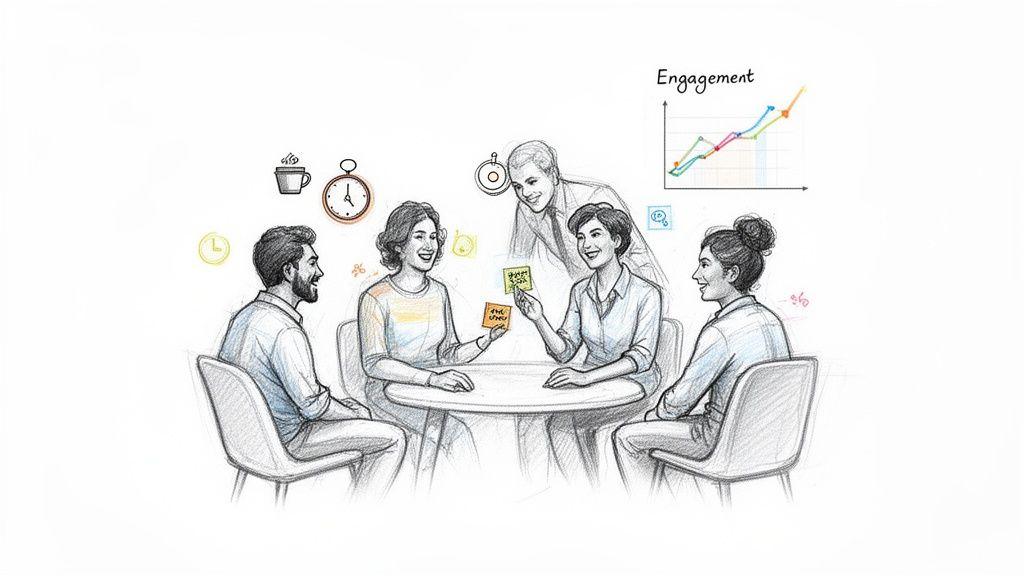
The "hustle culture" we've all been sold is a fast track to burnout and diminishing returns. When you constantly push your team to do more with less, engagement is always the first thing to go. A disengaged employee isn't lazy—they're just disconnected from their work, their colleagues, and the company's bigger mission.
This isn't just a morale issue, either. It’s a silent killer of your bottom line, showing up as missed deadlines, sloppy work, and a revolving door of talent.
The Real Cost of Disengagement
The numbers are pretty staggering. Research shows that a whopping 79% of employees are not engaged at work, and that lack of connection costs the global economy an estimated $438 billion in lost productivity.
What’s more, managers are directly responsible for 70% of the variance in team engagement. Think about that for a second. The leader has the single biggest impact.
It pays to get this right. Highly engaged teams see 78% less absenteeism and a 14% jump in productivity. Even better, they contribute to a profitability increase of up to 21%.
This data sends a clear message: The goal isn't to squeeze more hours out of the day. It's to create an environment where people want to show up and do their best work.
Your Role as a Manager and Coach
As a manager, you are the linchpin. Your daily interactions, the feedback you give, and the support you offer—these are the things that shape your team's entire experience at work. The most powerful thing you can do is shift from being a task-master to being a coach.
So what does that look like day-to-day? It's about a few key things:
- Building Authentic Connections: Take the time to know your people. What are their career goals? What are their hidden talents? What gets them excited to log on in the morning? Your one-on-ones should feel less like status reports and more like real conversations.
- Providing Meaningful Coaching: Don't just assign work; help people grow. Frame mistakes as learning opportunities. Offer specific, actionable feedback that helps them get better at what they do.
- Creating Psychological Safety: You have to build a space where people feel safe enough to ask questions, admit they don't know something, or even fail without fearing punishment. When that trust exists, collaboration and innovation can actually happen.
Actionable Strategies to Boost Engagement
Alright, let's move from theory to action. You can start laying the groundwork for a more engaged and productive team today. These aren't quick fixes but foundational habits that create real, long-term change, especially when you're managing remote teams effectively.
Here are a few simple but powerful places to start:
- Recognize Contributions (In Public and Private): Acknowledgment is rocket fuel for motivation. A quick "great job on that presentation" in a team channel or a private message pointing out something specific they did well makes a huge difference.
- Connect Daily Work to the Bigger Picture: People need to know why their work matters. Regularly remind your team how their individual tasks connect to the department's goals and the company's mission. Purpose is a powerful motivator.
- Protect Your Team's Time: Be the gatekeeper. Shield your people from pointless meetings and constant pings. Champion focused work blocks and asynchronous communication so they can actually get into a state of deep work.
When you make engagement your priority, you’re not just making people happier—you’re directly addressing the root causes of inefficiency. This people-first approach is the most reliable path I've found to unlocking productivity that actually lasts.
Define What Productivity Actually Means
Before you can even think about improving productivity, you have to answer a crucial question: what does "productive" actually look like for your team? Without a clear definition, you risk falling into the classic trap of mistaking activity for progress. A team can be incredibly busy, churning through tasks and putting out fires, yet accomplish very little that moves the needle.
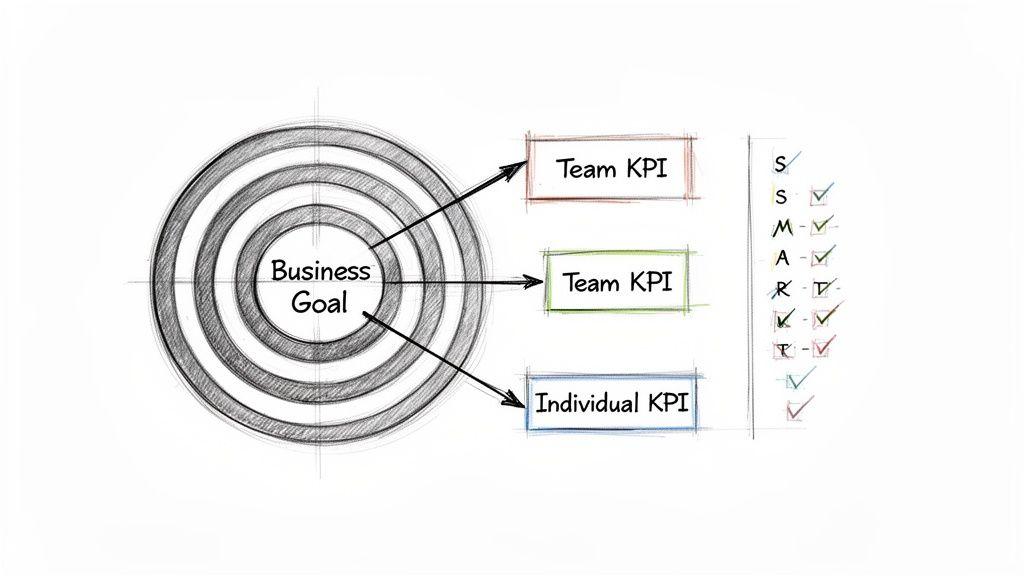
The real goal here is to shift your team's mindset from a culture of "busyness" to one of genuine impact. This all starts by translating those lofty company objectives into tangible, measurable goals that every single person on the team can understand and get behind. When people can draw a straight line from their daily work to the company's success, their work suddenly feels a lot more meaningful.
From Vague Objectives to SMART Goals
Let's be honest, goals like "improve customer satisfaction" or "increase sales" sound good in a meeting, but they're too fuzzy to act on. They don't give your team a clear finish line to run toward. This is where the tried-and-true SMART framework comes in—it’s not just business jargon; it's a powerful tool for bringing clarity out of the chaos.
- Specific: What, exactly, are we trying to accomplish? Who needs to be involved?
- Measurable: How will we know, without a doubt, that we've succeeded? What numbers will we track?
- Achievable: Is this goal realistic with the people, time, and budget we have right now?
- Relevant: Does this actually matter to our team's purpose and the company's big-picture goals?
- Time-bound: When does this need to be done? What's the deadline?
When you run a goal through this filter, a vague wish transforms into a clear directive. "Improve customer satisfaction" becomes something like, "Achieve a customer satisfaction (CSAT) score of 95% by the end of Q3 by reducing ticket response times to under two hours." Now that is a target your team can aim for.
The most productive teams aren't just the ones working the hardest; they are the ones working with the greatest clarity. When goals are clear, people can channel their energy toward what truly matters, eliminating wasted effort and guesswork.
Connecting Goals to Daily Work with KPIs
Okay, you've set your SMART goals. Now what? The next step is to break them down into Key Performance Indicators (KPIs). Think of KPIs as the daily and weekly metrics that act as a pulse check, telling you if you're on the right track to hit those bigger goals. They make progress real and give your team a live scoreboard to follow.
If your goal is the destination, your KPIs are the mile markers along the highway. They let you know if you're making good time or if you need to pick up the pace.
For instance, to hit that 95% CSAT score, a customer support team might keep a close eye on these KPIs:
- Average First Response Time: How fast are we getting back to customers initially?
- Ticket Resolution Rate: What percentage of support tickets are we successfully closing in a day or week?
- Number of Positive Reviews: Are we seeing an uptick in unsolicited good feedback on surveys or review sites?
This isn't about micromanagement. It's about empowerment. When an individual support agent sees how their personal response time directly impacts the team's overall KPI, they get a powerful sense of ownership.
Using Metrics to Empower and Celebrate
The final piece of the puzzle is making these numbers visible and using them as a reason to celebrate, not just a tool for evaluation. A shared dashboard where the whole team can see progress in real-time builds a powerful sense of collective momentum and accountability.
When a KPI is hit or a milestone is crossed, make a big deal out of it. This kind of positive reinforcement does wonders. It validates all the hard work your team is putting in and reinforces the very behaviors that lead to success. Done right, metrics transform from a source of pressure into a source of pride, creating a natural feedback loop that keeps everyone motivated and productive.
Get Your Team’s Daily Workflow Running Smoothly
Once you have your goals nailed down, it’s time to look at how the work actually gets done day-to-day. This is where the magic happens—or where it all falls apart. The daily grind is often where small, hidden inefficiencies pile up, creating friction that turns high-value work into a frustrating slog.
Streamlining your team's workflow isn't about forcing everyone into a rigid, one-size-fits-all box. It’s about being deliberate. The goal is to make the most productive path the easiest one to follow, so your team can focus on what really matters instead of getting bogged down by administrative fluff.
Protect Deep Work with Asynchronous Communication
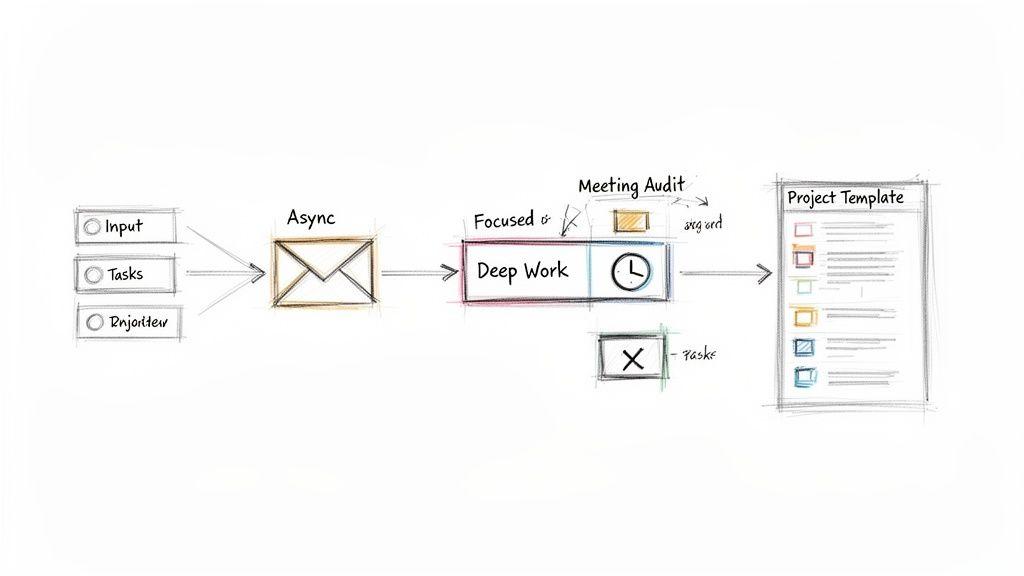
The single biggest productivity killer I see? The culture of constant interruption. Every Slack ping, email notification, and "quick question" yanks someone out of deep focus. And science backs this up—it can take over 20 minutes to get back on track after a distraction. This is where asynchronous communication becomes a total game-changer.
Instead of expecting everyone to be "on" and ready for an instant reply, an async-first approach lets people engage when it makes sense for them. This is how you protect those precious, uninterrupted blocks of time needed for complex problem-solving and creative breakthroughs.
A team that defaults to asynchronous communication respects each other's focus. It creates a calmer, more thoughtful work environment where people can produce higher-quality work without the constant pressure of being always available.
Ready to make the shift? Here’s how to get started:
- Centralize Project Discussions: Pull conversations out of DMs and into dedicated project channels or threads. This makes information transparent and easy for anyone on the project to find later.
- Encourage Detailed Updates: Coach your team to write clear, comprehensive messages that anticipate questions. A little more effort upfront saves a ton of back-and-forth later.
- Set Clear Response Time Expectations: Not everything is an emergency. Establish simple guidelines, like a 24-hour response window for non-urgent requests, so people aren't left guessing.
Conduct a Ruthless Meeting Audit
Meetings are the black holes of corporate schedules. We've all been in them—the ones that drone on, have no clear purpose, and could have easily been an email. It’s time to reclaim that time with a "meeting audit."
Ask your team to track every meeting they attend for one week. At the end of that week, get together and put each one on trial.
| Meeting Evaluation Questions | Yes | No | Action Plan |
| Did this meeting have a clear agenda? | ☐ | ☐ | If not, cancel future occurrences until an agenda is required. |
| Could this have been an email or a shared doc? | ☐ | ☐ | Convert recurring status updates to an async format. |
| Was every attendee essential? | ☐ | ☐ | Trim the invite list to only include key decision-makers. |
| Did it result in clear action items? | ☐ | ☐ | End every meeting with a summary of who is doing what, by when. |
This simple exercise is incredibly revealing. You'll quickly see which meetings are worth keeping and which can be cut, shortened, or handled differently. Learning how to improve workflow efficiency always starts with eliminating the things that actively slow you down.
Standardize Your Processes with Templates
Reinventing the wheel is a colossal waste of time and energy. Think about the tasks your team does over and over—onboarding a new client, launching a campaign, scoping a project. Creating standardized templates and checklists for these repeatable workflows is one of the easiest wins for boosting productivity.
Templates ensure nothing gets missed, reduce errors, and remove the mental guesswork of figuring out what comes next. A new hire can get up to speed in a fraction of the time, and your senior people don't have to rely on memory to nail a complex, multi-step process.
This move toward structured work is especially critical for hybrid and remote teams. The data shows that remote workers can be 35-40% more productive and make 40% fewer mistakes. In fact, 69% of managers report that remote and hybrid models actually increase team productivity, largely because they force a more intentional approach to process.
Put AI and Automation to Work for You
Let's be honest: repetitive, low-value tasks are silent killers of productivity. Think about all the time your team spends manually summarizing meeting notes, drafting the same kind of follow-up emails, or just trying to find information scattered across a dozen different apps. That's valuable energy that could be poured into creative problem-solving and strategic thinking.
This is where AI and automation come in, not as a replacement for your team, but as a powerful co-pilot. By letting technology handle the grunt work, you free up your people to focus on the high-impact stuff that actually moves the needle. Modern AI tools can tackle these routine jobs with surprising speed and accuracy, turning hours of tedious effort into minutes.
Start with the Low-Hanging Fruit
You don't need a massive, company-wide AI overhaul to see a difference. The smartest way to begin is by identifying the most common and time-consuming manual tasks your team is already doing. These are your quick wins—the easiest to automate and the fastest to show a real return.
Take a look at the daily grind. What are the top 3-5 tasks that consistently drain everyone's clock? It’s usually things like:
- Summarizing Information: Boiling down long email chains, research docs, or video calls into a few key takeaways.
- Drafting Communications: Getting a first draft ready for standard emails, social media updates, or internal announcements.
- Data Entry and Analysis: Manually copying numbers from one place to another or spotting simple trends in a spreadsheet.
- Basic Research: Pulling together initial background information on a new topic or competitor.
Focusing here first proves the value of AI right away and builds momentum for trying more. Even a small win, like saving each person 30 minutes a day, adds up to a massive productivity boost for the whole team. For a more detailed roadmap, check out our guide on how to implement AI in your business.
Make Privacy and Security Non-Negotiable
As you start exploring AI tools, security can't be an afterthought. This is especially true if you handle sensitive client or company data. Many popular, consumer-grade AI models actually use your data to train their systems—a huge privacy risk for any serious business. This is precisely why you need to insist on a privacy-first AI platform.
A privacy-first tool is built from the ground up to keep your conversations, documents, and proprietary information confidential. It’s designed for a business world where data security is everything.
For example, a team-oriented AI chat interface should prioritize this kind of secure interaction.
The interface is simple and clean, letting people work with different AI models while ensuring their data stays private—a critical feature for any business.
The goal isn’t finding the most powerful AI, but the most secure and practical one for your team's real-world needs. The best AI co-pilot is one you can trust completely with your most sensitive work.
Give Your Team Practical Ways to Use It
To really see a jump in productivity, you have to show people how AI fits into their day-to-day roles. Just announcing a new tool and expecting everyone to figure it out is a recipe for failure. Instead, provide clear, practical examples that make sense for their specific jobs.
Think about how different departments can benefit:
- Marketing Teams: Brainstorm dozens of ad headlines in minutes, generate a draft for a social media calendar, or analyze competitor messaging to find key themes.
- Sales Reps: Automate personalized follow-up emails after a call, summarize client needs from a transcript, or prep for a meeting by getting a quick rundown of a prospect's company.
- Project Managers: Instantly generate a project plan from a brief, create task checklists from meeting notes, or draft a status update for stakeholders.
The right AI tools can transform tedious manual work into a quick, automated process. The table below shows just a few examples of how this plays out, giving you a sense of the time you can get back each week.
Manual Tasks vs. AI-Automated Solutions
| Manual Task | AI-Powered Solution | Estimated Time Saved Weekly |
| Writing meeting summaries from a recording | Uploading the audio file for an instant, bulleted summary and action items | 1-2 hours |
| Crafting a first draft of a blog post | Providing an outline and key points to an AI to generate a structured draft | 2-3 hours |
| Answering repetitive customer queries | Using an AI assistant to draft standardized, yet personalized, email replies | 3-4 hours |
| Brainstorming creative campaign ideas | Using an AI chat tool as a creative partner to generate concepts and angles | 1-2 hours |
By arming your team with the right tools and clear, practical guidance, AI stops being a buzzword and becomes a real, everyday asset. This is how you build a smarter, more efficient, and ultimately more productive team.
Implement Changes and Measure Real Progress
A great strategy is only as good as its execution. This is where the rubber meets the road—where you take all your planning and turn it into tangible results.
Rolling out new workflows, tools, and communication styles requires a careful hand. You can’t just flip a switch and expect everyone to adapt. The goal is to manage the change proactively, making sure your team feels supported and understands the "why" behind every new step. This is how you connect the dots between your goals, process improvements, and new tools.
Think of it this way: successful implementation isn't a one-time event. It’s a continuous cycle of introducing change, measuring its impact, and refining your approach based on what’s actually happening on the ground. This iterative process is what turns good ideas into sustainable gains.
Rolling Out Changes Without Causing Chaos
Let’s be honest—people are often wary of change. Introducing new processes, especially something like an AI tool, can be met with skepticism if you don't handle it right. Most people are comfortable with their existing routines, so your first job is to build genuine buy-in.
Start by clearly communicating the vision. Frame it in terms of how these changes will benefit the team directly, not just the company's bottom line. Talk about reducing tedious tasks, freeing up time for more creative work, and making everyone's day a little less stressful.
Here’s a simple, effective rollout plan I’ve seen work time and again:
- Start with a Pilot Group: Find a small, enthusiastic group to test the new workflow or tool first. Their real-world feedback is gold and will help you iron out the kinks before a full launch.
- Provide Hands-On Training: Forget sending a link to a dense user guide. Host interactive training sessions that show people exactly how to use the new tools in the context of their daily work. Make sure to record these so people can refer back to them.
- Create an Open Feedback Channel: Set up a dedicated space—like a Slack channel—for questions, suggestions, and troubleshooting. This makes it easy for people to get help and, just as importantly, shows you’re listening.
This approach transforms implementation from a top-down mandate into a collaborative effort.
Connecting Actions to Outcomes with KPIs
It’s time to circle back to the Key Performance Indicators (KPIs) you set earlier. This is the moment of truth—the point where you find out if your changes are actually making a difference. Without this step, you’re just guessing.
Your goal is to draw a direct line from a specific change to a specific metric.
For example:
- The Change: Introduced asynchronous communication guidelines to reduce constant interruptions.
- The KPI to Watch: Time spent in deep work (tracked via self-reporting or a tool) and Project cycle time. Are complex tasks getting done faster now that people have more uninterrupted focus time?
This kind of structured measurement makes your efforts tangible. You're no longer just hoping for better productivity; you're actively proving the value of your new strategies.
Measuring progress isn't about micromanaging your team; it's about validating your strategy. When you can show a direct correlation between a new process and a positive outcome, it builds momentum and makes it easier to get buy-in for future improvements.
When your team sees the numbers moving in the right direction, it reinforces the new habits and turns skeptics into advocates.
The Cycle of Continuous Improvement
Here’s the most important part: treat productivity as an ongoing project, not a one-and-done initiative. The business world changes, your team evolves, and new tools pop up all the time. Your approach to productivity has to be just as dynamic.
This simple three-step cycle is a great way to think about continuously optimizing your team's work, especially with new technology.
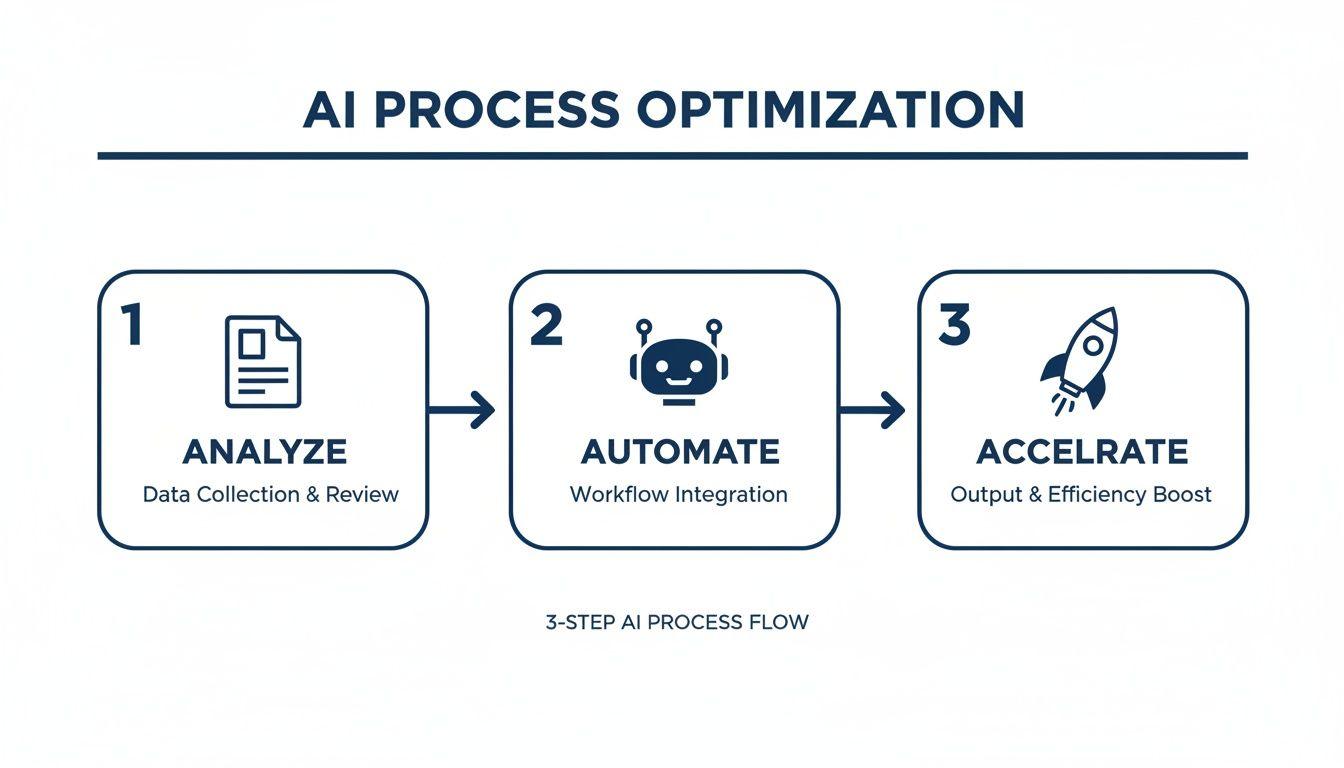
This visual shows how it all works together—a feedback loop that keeps you moving forward.
Establish a regular cadence, maybe quarterly, to review your productivity KPIs with the team. In these meetings, ask three simple but powerful questions:
- What's working well? Find out which changes have had the biggest positive impact so you can double down on them.
- What's causing friction? Pinpoint any new bottlenecks or processes that are proving to be a pain in practice.
- What should we try next? Brainstorm new ideas for improvement based on the team's direct, hands-on experience.
By embracing this cycle of implementation, measurement, and adjustment, you build a culture where getting better is just part of the daily routine. This is how you achieve real, lasting gains in team productivity.
Frequently Asked Questions
Even the best-laid plans run into questions once you start changing how people actually work. Getting ahead of these common concerns can smooth out the transition and keep your momentum going. Here are a few of the most practical questions I hear from managers trying to boost their team's productivity.
What’s The Best Way To Introduce New Productivity Tools?
Whatever you do, don't just spring a new tool on the entire company at once. That's a classic recipe for confusion, pushback, and abysmal adoption rates.
The trick is to start small. Find a group of internal champions who can kick the tires and prove the tool’s worth.
I always recommend finding one specific, nagging pain point the new tool solves. For example, if your team burns hours every week summarizing long client calls, bring in an AI tool that does exactly that—and nothing more, at first.
- Run a pilot program: Grab a small, tech-friendly group and have them use the tool on a real project for a couple of weeks.
- Collect real feedback: Ask them what they loved, what was clunky, and what little tricks they figured out along the way.
- Show, don't just tell: When you roll it out to everyone, use the pilot team's success stories and real-world examples. Seeing a colleague save five hours a week is far more convincing than any top-down mandate.
How Do You Measure Productivity For Creative Roles?
You can't. Not in the traditional sense, anyway. Trying to measure a writer's or designer's output by the number of units they produce is a fool's errand. For creative work, you have to shift your thinking from quantity to quality and impact.
This is where those SMART goals and KPIs you set earlier become so critical. Instead of tracking lines of code or the number of mockups, you need to connect their work to actual business outcomes.
For creative teams, true productivity isn't about speed; it's about effectiveness. The real question is: did their work move the needle on what matters to the business?
Here are a few examples of better metrics:
- Conversion Rate on a New Landing Page: How well did the copy and design convince visitors to sign up or buy?
- Customer Engagement on a Marketing Campaign: Did the creative assets drive more clicks, shares, and comments?
- Time to Project Completion: While not a quality metric, tracking the efficiency of the creative process itself can reveal hidden bottlenecks in your workflow.
How Can We Improve Productivity Without Micromanaging?
This is a big one. The fear of being seen as a micromanager is real, but it shouldn't stop you from keeping a pulse on progress. The line between effective management and micromanagement really comes down to trust and focus.
Micromanagers get lost in the how. They dictate every tiny step and hover over people's shoulders. Great leaders focus on the what and the why. They set clear goals, give the team the right tools, and then trust them to figure out the best path forward.
Your regular check-ins should be about clearing roadblocks and offering support, not asking for a play-by-play of someone's day. When your team trusts that you’re there to help them win, they’ll be honest about their progress and challenges. That’s how you build real accountability, no micromanagement required.